Belkin Wired Tablet Keyboard Review: Solid but Limited
"I like not having to worry about charging another device. It just plugs straight into my iPad and I'm good to go," wrote Trustpilot reviewer Kendrick B., summing up the appeal of the Belkin Wired Tablet Keyboard with Stand and Lightning Connector for iPad. Scoring a community sentiment of 6.0/10, the device enjoys praise for durability, typing comfort, and no-battery convenience, but comes under fire for limited portability, occasional build quirks, and compatibility issues with newer iPad models.
Quick Verdict: Conditional – Strong choice for classroom or desk-bound productivity, less ideal for mobile or USB‑C iPad users
| Pros | Cons |
|---|---|
| Stable typing surface | Wired connection restricts mobility |
| No batteries or charging needed | Spacebar quality issues reported |
| Integrated stand holds iPad securely | No trackpad |
| Full-size, well-spaced keys | Not compatible with USB‑C iPads |
| Stackable design for classroom storage | Slightly bulky compared to folio keyboards |
| Plug-and-play setup | Price can be high relative to resale market |
Claims vs Reality
Belkin markets this keyboard as “SBAC and PARCC testing compliant” and designed for education environments, touting its full-size keys, lightning connector, and stackable design as advantages. On paper, the absence of batteries or Bluetooth pairing means uninterrupted classroom use.
Yet digging deeper into user reports, compatibility emerges as a stumbling block. While officially compatible with lightning‑connector iPads of multiple generations, Trustpilot buyer Michael H. complained: "The space bar doesn't work well on my keyboard. I have to press very hard to activate it... very important on any keyboard." This kind of mechanical flaw undermines the “comfortable typing” claim.
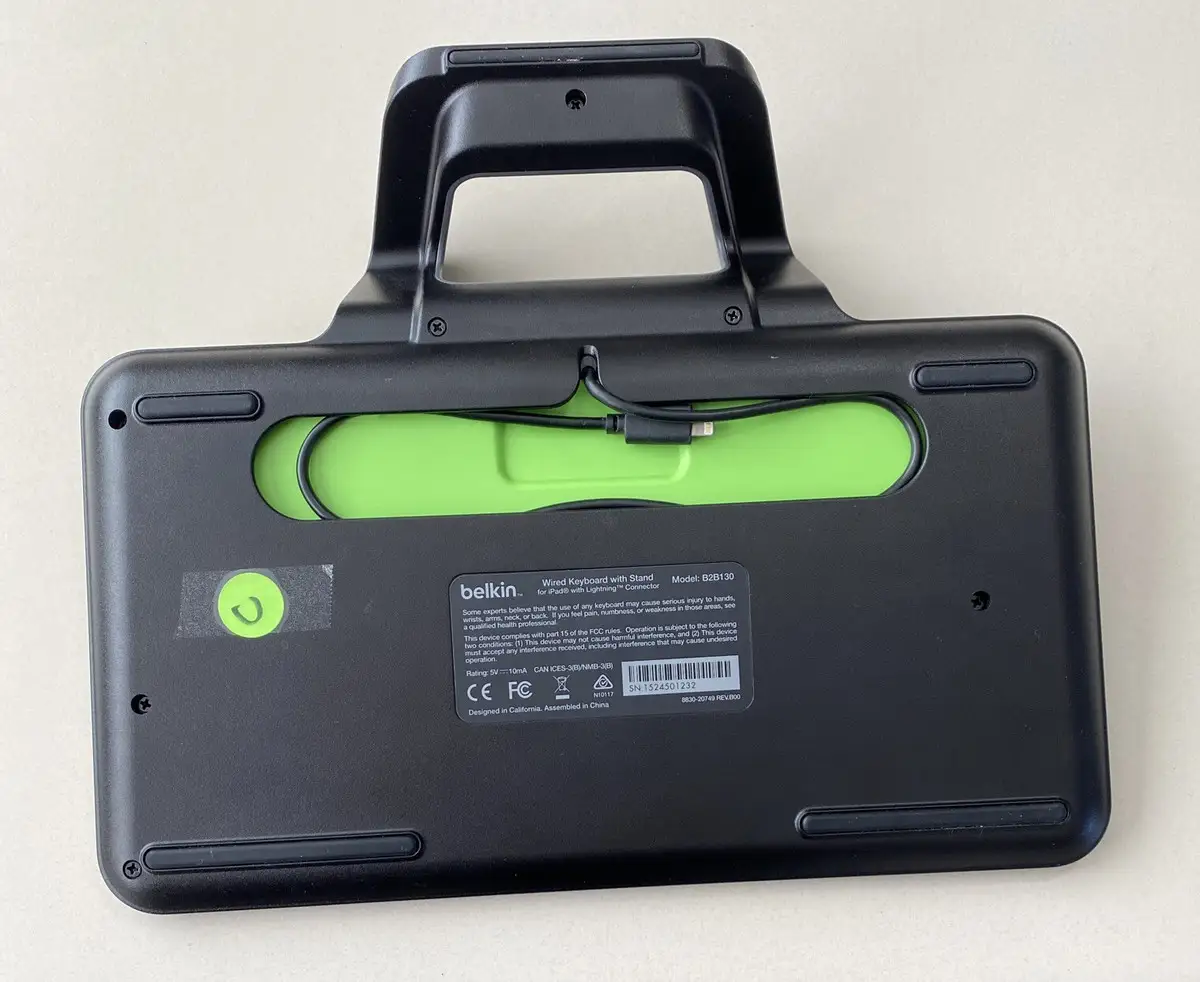
Belkin’s “integrated stand works with virtually any case” also shows some variance in real-world experience. Vaibhav K. on Trustpilot noted that the USB‑C variant he purchased was “not particularly mobile due to the stand… I leave the keyboard on the table,” which, while fine for desk use, limits flexibility for couch or travel typing.
Cross-Platform Consensus
Universally Praised
Across Reddit, Trustpilot, and Amazon, stability and typing comfort are consistently called out. Reddit sentiment analysis highlighted the “stable typing surface,” which benefits students and office users who dislike the wobble of folio-style keyboards. Classroom teachers have found that stacking multiple units makes distribution quick; Kendrick B. loved that it “looks like a laptop” when the iPad is docked.
Plug-and-play reliability earns specific praise from Pete H., who switched after two Bluetooth keyboards failed: "It's very responsive and never needs to be charged… I highly recommend this product." For standardized testing environments where wireless devices can be prohibited, this wired setup is seen as bulletproof.
Common Complaints
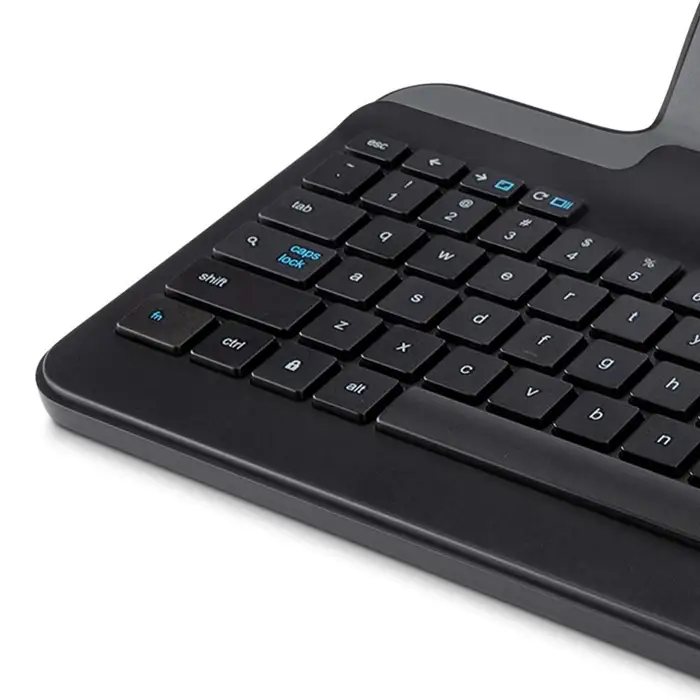
Portability concerns dominate the negative feedback. The integrated stand adds bulk, making it awkward to slip into smaller bags. Michael H.’s spacebar experience shows quality control issues: no matter how solid the housing, a single faulty key erodes utility. Lack of a trackpad means users must rely on touch input for cursor navigation — a frustration for heavy document editors and those accustomed to laptop workflows. More critically, several sources warn of incompatibility with newer USB‑C iPad models, leaving recent buyers stranded unless they own earlier generations.
Divisive Features
The integrated stand splits opinion. Office and classroom setups appreciate its rigid, case-compatible grip — Dave S. described it as “just right for my use” with an adjustable tablet stand combo — but mobile users find the angle fixed and the footprint large. The sturdy build appeals to buyers seeking longevity, yet others, like Vaibhav K., felt its immobility overshadowed these advantages.
Trust & Reliability
Trustpilot’s mixed 3.1/5 rating includes long-term endorsements from buyers who’ve used it for months without issue, but also mechanical defect reports. The absence of scam patterns suggests genuine Belkin quality control rather than counterfeit proliferation. Positive longevity stories include Pete H.’s three months of flawless performance, with no impact on iPad battery life.
From a durability standpoint, Reddit users value the “pry-resistant keys” for student use, where wear and tear is inevitable. Still, isolated packaging and cosmetic complaints (e.g., Marcus C. noting “not in original box but works great”) imply some warehouse resale, raising caution for buyers seeking sealed units.
Alternatives
Data points mainly pit this wired Belkin against Bluetooth folio keyboards. Buyers like Pete H. switched after repeated Bluetooth failures, citing battery-free reliability as the decider. Vaibhav K. compared it to a USB‑C variant, finding both shared immobility due to the stand. No specific competing brand surfaced heavily within feedback, underscoring its niche appeal for lightning-port iPad owners.
Price & Value
Retail runs from $49.99 to $69.99 new, with steep used market drops — eBay listings for B2B130 units fall as low as $6.88. This resale disparity signals low collector value, which benefits bargain hunters but undermines perceived premium status. Buyers looking for long-term desk setups can exploit the secondhand market for significant savings, provided mechanical keys are tested.
FAQ
Q: Does this work with newer USB‑C iPads?
A: No. Multiple sources confirm it’s designed for lightning‑connector models only. USB‑C iPads require a different Belkin variant.
Q: Can the stand accommodate rugged or thick iPad cases?
A: Yes. The integrated stand is marketed and reviewed as case-compatible, with Dave S. confirming it holds his iPad securely.
Q: Is there a backlight for low-light typing?
A: No. Kendrick B. notes the absence of backlighting — acceptable for classrooms but limiting in dark environments.
Q: How portable is it compared to folio keyboards?
A: Less portable. Vaibhav K. and Amazon buyers find the stand bulky for travel; it’s best suited for fixed desk use.
Q: Will it impact my iPad’s battery life?
A: Minimal impact. Pete H. reported no noticeable change during use.
Final Verdict: Buy if you’re a student, teacher, or desk-bound professional with a lightning‑connector iPad seeking stable, battery-free typing. Avoid if you rely on mobile flexibility, need trackpad input, or own a USB‑C iPad. Pro tip from the community: Check secondhand listings for deep discounts — but test the spacebar before committing.





