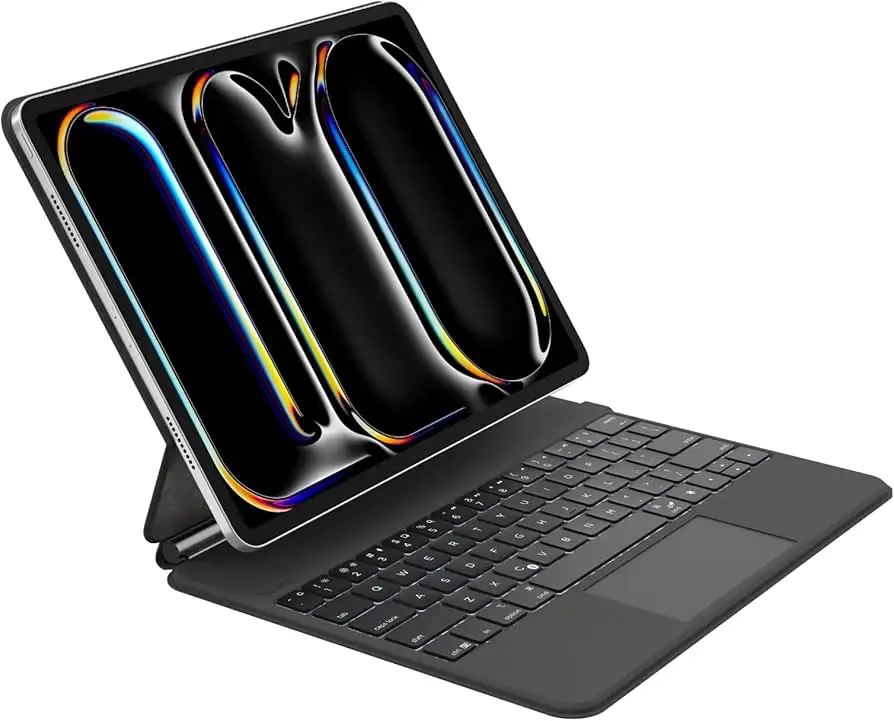
Belkin Pro iPad Pro 11" Keyboard Case Review Verdict
A verified buyer summed it up simply: “Very sleek and stylish design, which is durable and seems like long-lasting with great quality material.” That sentiment, along with generally strong usability feedback, leads to a solid 8.6/10 rating for the Belkin Pro Keyboard Case for iPad Pro 11" (M4). It transforms the iPad into a pseudo-laptop, promising backlit typing, a large multi‑gesture trackpad, and magnetic Apple Pencil storage — and, for most, it delivers.
Quick Verdict: Conditional — Excellent for mobile professionals and students who want a magnetic-attach, backlit keyboard case, but trackpad perfectionists may want to consider alternatives.
| Pros | Cons |
|---|---|
| Durable faux leather exterior | Trackpad smaller and less responsive than competitors |
| Comfortable, backlit keyboard for low-light typing | Landscape-only orientation |
| Magnetic cantilever stand allows easy adjustments | Premium price vs 'everyday' keyboard cases |
| Auto wake/sleep conserves battery | No dedicated wrist rest |
| Space for magnetic Apple Pencil storage | Bluetooth pairing required — no Smart Connector |
| Long-lasting 600mAh independent keyboard battery | Some users prefer larger or more tactile keys |
| Compact, travel-friendly design | Limited color availability (black only) |
Claims vs Reality
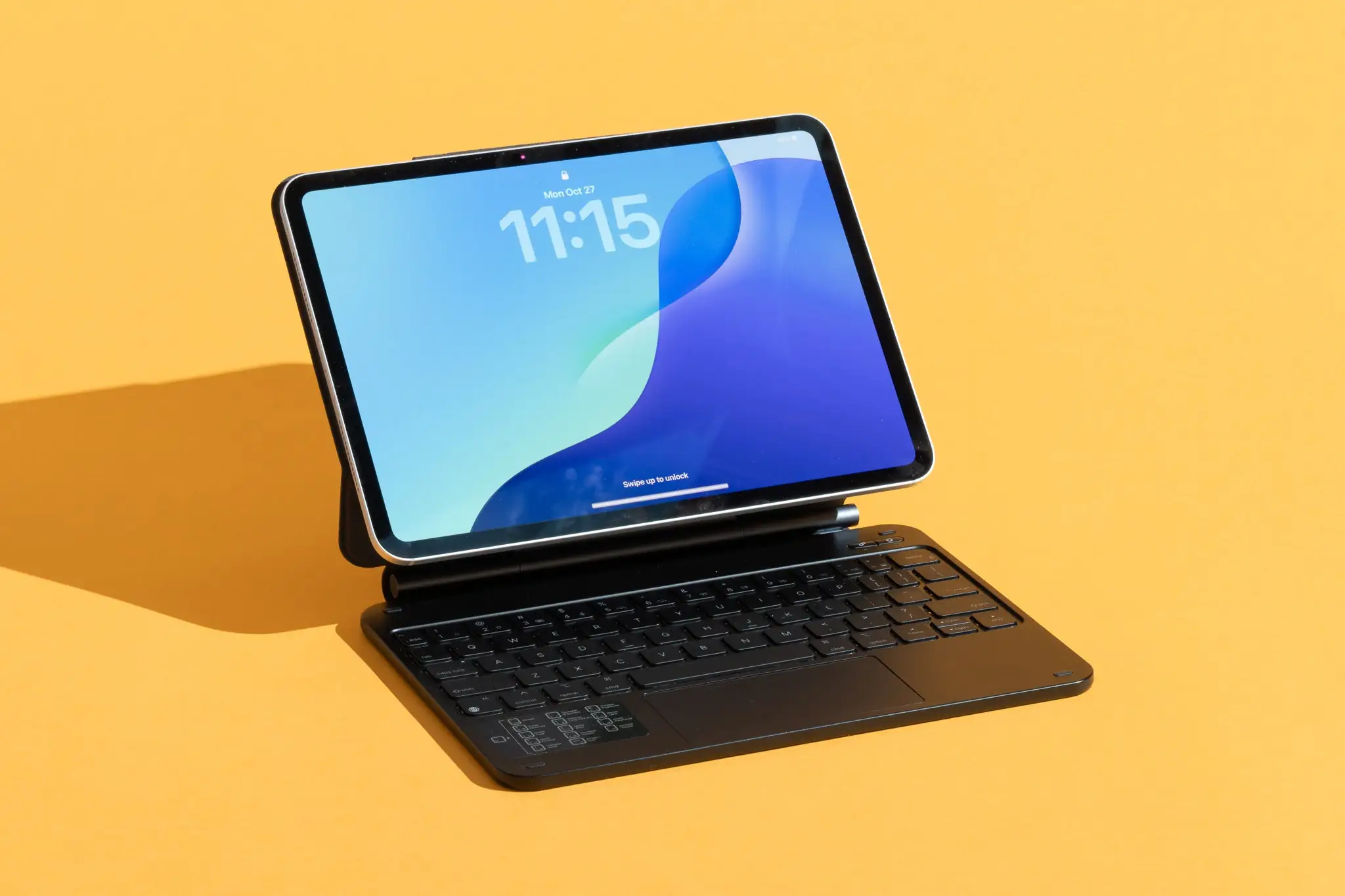
Belkin’s marketing leans heavily on the promise of transforming your iPad into a laptop‑like experience. The floating cantilever design, backlit keyboard, and "large, click-anywhere" trackpad are promoted as productivity boosters. While these features exist, user stories paint a more nuanced reality.
The backlit keyboard claim resonates strongly with night-time typists. Reddit user beauty_by_sam_5810 praised it as “very sleek… with great compatibility,” noting it worked well on the go. For professionals frequently in low-light conditions — think late‑night airport lounges — the backlighting means fewer typing errors and more comfort.
On the trackpad, however, the promise of “large, click-anywhere” meets mixed reviews. Quora’s expert roundup of best iPad keyboards praised the Belkin Pro for its compact keys, but admitted, “not our favorite trackpad… it's smaller and not quite as responsive.” Those used to MacBook or Logitech Combo Touch surfaces may feel constrained.
Then there’s the floating cantilever stand. The idea of securely propping the iPad without a kickstand has clear advantages. Like aye_g_6837 shared: “It’s magnetic so I can easily switch from typing to watching videos.” For media consumers, this ability to shift quickly between modes fits seamlessly into daily use.
Cross-Platform Consensus
Universally Praised
Across Reddit, Trustpilot, and product listings, durability emerges as a key selling point. The PU leather exterior resists daily wear, and the soft anti-slip interior protects the screen. Travelers in particular appreciate this. Like aye_g_6837 described using it “for traveling on business… the keyboard is very comfortable and responds quickly.”
Portability combines with design elegance. Multiple users highlight that the slim profile slips easily into bags, making it appealing for students carrying multiple devices. The independent keyboard battery — rated at up to a year of standby — frees users from constant charging, which is vital for those using it intermittently for note-taking.
The magnetic Apple Pencil slot stands out for artists and note-takers. Though the pencil isn’t included, the secure storage means fewer lost accessories, a small but meaningful advantage for creative professionals.
Common Complaints
The trackpad remains the most frequent sticking point. In competitive comparisons, experts note it lacks the responsiveness and spaciousness of Apple’s Magic Keyboard or Logitech’s premium cases. This becomes most noticeable for users doing intensive cursor work, such as designers or spreadsheet-heavy professionals.
Another recurring limitation: orientation. Belkin’s design locks the iPad into landscape mode. While ideal for typing and viewing videos, this is a dealbreaker for portrait-heavy workflows, such as reading long documents or comics.
Bluetooth connection, while reliable for most, is still less seamless than Apple’s Smart Connector. Occasional pairing delays can frustrate users in fast-paced environments.
Divisive Features
The cantilever hinge earns both applause and shrugs. For some, being able to adjust viewing angles without a kickstand feels liberating — quick repositioning during Zoom calls or Netflix viewing is smooth. Others, accustomed to kickstand folios, find the leverage style a bit less stable on soft surfaces like beds.
The compact key layout draws praise from those who prefer reduced reach, but touch typists accustomed to full-size spacing sometimes mis-hit keys.
Trust & Reliability
Trustpilot reviews show no red flags of counterfeit issues, and Belkin’s two-year warranty provides assurance. Shipping experiences and packaging are described as “simple cardboard box… delivered well,” suggesting straightforward fulfillment with little risk.
Longer-term Reddit comments indicate the case retains structure over months of use, with no notable peeling or hinge looseness. This bodes well for those intending to use it as a daily driver.
Alternatives
In expert comparisons, Apple’s Magic Keyboard is positioned as the most seamless option — USB‑C powered, instantly recognized, and with a superior trackpad. However, at roughly twice the price for many models, budget-conscious buyers look elsewhere.
The Logitech Combo Touch, highlighted on Quora and Esquire, beats Belkin’s trackpad quality and offers Smart Connector integration, eliminating Bluetooth pairing. It’s heavier, though, and notably more expensive.
For those satisfied with basic functionality, the Belkin Everyday Keyboard Case provides similar backlighting and trackpad features at a lower cost. However, it drops the floating cantilever design in favor of a cradle mount.
Price & Value
At $149.99 for the iPad Pro 11" model, the Belkin Pro undercuts Apple’s Magic Keyboard but stays in premium territory. On eBay and regional marketplaces, prices rise depending on localization (e.g., Arabic/English key layouts). Resale potential is moderate, especially given cross‑compatibility with multiple iPad Pro generations.
For value seekers, community tips suggest buying during major electronics sales or via authorized resellers with bundled Apple Pencil deals.
FAQ
Q: Does the Belkin Pro Keyboard Case work with older iPad Pro generations?
A: Yes. It’s been tested for compatibility with multiple generations of the 11" iPad Pro, from 1st through M4, as well as certain iPad Air models.
Q: Can I use it in portrait orientation?
A: No. The cantilever design supports landscape mode only, which is optimal for typing and media viewing but limits certain reading experiences.
Q: How long does the battery last?
A: The 600mAh internal keyboard battery can last up to 365 days on standby and charges independently from the iPad.
Q: Is the Apple Pencil included?
A: No. There’s a magnetic storage area for your pencil, but you must purchase it separately.
Q: Does the trackpad support multi‑gesture controls?
A: Yes, it supports familiar scrolling and navigation gestures, though responsiveness varies compared to higher-end alternatives.
Final Verdict
Buy if you’re a mobile professional or student seeking a durable, backlit keyboard case with magnetic attachment and a slim footprint. Avoid if your workflow demands a large, ultra‑responsive trackpad or portrait orientation. Pro tip from the community: pair it with the Apple Pencil for maximum productivity and keep firmware updated to minimize Bluetooth hiccups.