Avery Printable CD Labels Review: Conditional Buy Verdict
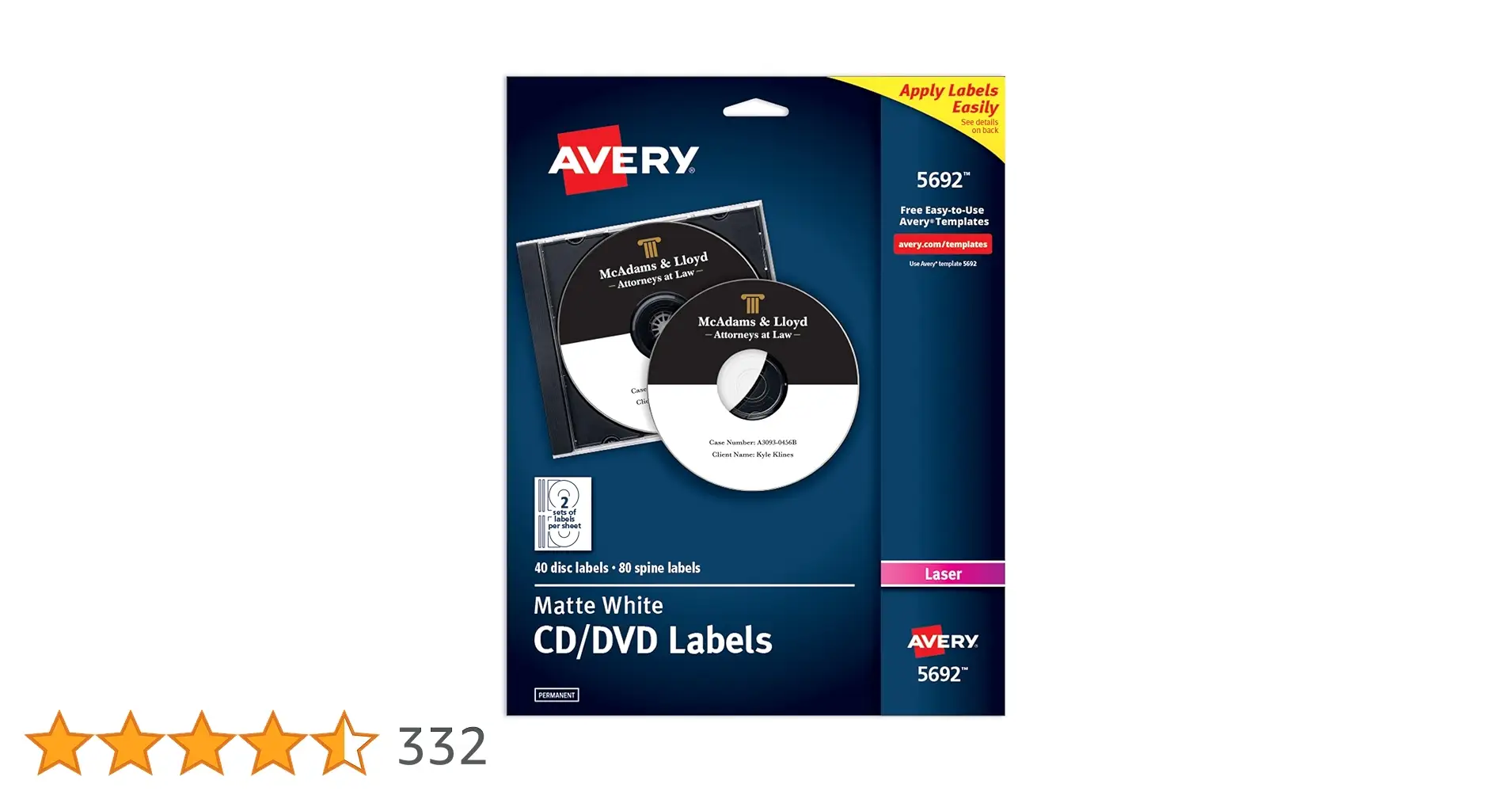
Keen-eyed buyers consistently highlight that the Avery Printable CD Labels (Matte White, Permanent Adhesive) deliver sharp, professional-looking disc graphics—yet some note that the devil is in the application details. With average ratings hovering between 4.4 and 4.7 stars and thousands of sales across platforms, the verdict from most users skews positive, giving them an 8.3/10 overall.
Quick Verdict: Conditional Buy — excellent print quality and adhesion, but be prepared for template quirks and potential application issues.
| Pros | Cons |
|---|---|
| Crisp, smudge-free printing with both laser & inkjet | Template software can be faulty or lacking |
| Strong permanent adhesive—won’t lift or peel | Labels may bubble if applied improperly |
| Full-face design offers extended print coverage | Center hole sizing issues with applicators |
| Affordable in bulk compared to local retail | Toner prints may smear if applied too quickly |
| Easy compatibility with free Avery templates | Some find paper thin, prone to curling |
| Works well before or after disc burning | Careful printer settings needed to avoid poor output |
| Wide compatibility with popular Avery product numbers | Occasional off-center results with certain applicators |
Claims vs Reality
Marketing emphasizes the "permanent adhesive, won't lift, peel off, or wrinkle" feature. A verified buyer on Amazon echoed the claim positively: "These labels were exactly what I was looking for with a quick turnaround... they print up well." The adhesion performed well even on discs burned after application, as one user noted: "I was even able to adhere the label before burning and it was completely fine."
Yet, the permanence promise faltered for some. Staples reviewers mentioned bubbling after application: "The product does not adhere to the back of a DVD/CD very well... bubbles starting to form underneath the label." This suggests that real-world use requires precise prep and careful pressing to avoid flaws.
Avery touts "compatibility with both laser and inkjet printers" for crisp results. Amazon reports and Trustpilot stories affirm that versatility: "We've used them on an inkjet... they print great and stick to stay on the CD/DVDs." However, one Trustpilot reviewer found initial disaster on a HP Color LaserJet until changing paper type to "labels"—proof that printer settings can make or break output quality.
Lastly, Avery claims "full-face CD label with print-to-the-edge feature" creates a professional look. Staples customers loved this: "Absolutely love the full label that goes all the way to the core." Conversely, a frustrated reviewer found the label's paper thinness caused curling, undermining presentation until manually corrected.
Cross-Platform Consensus
Universally Praised
One of the most celebrated aspects is print quality. Reddit users organizing digital photo albums or archiving music collections praised that "labels work just as claimed" and produce vibrant, accurate colors. This serves event photographers, indie musicians, and small businesses equally—where appearance sells.
The adhesive’s reliability drew acclaim from users producing software distribution discs or data backups. Amazon feedback frequently lauded: "These labels are good enough for the job and print up well." Trustpilot accounts describe year-after-year usage without peeling, giving confidence for projects that must remain intact over time.
Bulk affordability is another consistent win. Trustpilot’s “best price for great labels” comment, where 250-pack buys beat local store rates, showed value to small shops making hundreds of discs. These savings are key for production houses balancing quality and budget.
Common Complaints
Templates, while free, often frustrate. One Trustpilot reviewer was blunt: "The free software download is faulty... it corrupted other software on my PC." Even when not catastrophic, Staples reviewers fought with "templates left much to be desired regarding useful guidelines." This hits hardest for beginners expecting turnkey design tools.
Application alignment issues surface across sources. Trustpilot warned: "Center hole in these labels is... larger than those on the inkjet version... not fit snugly on the applicator," causing off-center labels. For professional media producers, misaligned prints can be unacceptable.
Material handling concerns appear particularly around curling and bubbling. "The paper is thin so curls and doesn't lay flat on the CD" was a Staples review, while toner smearing before drying was mentioned in Trustpilot posts. High-speed mass production environments might see increased wastage without adjustments.
Printer compatibility quirks also emerged. Incorrect paper settings led one Trustpilot user to "labels look like junk" until discovering the ‘heavy paper’ setting fixed the problem—highlighting a learning curve.
Divisive Features
The full-face coverage split opinion—many love it for artistry; "This helps when you have an image... beyond just the outer edge," shared a Staples customer. Others disliked the side wings on certain models that "do not tear off well," complicating clean edges.
Some find the permanent adhesive overly tenacious when misapplied, making corrections impossible. For hobbyists, that permanence means durability; for meticulous graphic designers, it’s unforgiving of small mistakes.
Lastly, compatibility across Avery product numbers confused bulk buyers. Trustpilot reviewers admitted: "Manufacturer numbers vary... factors I can't ascertain," which can cause misorders when switching pack sizes or finish.
Trust & Reliability
Trustpilot reviews show entrenched loyalty to Avery labels despite grievances with software. Multiple users declared they "will continue to use Avery labels, they are great... but never fall for any free Avery software again."
Durability narratives span years: one customer using them for company software distribution maintained consistent quality without peeling or color fading even after long storage. Reddit posts suggest discs labeled six months prior held both adhesion and print vibrancy.
However, reliability hinges on correct application and printer setup. Poor executions—whether bubbling from rushed adherence or smearing from untreated toner—stem more from process than inherent label fault.
Alternatives
The only direct competitor cited was the Staples CD & DVD label kit. Staples reviewers sometimes preferred this brand: "Staples product are the best... the best thing about the Avery labels is that they are cheaper in price." This positions Avery as a budget-friendly option with more variable ease-of-use compared to Staples’ kit.
Memorex labels also surfaced in Trustpilot anecdotes, mainly as a benchmark: one user switched back after unsatisfactory Avery prints, though later discovered printer settings, not label quality, caused issues—underscoring that direct comparisons can be skewed by workflow errors.
Price & Value
At around $16.29 for 40 disc + 80 spine labels on Amazon (≈ $0.14 per label), they significantly undercut small-pack buys from local stores. Trustpilot’s bulk buy example (250 labels for less than 100 at retail) demonstrates scaling discounts for heavy users.
On resale markets like eBay, prices vary internationally (NZD 25.73 + shipping in one listing), but community consensus deems them worth importing if local mark-up is high. Walmart listings show similar pricing competitiveness against house brands.
Buying tips from users include:
- Purchase bulk if producing regularly—cost per label drops dramatically.
- Verify product number and printer compatibility before ordering.
- Factor in application tools if precise centering matters.
FAQ
Q: Do Avery CD labels work with both laser and inkjet printers?
A: Yes, multiple users report sharp prints from both. However, laser users should set printer paper type to “labels” or “heavy paper” to avoid poor toner adhesion.
Q: Can these be applied before burning a disc?
A: Amazon reviewers have successfully adhered labels before burning without issues, but ensure adhesive is firmly set.
Q: Are Avery templates reliable?
A: Mixed experiences—some praise built-in design tools, others criticize layout limitations or software glitches. Many opt to design in external programs and use Avery only for printing.
Q: How to avoid bubbles or curling?
A: Apply on a clean, dust-free surface with steady pressure; storing labels flat and using applicators where possible helps.
Q: Will the labels hold up in CD/DVD drives?
A: Yes—permanent adhesive is designed to resist lifting or wrinkling under typical drive heat and spin speeds, per long-term user reports.
Final Verdict
Buy if you’re a small business, musician, or media producer seeking affordable full-face labels with strong adhesion and you’re comfortable controlling your design workflow outside Avery’s tools.
Avoid if you need foolproof templates or perfect applicator fit; alignment quirks and paper handling require patience.
Pro tip from community: Always match printer settings to media type—misconfiguration is the No.1 cause of poor results with Avery CD labels.





