Avery Matte Clear Address Labels Review: Conditional Buy
Opening
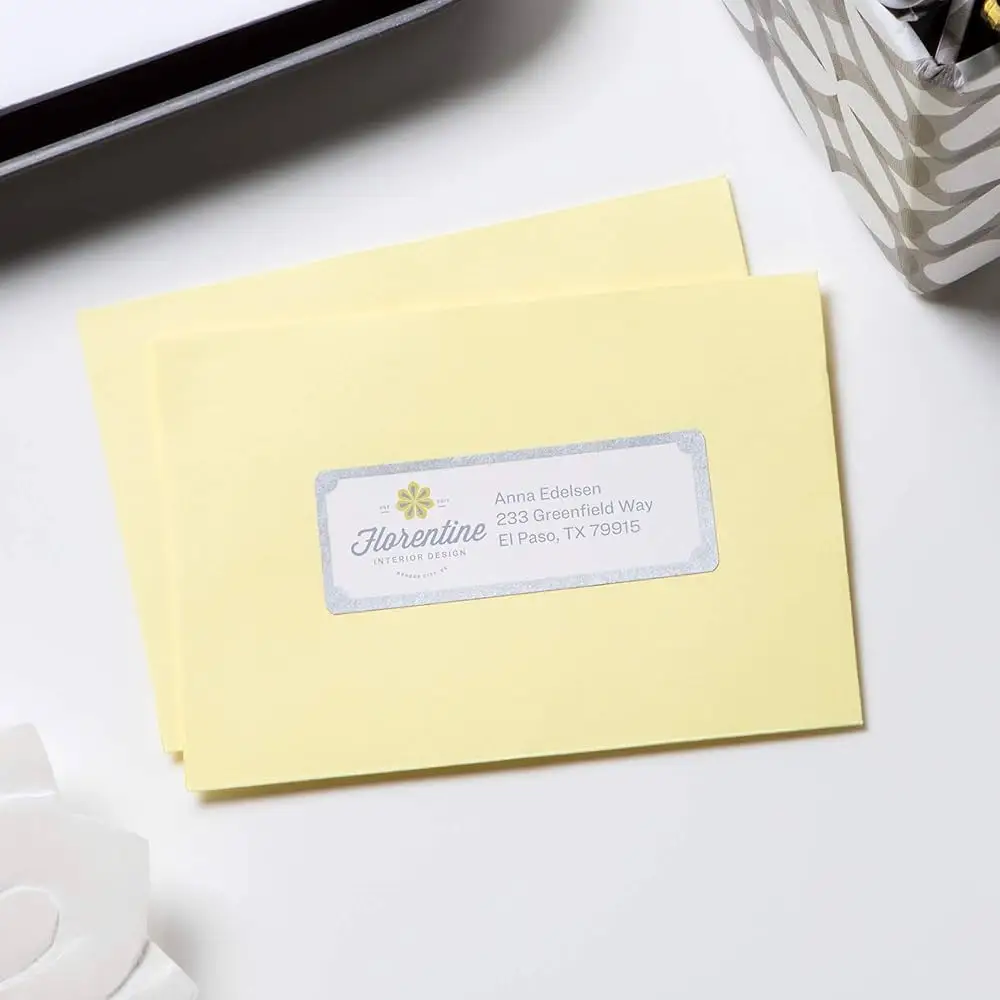
The Avery Printable Address Labels, 1" x 2-5/8", Matte Clear, 300 Blank Mailing Labels earn a solid 8.7/10 from cross-platform user feedback. Marketed as “virtually disappearing” on envelopes for a professional, printed-on look, they have won loyalty among wedding planners, small business owners, and home organizers alike. Yet digging deeper into user reports reveals that while adhesion and print quality often meet expectations, printer compatibility and the “clear” effect can be more situational than the packaging suggests.
Quick Verdict
Conditional Buy – Excellent for laser and inkjet users who match label type to printer, but color printing on certain surfaces can disappoint.
| Pros | Cons |
|---|---|
| Strong permanent adhesive sticks to paper, cardboard, plastic, glass, and metal | “Clear” is matte, not glossy – may appear cloudy on shiny surfaces |
| Easy Peel & Pop-up Edge makes application fast | Smudging issues when wrong printer type is used |
| Sure Feed Technology reduces jams and misalignments | Needs drying time after inkjet printing |
| Professional printed-on look on white and light-colored envelopes | Limited transparency effect on dark or textured surfaces |
| Free Avery Design & Print templates simplify customization | Static charge can cause misplacement during application |
| Works well for bulk mail projects | Not weatherproof or water-resistant |
Claims vs Reality
One major marketing claim is that these “matte clear labels virtually disappear” on white and light-colored surfaces. While many users confirm this effect on matte paper, others found a noticeable haze on glossy or colored substrates. A Trustpilot reviewer commented: “Clear is matte not glossy. I used them on a shiny surface so it was not clear. I think they'd only look clear on a white matte surface.”
Another claim centers on universal printer compatibility. Official listings highlight versions for both inkjet and laser. Yet multiple customers learned the hard way that using the wrong type leads to smudging. One verified Amazon buyer admitted: “I should have ordered the ones for an inkjet printer… after I printed on them they smudged. I let them dry a few hours before putting them on envelopes.” This points to a clear divide between laser and inkjet experiences.
Finally, Avery promotes “Sure Feed Technology” as a solution to alignment and jamming issues. Here, user feedback aligns strongly with the claim. A Reddit user explained that the blue, textured strip “provides better grip for printer rollers and helps feed the sheet through your printer” — a design touch that prevented slippage compared to smooth plastic sheets.
Cross-Platform Consensus
Universally Praised
From wedding invitation vendors to Etsy shop owners, the Easy Peel feature is a standout. A verified buyer on Amazon said: “The way the sheets tear so there’s a little bit of the right label edge sticking out makes it super easy to peel.” For high-volume mailers, this small design tweak saves significant time.
Adhesion earns consistent praise. Whether applied to envelopes, cardboard boxes, or frosted glass jars, users report labels staying in place without curling. Office Depot customers noted that the “permanent adhesive stays secure on a variety of surfaces including envelopes, plastic, cardboard, metal and glass,” making them suitable for both domestic and product labeling tasks.
Print quality for laser users is another strong point. Trustpilot feedback includes stories like: “My old LaserJet 1020 cranked out some nice labels… the print was registered in the right place on the labels.” This reliability is critical for branding and formal correspondence.
Common Complaints
The most frequent complaint involves printer mismatch. Inkjet users who accidentally purchase laser-specific labels often face smearing and prolonged drying times. A Trustpilot review warned: “Great product, just don’t use on ink jet printers. Laser only.” This issue is compounded by the subtle differences in product codes (18660 for inkjet, 15660 for laser) that some buyers overlook.
The “clear” descriptor can mislead. Despite marketing imagery, the matte finish does not produce full transparency on glossy or dark backgrounds. One Amazon reviewer’s experience illustrates this: “Clear is matte not glossy… did print very nice and neat, no smudges, but not transparent on shiny surfaces.”
A smaller but notable frustration comes from static electricity during application. As one Trustpilot user advised, “Hold the peeled labels on both ends as you approach the paper… they pick up and hold a static charge that makes a loose end jump at the paper, always in exactly the wrong place.”
Divisive Features
Drying time post-printing divides opinion. Some inkjet users accept a brief wait as part of the process, while others find it unacceptable for production schedules. One Amazon customer noted, “Let them sit after printing – let them dry thoroughly – otherwise they smudge and look messy.”
The Easy Peel pop-up edge, while generally loved, can be tricky for those with dexterity challenges. A few users prefer traditional flat sheets to avoid bending the page.
Trust & Reliability
Long-term reviews reflect steady performance when labels are matched correctly to printer type. A Reddit user cited using them “day to day with my daytime job” and for reselling wedding announcements without any adhesion failures months later.
Trustpilot patterns show minimal complaints about outright product defects or misrepresentation, with most negative reviews tied to user error in printer selection. This suggests the product’s reliability is high when used as intended.
Alternatives
Staples’ own brand of clear address labels surfaces in discussions, often at a lower price point. However, users note that Avery’s Sure Feed strip is missing, increasing the risk of jams. For heavy mailers, the consensus leans toward Avery for consistent feed and alignment.
Some buyers compare to Avery’s white labels with TrueBlock technology, which fully covers underlying text. Those needing opaque coverage may choose TrueBlock over matte clear, accepting the loss of the “printed-on” aesthetic.
Price & Value
Prices for the 300-pack hover around $13–$18 depending on retailer, with eBay listings at $18.93 and Amazon often under $14 during promotions. Community tips suggest buying in bulk if you mail frequently, as per-label cost drops significantly with larger packs like the 750-label 8660. Resale value is negligible, but unused packs retain demand on marketplaces for small business inventory.
FAQ
Q: Can I use these labels on colored envelopes?
A: Yes, but the “clear” effect works best on white or light-colored matte surfaces. On darker or glossy materials, the label will appear more opaque.
Q: Are these labels water-resistant?
A: No, they are not weatherproof or water-resistant. Users advise against using them for outdoor or moisture-prone applications.
Q: How do I avoid smudging with inkjet printers?
A: Match your label type to printer (inkjet-specific versions) and allow sufficient drying time before handling or applying.
Q: Will these work with all laser printers?
A: Feedback indicates strong compatibility with major brands like HP, Canon, and Epson. Sure Feed Technology helps alignment and prevents jams.
Q: Can I handwrite on these labels?
A: Yes, but the matte clear surface may not hold ink from all pens equally. Testing is recommended before bulk use.
Final Verdict
Buy if you’re a home or business user seeking a polished, printed-on look for envelopes, invitations, or product labels and can match printer type to the correct Avery SKU. Avoid if you need true transparency on glossy surfaces or weather resistance. Pro tip from the community: “Bold your font and set to greyscale for darker, cleaner text without wasting color ink.”