Avery Half-Sheet Shipping Labels 8126 Review: Conditional
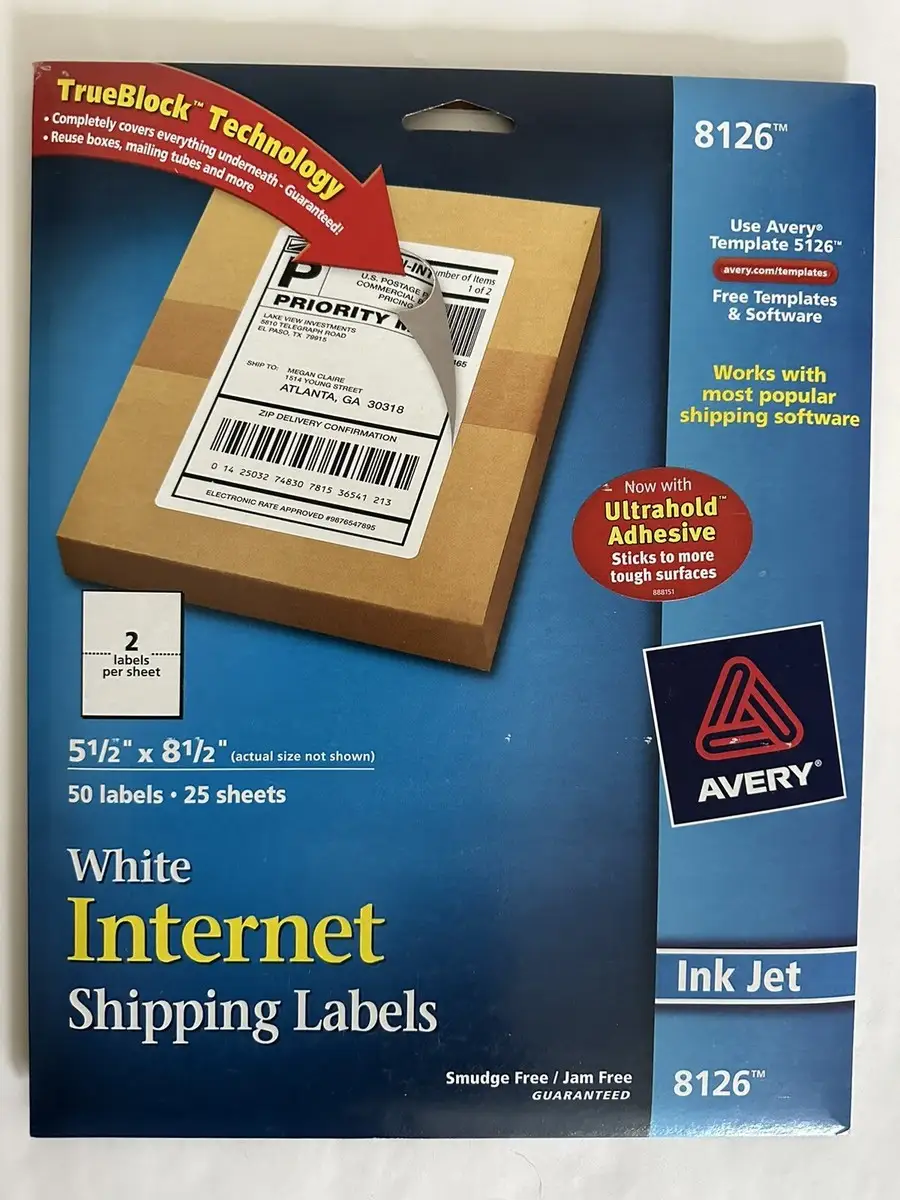
Avery’s half‑sheet shipping labels hold an unusually strong public score — the product pages across retailers cluster around 4.7–4.8/5 with hundreds of ratings — but the loudest stories around these labels aren’t just about paper and adhesive. They’re about whether the labels still print and stick the way long‑time customers remember. Avery Half-Sheet Printable Shipping Labels (8126) earns a Conditional verdict and a 7.6/10 based on compiled buyer and community feedback.
Quick Verdict
Conditional — great physical labels for inkjet shipping and reusing boxes, but experiences hinge on printing workflow and Avery’s software/support ecosystem.
| What buyers liked / disliked | Evidence from users |
|---|---|
| Strong TrueBlock coverage for reusing boxes | Repeatedly marketed and echoed in reviews on Avery/retail sites; users cite covering old labels and markings. |
| Reliable permanent adhesive on common surfaces | Multiple retailer highlights stress “stick and stay” on cardboard, plastic, glass, metal; long‑time users confirm secure hold. |
| Crisp inkjet printing with minimal smudging | High ratings and positive notes about clean text/graphics on inkjet. |
| Printing alignment/centering frustrations | Sitejabber reviewers report wasting sheets and misalignment despite templates. |
| Avery Design & Print software seen as a bottleneck | Users call the new system “not user friendly,” “over‑complicated,” and prone to losing work. |
| Customer service inconsistency | Some praise fast help; many complain of unreachable support or unhelpful responses. |
Claims vs Reality
Avery markets the Avery Half-Sheet Printable Shipping Labels (8126) as “ultrahold permanent adhesive” that “won’t lift, curl or fall off,” plus TrueBlock backing that fully hides old markings. Digging deeper into user reports, that physical‑product claim mostly holds up. Buyers lean on these labels for high‑volume shipping and box reuse, aligning with the official promise that they “stick securely to most smooth surfaces.” The persistent 4.8‑star averages on Avery.com, Amazon listings, Staples, and Office Depot point to broad satisfaction with adhesion and block‑out performance.
The bigger gap appears around the company’s printing experience. While marketing emphasizes “no more jams or smudges” and easy customization via Avery Design & Print, multiple customers say the software and templates are where time and money get burned. A Sitejabber reviewer described a “miserable label experience,” saying they made “many tries” and found “printing did not align,” then abandoned Avery products for a competitor. Another wrote, “I have tried at least ten times to get a label to print in the correct place… I am now using pen and ink.” These complaints don’t necessarily contradict the label stock’s quality; they highlight that the “easy templates” claim depends on a smooth software path that not everyone is getting.
A second marketing point is cross‑platform compatibility and a simple workflow for popular carriers. Official pages say these half‑sheet labels work with USPS, UPS, FedEx, Stamps.com, and similar services. User stories generally don’t dispute that compatibility, but they do frame it as conditional on browser, printer, and template choices. One positive Sitejabber reviewer, after being hesitant, said everything “printed perfectly” once they used a capable printer and Chrome: “every single thing printed perfectly and was exactly what I was looking for.” The same platform includes users who blame the software for wasting “hundreds” in ink and paper. So while rated for inkjet and designed for carrier labels, the real‑world experience isn’t uniform.
Cross-Platform Consensus
A recurring pattern emerged in praise for the physical label stock itself. Small business shippers and online sellers frequently buy the 50‑label packs as a workhorse for Etsy, eBay, or Shopify orders, mirroring Avery’s own positioning. The TrueBlock backing is repeatedly framed as the difference‑maker for people who reuse packaging. Official claims emphasize covering old labels and markings, and users echo that it enables a “polished, professional look” even on recycled boxes. For thrifty sellers or people moving homes, that means skipping extra packing tape or sharpie blackout; the label does it in one step.
Printing clarity is another broad positive. Retailer pages highlight “bright white labels optimized for inkjet printers,” and high star averages suggest buyers generally see sharp text and graphics. For home shippers printing postage labels in batches, clean readability matters because smears can risk carrier rejection. One positive reviewer on Sitejabber said their shower‑project labels “came out beautifully” and later “every single thing printed perfectly,” attributing success to printer handling and browser choice. That kind of story underlines who benefits most: users with stable inkjet setups and a straightforward template path.
Adhesive strength is also widely affirmed. Avery’s product copy promises a permanent adhesive that sticks to “cardboard, envelopes, paper, glass or metal,” and Staples/Office Depot list similar guarantees. Buyers describe using them beyond shipping: storage bins, classroom labels, and inventory tags. For organizers or teachers, the practical implication is fewer peeling corners on plastic tubs or file boxes over time. The lack of widespread “falling off” complaints across platforms reinforces that this core feature meets expectations for most users.
Common complaints, however, center less on the paper and more on the ecosystem around it. Many frustrated reviewers lump “Avery labels” together with the Design & Print workflow, but their pain is specific: alignment drift, templates that won’t save in standard formats, and software changes that broke old projects. One user vented, “can’t print a thing… they changed it and totally screwed it up,” expecting to “recreate all my labels.” Another called the program “designed so that in order to get what you want, you must order from Avery rather than use their product.” For busy offices or holiday‑card senders who rely on stored address files, that translates into a risk of time loss right when you need labels fast.
There are also quality‑consistency anxieties from long‑time customers. A reviewer said, “the labels used to be good. they changed them and now they smudge and are hard to get off the sheet.” Another complaint in the same thread style called newer labels “horrible” for peeling. While this isn’t a dominant cross‑platform theme compared with software issues, it’s notable because it suggests some buyers perceive a shift in coating or release liner behavior over years.
Divisive features mainly revolve around Avery’s online tools and customer support. Some users are loyal to the brand, citing responsive help and reliable outcomes. A Sitejabber positive review titled “avery customer for life” praised WePrint services and called the design software “super user‑friendly,” saying representatives “have all been great.” On the other side, multiple reviewers say they couldn’t reach support or got brushed off, like the user who lost years of saved label data and was told old software was discontinued: “if it’s stopped working for you, that’s just too bad.” For buyers, the labels can be excellent, but the “total experience” depends on whether you need Avery’s software or support.
Trust & Reliability
Trustpilot/Sitejabber‑style feedback on Avery as a company is sharply polarized, and that spills into perceptions of the Avery Half-Sheet Printable Shipping Labels (8126) even when the stock itself is liked. A chunk of critical reviews accuse Avery of pushing customers toward paid printing or making offline template access harder. One angry reviewer wrote they were “too busy selling my email info to give me access to the templates.” Another said Avery “wants you to pay for printing your own designed labels.” These are ecosystem trust issues rather than label failures, but they influence whether buyers feel safe investing in bulk Avery sheets.
Long‑term durability comments are more about adhesive shelf life and permanence. A reviewer reported opening “an old box of labels” and finding “the adhesive was gone,” feeling the “product guarantee” wasn’t honored. While not specific to 8126, it signals that if labels sit unused for years, some buyers see adhesive degradation. There aren’t detailed “6 months later on a shipping box” stories for 8126 specifically in the provided data, but the consistent “permanent adhesive” praise suggests normal use cases hold up well.
Alternatives
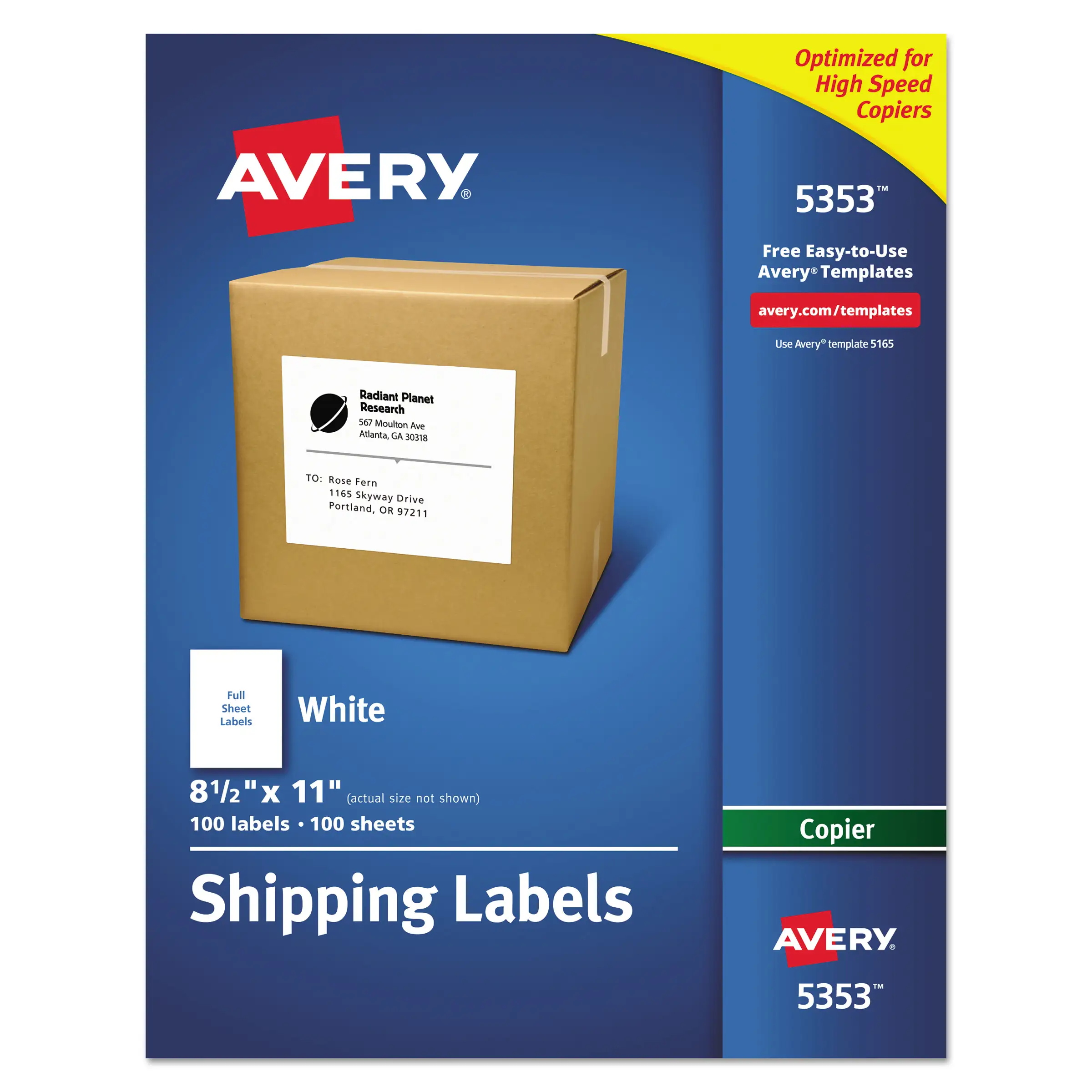
Only a few alternatives surface explicitly in user data. Some frustrated Avery customers point to generic label sheets or competitors on Etsy. One Sitejabber reviewer advised: “find a cheaper and faster custom label maker on etsy like i did.” Another suggested buying “cheap generic label material made as one entire A4 sheet,” designing in Pages, and cutting manually. These alternatives appeal to two groups: Mac users who dislike Avery’s template path and buyers who want full offline control. However, they trade away TrueBlock backing and the convenience of a pre‑cut half‑sheet format.
Price & Value
The official price for Avery Half-Sheet Printable Shipping Labels (8126) fluctuates around the mid‑teens per 50‑pack. Avery.com lists a discounted $14.05 from a $19.57 regular price, and Zoro shows $15.69 for 50 labels. That pegs cost near $0.30–$0.40 per label depending on retailer, matching Staples’ $0.39/label figure. For small sellers shipping daily, users view this as worthwhile when it prevents label peel or avoids buying a separate thermal printer.
Resale and market pricing on eBay shows broad availability of Avery half‑sheet labels in the $7.99–$24.50 range depending on pack size and listing type, with “trending at” prices in the low teens for comparable TrueBlock formats. Community buying tips are implicit: shop around because pricing varies widely, and be cautious about old stock if you want maximum adhesive reliability.
FAQ
Q: Do these half‑sheet labels really cover old shipping labels underneath?
A: Most buyers say yes. Avery’s TrueBlock backing is repeatedly praised for hiding previous barcodes and markings, letting people reuse boxes without visible bleed‑through. Retailer feedback and high star ratings suggest this works reliably for typical cardboard shipments.
Q: Are they only for inkjet printers?
A: The 8126 version is marketed primarily for inkjet, and users who succeed usually mention inkjet setups. Some retailers list compatibility more broadly, but user frustration often comes from template alignment rather than printer type, so matching the right 8126 template matters.
Q: Do the labels smudge or jam in printers?
A: Many users report crisp, clean printing with minimal smearing, aligning with the “optimized for inkjet” claim. A smaller group of long‑time buyers say newer batches “smudge” more or release oddly from the sheet, so experiences can vary.
Q: Is Avery’s Design & Print software necessary?
A: Not strictly, but many users rely on it. Those who dislike it complain about alignment problems, hard‑to‑save formats, and a steep learning curve. Some buyers avoid the tool by building templates in Word, Pages, or other software.
Q: Are these good value for small businesses shipping daily?
A: For many, yes. The cost per label is higher than generic sheets, but users feel the TrueBlock coverage and strong adhesive save time and reduce shipping headaches. Value drops if you frequently fight template or software issues.
Final Verdict
Buy if you’re a home shipper or small business who wants a reliable half‑sheet, TrueBlock label that “sticks and stays” on reused boxes, and you’re comfortable with Avery’s template workflow. Avoid if you depend on old Avery software or need fully offline, hassle‑free printing on Mac. Pro tip from the community: if alignment is off, try a different browser or rebuild the template outside Avery’s system before giving up.





