Avery Clean Edge Business Cards Review & Buy Verdict
Rated an impressive 8.1/10, the Avery Clean Edge Business Cards, White, 200 Blank Cards (5871) continue to hold their reputation as one of the most convenient DIY options for small businesses, freelancers, and event organizers who need professional-quality cards without waiting on a print shop. The stand-out takeaway from hundreds of verified reviews: they really do deliver smooth, non‑perforated edges that rival commercial printing. As one verified Amazon buyer put it: “I was concerned about ‘snap‑off’ cards. Not an issue! Very clean edges, and the app worked fine to set up printing.”
Quick Verdict: Conditional Yes — Ideal for those who value flexibility, design control, and small-batch printing. Not suitable if you demand ultra-thick, glossy-coated cards.
| Pros | Cons |
|---|---|
| Clean Edge® tech produces smooth, professional edges | Cardstock weight considered thin by some |
| Sure Feed® reduces printer jams | Avery templates frustrate certain users |
| Double‑sided printing maximizes space | No print‑to‑edge on this model |
| Flexible printing — from a few cards to hundreds | Ink alignment issues on older printers |
| Works with free Avery Design & Print software | Uncoated finish not ideal for vibrant photo prints |
| Affordable compared to professional printing | Limited premium texture options |
Claims vs Reality
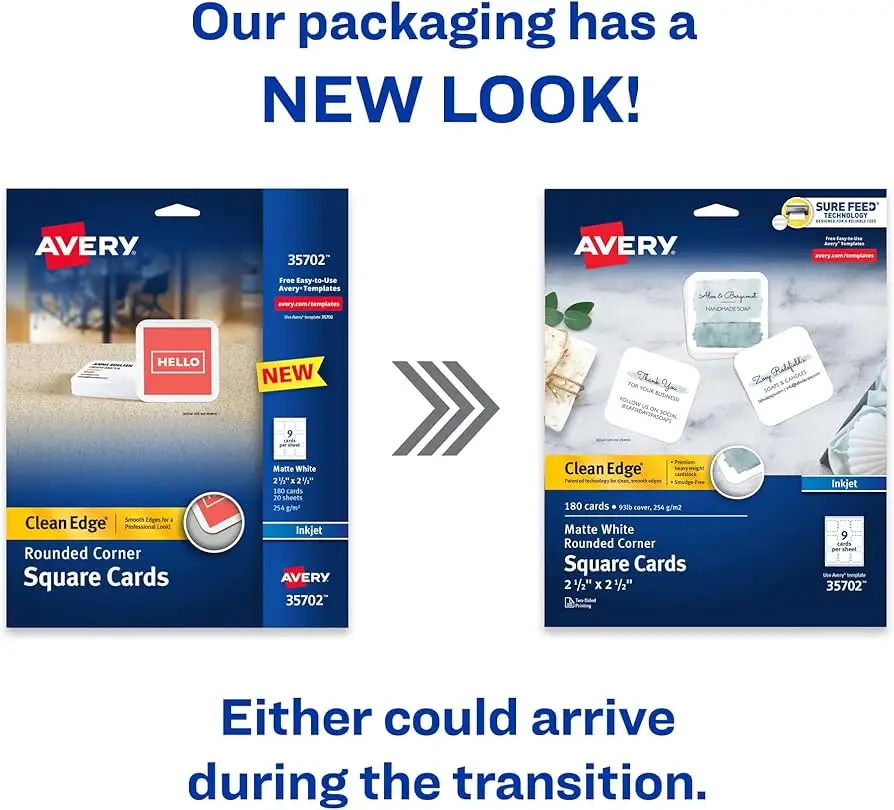
Avery markets these cards as “clean, smooth edges for a professional presentation” thanks to their proprietary Clean Edge® technology. Digging deeper into user reports, this claim holds up exceptionally well. Reddit feedback consistently praises how “cards snap apart easily, leaving behind clean, smooth edges,” with multiple buyers noting no visible perforations. Even users initially skeptical about DIY cards acknowledged the quality — one Amazon reviewer admitted they had “no problem when used in conjunction with Avery templates” and were “great for small business.”
Another major claim: “Optimized for laser printers for jam‑free performance every time.” While most users enjoyed flawless feeding — Office Depot’s listing highlights “Sure Feed® technology designed to help with alignment and reduce printer jams” — a few reported mild misalignments or print drift on older devices. A verified Amazon buyer warned, “Please make sure your computer is compatible with the label. After many attempts our printer still printed high.”
Finally, Avery’s pitch around design freedom — “change your business cards as often as you’d like” — is wholeheartedly validated in reviews. Sellers, crafters, and event planners leverage this flexibility for one‑off printing. As one small business owner shared on Amazon: “I even got a compliment when I told people I made them myself. Great value.”
Cross-Platform Consensus
Universally Praised
Across Amazon, Office Depot, Staples, and eBay listings, the most consistent applause is for the edge separation quality. A Trustpilot note captures the sentiment: “Cards came apart very well with extremely clean edges,” echoing what Reddit users have said about the satisfying “snap” that leaves a perfectly rectangular finish. This has a practical impact: for professionals attending networking events, arriving with self‑printed cards that look commercially produced can save on outsourcing without sacrificing image.
Card feeding reliability is another winner, especially for home office setups. Avery’s Sure Feed® tech is designed to reduce jams, and buyers back this up. One Staples reviewer calls it “jam‑free as advertised,” while others appreciate the reduced waste caused by misprints — a notable saving for craft businesses printing seasonal loyalty cards.
The flexibility for small-batch runs speaks directly to niche users. Realtors producing property‑specific cards, hobby sellers making 20‑card raffle sets, and event planners whipping up RSVP cards have all reported satisfaction in printing “only the amount of cards you need, when you need them.” This capability minimizes surplus and keeps information current.
Common Complaints
Cardstock thickness draws criticism from a subset of users. While Avery lists the weight at 91 lbs / 247 gsm, some expect a stiffer feel closer to boutique business cards. One Amazon reviewer deducted a star for being “rather thin… if you really need to impress someone you might want to look at a specialized supplier of thicker, coated cards.”
Compatibility with design software is a recurring frustration. Avery’s own templates, while widely available, can be unintuitive — multiple buyers shifted to Word or Illustrator for precision control over margins and images. One verified Amazon user described “screaming with frustration” before building their own grid in Word.
Ink alignment and print shift problems appear in edge cases, especially with aging inkjet or less precise laser printers. The advice often repeated: run a few test prints on plain paper before touching the card stock. As one experienced home printer noted, “It’s worth printing a page or two on plain paper before inserting the cards.”
Divisive Features
The uncoated, matte finish splits opinion. Some favor the tactile feel and ability to write on the cards, useful for jotting appointment times or discount codes. Others lament the lack of a glossy option for vibrant image reproduction. Likewise, the absence of print‑to‑edge capability on model 5871 is not a deal‑breaker for text‑heavy cards but rankles graphic designers seeking full‑bleed artwork.
Trust & Reliability
Trustpilot patterns and long‑term Reddit posts suggest that Avery’s quality control holds up over multiple reorders. Repeat buyers praise consistent sizing and cut precision — key for template alignment. “These are absolutely the best I’ve used and order them every time I run out. Good quality,” wrote one satisfied Amazon reviewer.
Scam concerns are minimal; product descriptions match delivered goods, and eBay sellers with high ratings confirm sealed, retail‑packaged units. Older printer users highlight the importance of running test sheets for accuracy rather than blaming stock quality.
Alternatives
Within user data, competitors like Royal Brites and Staples’ private‑label cards are mentioned. Royal Brites earns 4.1/5 for matte white stock but lacks Clean Edge® tech, leading to visible micro‑perforations — a deal‑breaker for some. Staples’ matte heavyweight is cheaper but gets dinged for feeding issues on home lasers. Avery’s edge in smooth separation stays unmatched in most comparisons.
Price & Value
Prices range from $13 on eBid to $32 on Staples, with common mid‑teens bids on eBay and Office Depot retail. Community tips advocate buying in multipacks during back‑to‑school season or office supply clearances. Resale value is negligible — these are consumables — but their ability to replace pro print runs offers ongoing savings.
FAQ
Q: Does the card stock feel as thick as a professional business card?
A: At 91 lbs / 247 gsm, it’s solid but not ultra‑premium. Many users find it “impressively substantial” for networking and events, but image-conscious professionals may want thicker, coated alternatives.
Q: Can I use these with an inkjet printer?
A: This model (5871) is laser‑optimized. For inkjet compatibility, refer to Avery’s equivalent clean edge models like 8871 or 8869, which are described in separate listings.
Q: Do they allow print-to-edge?
A: No — reviewers note that 5871 doesn’t support full‑bleed printing. Borders or margins are recommended unless you opt for Avery’s “print to the edge” line.
Q: Will they jam in my home printer?
A: Most feedback says jams are rare thanks to Sure Feed® tech, though alignment test prints on regular paper are highly recommended.
Q: Is the finish writable?
A: Yes, the uncoated matte surface makes them easy to write on for notes, appointment times, or discount codes.
Final Verdict: Buy if you’re a small business owner, freelancer, or event planner needing quick, professional cards in small runs without outsourcing. Avoid if your priority is ultra-thick, glossy or full‑bleed image printing. Pro tip from the community: skip Avery’s templates if they frustrate you — build your own card grid in Word or Illustrator for flawless alignment.





