Avery 18167 Return Address Labels Review: Conditional 7.6/10
“the labels do the job… the print quality is good and they stick well. that’s where the positives end.” That one line captures the tension around Avery Printable Return Address Labels, 0.5" x 1.75", White, 800 Blank (18167): plenty of people get exactly what they want, but when printing and alignment go wrong, it can turn into a frustrating waste of sheets. Verdict: Conditional buy — 7.6/10.
On the upside, the broader Avery ecosystem reputation shows up repeatedly in user language about reliability and output quality, especially for small-format address labeling. A verified buyer on Amazon wrote: “the results were perfect,” describing squeezing “a detailed logo and 3 lines of type” onto tiny labels and still getting clean output.
On the other hand, some users describe misalignment and template issues that undermine the “Sure Feed” promise. A verified purchaser on Amazon warned: “the template that avery loaded into microsoft word is not formatted properly… the bottom half of the last line… gets cut off.”
For most home users printing return address labels for wedding invites, holiday cards, or basic mailings, the product concept is straightforward: small, permanent labels that look neat and save time. For users with certain printers or workflows, the story shifts from convenience to troubleshooting.
**Quick Verdict**
Yes/No/Conditional: Conditional — great when your printer/template combo behaves; risky if you’ve had label-sheet alignment problems before.
| What matters | Pros (from user feedback) | Cons (from user feedback) |
|---|---|---|
| Print quality | “worked great and look great” (Amazon review, Avery labels) | Some report cut-off text using Word templates |
| Adhesion | “they stick well” (Amazon review, clear labels) | Others say “barely sticky” on some surfaces/curves (clear labels) |
| Ease of peeling | “i love the way the labels peel off” (Amazon review, Avery labels) | “do not peel that easily off of the backing” (Amazon review, clear labels) |
| Alignment/feed | “aligned perfectly” on one printer (Amazon review, clear labels) | “always at an angle… only one turned out ok” (Amazon review, clear labels) |
| Value | “great price for a lot of labels” (Amazon review, Avery labels) | Misprints can make it feel wasteful: “must be thrown away” |
**Claims vs Reality**
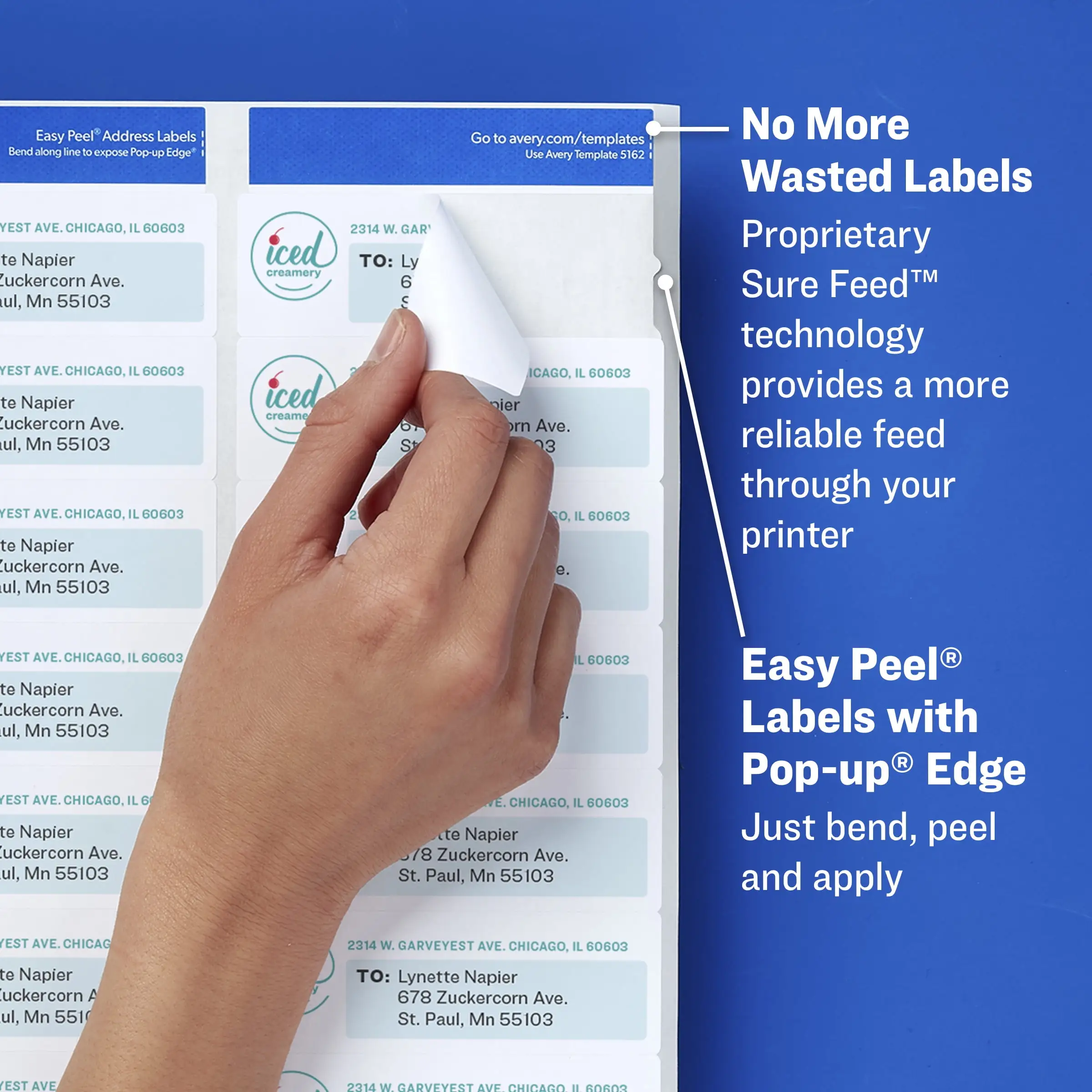
Avery’s product messaging around the 18167 centers on speed, clean printing, and better feeding: “smudge-free and jam-free,” plus “Sure Feed technology to improve printer alignment and prevent jams and wasted labels” (Avery product listing).
Digging deeper into user reports, print quality often matches the marketing—especially when users keep designs simple or have a well-matched template/printer setup. A verified buyer on Amazon described cramming dense artwork into the tiny format: “we crammed a detailed logo and 3 lines of type… the results were perfect.” For small business mailers or raffle organizers trying to fit names and branding into a half-inch-tall label, that kind of “it worked first try” story is the ideal outcome.
But the “prevent… wasted labels” part is where experience splits. Some users describe alignment issues severe enough that sheets become unusable. A verified purchaser on Amazon wrote: “could not get the sheets to align… they were always at an angle. i went through all the sheets and only one turned out ok.” Another review framed it as pure waste: “half of the sheets i print are not aligned and must be thrown away.”
Avery also emphasizes “Easy Peel” convenience. For many, that’s a real time-saver, especially during high-volume tasks like wedding invitations. One verified purchaser on Amazon said: “i am getting married soon… these were a great price, easy to use and looked great.” Yet another reviewer undercut the branding directly: “neither easy or clear,” complaining that the small labels “do not peel that easily off of the backing.”
Finally, “clear text and crisp graphics” and “smudge-free” are repeated claims, and users often echo the crispness more than the smudge aspect. The sharper controversy is less about smearing and more about templates and fit. A verified purchaser on Amazon noted: “if you go by their formatting… the bottom half of the last line… gets cut off,” forcing them to “shrink the text.”
**Cross-Platform Consensus**
**Universally Praised**
A recurring pattern emerged around one simple outcome: when these labels print correctly, people feel immediate relief because tiny return address labels are tedious to handwrite at scale. Wedding and holiday-card users show up repeatedly as the archetype. A verified purchaser on Amazon explained the use case plainly: “i am getting married soon… needed to invest in address labels for all the invites and thank you cards.” For that user type, the value isn’t just neatness—it’s hours saved and a consistent look across hundreds of envelopes.
Print clarity is also a steady theme in positive experiences, particularly for users pushing the format with logos or multiple lines. One verified buyer on Amazon said: “worked great and look great,” while another described a stress test scenario: “we crammed a detailed logo and 3 lines of type… the results were perfect.” For small organizations, raffles, clubs, or side businesses shipping occasional mailers, that suggests the label stock and print compatibility can handle more than basic black text when everything is aligned.
People also praise the sheer practicality of finding the exact small size in bulk. A verified buyer on Amazon noted: “it’s more difficult than one would think to find this many small address labels in one box,” and shared a creative use: “i used these to put names on the back of raffle tickets, and they fit perfectly.” For event organizers or offices labeling small items, that’s a clear “right tool for the job” story: the format itself solves a problem larger labels can’t.
Even when the conversation shifts to eco positioning, some users treat it as a meaningful bonus rather than marketing fluff. A verified buyer on Amazon said: “i also like that they are eco-friendly,” pairing that with satisfaction on performance and price: “the price was right.” For buyers trying to balance volume purchasing with sustainability cues, those comments show eco claims can reinforce purchase confidence—when the labels otherwise meet expectations.
**Common Complaints**
The most repeated pain point is alignment and template reliability—issues that strike hardest when users are printing many sheets and can’t afford trial-and-error. One verified purchaser on Amazon described persistent skew: “they were always at an angle… only one turned out ok.” Another called the experience “wasteful,” saying: “half of the sheets i print are not aligned and must be thrown away.” For a wedding planner printing deadline-bound stationery, or a small business trying to ship orders efficiently, this kind of failure isn’t a minor annoyance—it directly translates to wasted supplies and delayed work.
Template formatting—especially within Microsoft Word—also shows up as a surprisingly sharp edge. A verified purchaser on Amazon wrote: “the template that avery loaded into microsoft word is not formatted properly,” adding that a “standard three-line address” caused the last line to be cut off unless they “shrink the text.” For users who expect “choose template → print” simplicity, this complaint reframes the product from plug-and-play to “be ready to tweak margins and font sizes.”
Peel experience is another friction point. While the product name spotlights easy peeling, at least one user report pushes back strongly: “the labels do not peel that easily off of the backing,” and blamed both the small size and what felt like imperfect cuts. For anyone labeling hundreds of envelopes, a slow peel process can erase the time savings that motivated buying labels in the first place.
Finally, adhesion complaints appear in specific scenarios—especially non-paper surfaces and curved containers—where expectations can differ. A verified purchaser on Amazon said: “i purchased these to label my clear tupperware containers… as soon as you look at them, they peel right off!” and described edges “springing back to straight” on rounded surfaces. For pantry organizers or home storage labeling, that story suggests “return address labels” may not behave like heavy-duty container labels in every application.
**Divisive Features**
Clear vs “not clear” is a surprisingly divisive topic in Avery’s return-label universe, and it spills into expectations even when shoppers are deciding between white and clear variants. A verified purchaser on Amazon criticized the clear labels: “these labels aren’t totally clear… the label has a frosted finish,” which “really stands out” on colored envelopes. Yet another verified purchaser described that same quality positively: “they are transparent, not clear (which is what i wanted).” The implication is that finish can be either a dealbreaker or a design preference depending on envelope color and aesthetic goals.
Printer compatibility is similarly split. One verified purchaser praised alignment success: “the template provided by avery… aligned perfectly on our cannon printer,” while multiple HP owners described the opposite: “i have an hp… half of the sheets… not aligned,” and another said: “i too have an hp printer… i just cannot get these labels to print properly.” For users shopping specifically for “Sure Feed” reliability, these contradictions matter: the experience may hinge on printer model and feed behavior rather than the label stock alone.
**Trust & Reliability**
On trust signals, the most concrete “verified” feedback in the provided data comes from Amazon customer reviews, which include both enthusiastic endorsements (“exactly what i needed”) and hard warnings about defects or unusable packs (“the entire file… has no labels on it”). A verified purchaser on Amazon called that scenario “what a rip off,” describing an entire pack as effectively blank. Digging deeper into that kind of report, it’s the sort of edge case that can trigger scam concerns even when the broader brand is reputable—because from a buyer’s perspective, a defective batch and a counterfeit feel similar in the moment.
Long-term durability stories (“6 months later…”) don’t appear in the provided Reddit community content; the “Reddit” source here is product/spec style content rather than community posts. What does emerge repeatedly is “worked great” for intended mail-label purposes, contrasted with surface-specific issues when users try nonstandard applications like curved plastic containers. A verified purchaser on Amazon put it bluntly: “these labels work great… but you can only run the sheets through once,” which matters for anyone hoping to reprint partially used sheets later.
**Alternatives**
Only competitors and adjacent options mentioned in the data are included here: other Avery sizes/finishes and third-party “compatible with Avery 8167 template” labels (e.g., TYH Supplies, Premium Label Supply, Nelko, Polono).
For buyers who love the small format but want higher volume per purchase, the Amazon listings prominently show larger-count packs in the same 0.5" x 1.75" family (for example, Avery packs in the thousands). The appeal is straightforward: fewer reorders and consistent template usage. If your use case is business mailings or frequent shipping paperwork, those bulk packs align with the “great price for a lot of labels” motivation users mention.
For users burned by alignment waste, some third-party listings emphasize compatibility with the Avery 8167 template and “easy to peel” positioning. The tradeoff is uncertainty: the provided dataset includes star ratings for those listings but not detailed user quotes about performance. Where Avery’s ecosystem has strong familiarity (“i have used many avery labels in the past… very good quality”), third-party options may be tempting on price but don’t carry the same volume of quoted user reassurance in the supplied data.
If appearance is the deciding factor—especially for colored envelopes—Avery’s clear/frosted return labels are an alternative repeatedly discussed in the reviews. That path is for people who want a less “sticker-like” look. But the divisiveness is real: one verified purchaser complained they “really stand out” on non-white paper, while another liked the “frosted finish” because it stays readable on “dark or light color” envelopes.
**Price & Value**
Across the provided listings, Avery 18167 shows up around the budget-to-mid range for branded label sheets, while larger-count packs and specialty finishes (like clear labels) trend higher. The value story in user feedback hinges less on the sticker price and more on how many sheets you waste dialing in alignment.
For efficient, high-volume users—weddings, office mailers, raffle organizers—the “value” narrative comes from time savings and neat output. A verified buyer on Amazon said: “great price for so many,” and another emphasized the hard-to-find quantity in small size: “more difficult than one would think to find this many small address labels.” For that audience, buying a known format that “fit perfectly” can be worth paying a bit more than generic sheets.
For users who hit printer skew or template mismatch, the same product can feel expensive fast. A verified purchaser on Amazon described throwing sheets away due to misalignment: “must be thrown away.” The practical buying tip implied by these stories: test-print a single sheet with your exact printer settings and template workflow before running a full batch—because success tends to be “perfect” quickly, and failure tends to be catastrophic waste quickly.
**FAQ**
Q: Do Avery 18167 labels work with both inkjet and laser printers?
A: Yes, they’re marketed as compatible with both laser and inkjet printers (Avery listing). Real-world experiences vary by printer: one verified purchaser said the template “aligned perfectly” on their Canon, while multiple verified purchasers reported HP alignment problems like sheets printing “at an angle.”
Q: Are these labels truly “Easy Peel”?
A: Sometimes. One verified buyer said, “i love the way the labels peel off,” but another verified purchaser complained they “do not peel that easily off of the backing,” especially because the labels are small. The peel experience seems to depend on expectations and how cleanly the sheet cut separates.
Q: Do the Avery Word templates print correctly for a 3-line return address?
A: Not always. A verified purchaser warned that Avery’s Word formatting can cut off the last line: “the bottom half of the last line… gets cut off,” requiring smaller text. Others had no issues when using templates that aligned well on their printer, but this is a known friction point.
Q: Do they stick well to non-paper surfaces like plastic containers?
A: User experiences are mixed. One verified purchaser said the labels “stick well,” but another said on clear plastic containers they “peel right off” and edges won’t stay down on rounded surfaces. For envelopes and flat paper/cardboard, feedback is generally more favorable than for curved plastic.
Q: Can you re-run partially used label sheets through the printer?
A: Some users caution against it. A verified purchaser said: “you can only run the sheets through once.” If you expect to print a little now and a little later, that limitation could affect value—especially if you’re trying to avoid wasting unused labels on a sheet.
**Final Verdict**
Buy Avery Printable Return Address Labels (18167) if you’re a wedding-invite sender, small office mailer, or event organizer who wants tiny return labels that can look “perfect” even with dense designs—like the verified buyer who said: “we crammed a detailed logo and 3 lines of type… the results were perfect.”
Avoid if your printer has a history of label-sheet alignment issues, especially if you’re on a tight deadline and can’t afford misprints—like the verified purchaser who reported sheets “always at an angle” and another who called it “wasteful” because misaligned sheets “must be thrown away.”
Pro tip from the community: keep the text fit conservative and validate your exact template workflow before printing in bulk—because when the template is off, users end up “shrink[ing] the text,” and when alignment is off, they end up throwing sheets away.





