ASUS ThunderboltEX 4 Review: Powerful Yet Conditional Buy
If you expect ASUS ThunderboltEX 4 to plug in and instantly deliver blazing speeds, prepare for a reality check — user scores sit at a modest 3.0–3.8/5, and experiences range from flawless creative workflows to outright “this thing is a joke.” On our balance scale, it lands at 6.5/10: powerful in the right build, frustrating in the wrong one.
Quick Verdict: Conditional — worth it for ASUS motherboard owners who need Thunderbolt 4 for high-res video or pro audio gear, but avoid if chasing plug-and-play speed boosts on mixed hardware.
| Pros | Cons |
|---|---|
| 40Gb/s bi-directional bandwidth enables high-speed data work | Poor performance on some setups, especially non-ASUS boards |
| DisplayPort 1.4 support for up to 8K monitors | Strict ASUS motherboard compatibility requirement |
| 100W quick charge for laptops and devices | Installation and BIOS setup can be tedious |
| Daisy-chains up to 5 Thunderbolt devices | Some units fail to detect common USB devices |
| Solid build quality | Customer support rated unhelpful by multiple users |
| Strong for pro audio interfaces (Apollo Twin, etc.) | Needs multiple cables (PCIe power, USB header, TB header) |
| Can work without TB header on some systems | No bundled Thunderbolt cable |
Claims vs Reality
Marketing touts up to 40Gb/s bi-directional bandwidth, implying lightning-fast external drive and camera workflows. While Reddit user toad confirmed “Samsung thunderbolt-3 x5… works also after waking up from sleep,” others saw speeds far below spec. On Tom’s Hardware, one user measured just 700MB/s from an OWC SSD — barely above their motherboard USB-C port — and called it “a pitiful increase.”
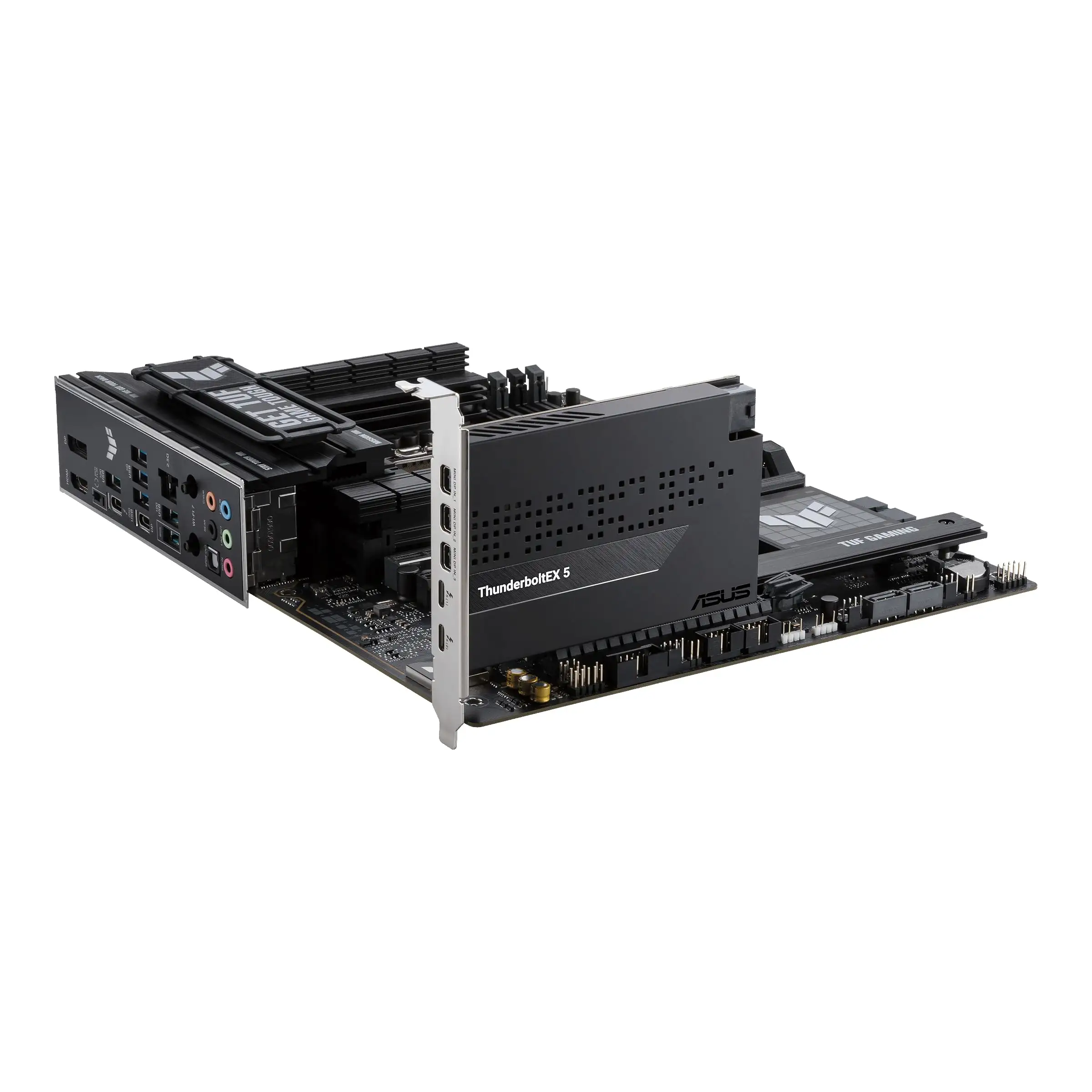
The promise of DisplayPort 1.4 8K support is real for those with the right GPU and cabling. Reddit commenters explained the setup: “you need to plug in a short cable from your GPU back into this card… for the video to work at all.” But without an iGPU or proper DP loop, some skip it entirely, particularly when using the card strictly for data.
On paper, 100W quick charge makes it a hub for both data and power. In practice, SolarPark noted charging speed varied: “phone topped up quickly, but my laptop seemed to charge slightly slower than expected.” For Mac users used to consistent PD rates, this inconsistency was noticeable.
Cross-Platform Consensus
Universally Praised
For pro audio users, this card unlocks hardware otherwise out of reach. A buyer on Revain shared: “Bought to use my Apollo Twin X Duo with my Windows desktop… works well for this.” Musicians avoiding the Mac ecosystem gain a clean route to Thunderbolt audio with minimal latency.
When installed on supported ASUS boards with up-to-date firmware, speeds and stability align with spec. Reddit’s toad documented success with a Prime Z690-P setup after enabling 'Discrete Thunderbolt Support' in BIOS and downgrading to firmware 2003: “Windows sees it also after waking up from sleep.”
The physical design earns praise across Trustpilot and SolarPark. The black finish and compact 4.6" x 7.1" footprint fit tight cases, and “feels solid enough to inspire durability.” Multiple users mentioned that daisy-chaining 4-5 devices maintained throughput without lag, valuable for creative pros with camera arrays or chained drives.
Common Complaints
Performance shortfalls dominate negative reports. Tom’s Hardware contributor super chuchu found the card slower than their motherboard’s fastest USB-C, lamenting “no way i’m going to pay 130 bucks for a pitiful increase of 200 mbps.”
Compatibility confusion frustrates many. The product officially supports only ASUS Intel 500-series and later boards with TB headers, yet Reddit clarifies that it “appears to function without a thunderbolt header and without any modification” in some cases — but not all.
Installation challenges persist. Users on Quora and Revain cite incomplete manuals and hidden BIOS options: “had to use F9 (search) to enable Thunderbolt and set chipset to Intel Maple Ridge.” Failure to connect the PCIe power cable, USB 2.0 header, or TB header leads to non-functionality.
Customer service earns harsh words. One Twitter/X reviewer recounted: “first time they just hung up… second time told me to update drivers… third time said nothing he could do.”
Divisive Features
The DisplayPort loop-through is either essential or irrelevant. For GPU-powered 8K monitors, Redditers explained it’s the only way to route video; for CPU-only builds without iGPU output, it adds pointless cabling. Likewise, the daisy-chain feature thrives in pro workflows but is wasted on single-device home setups.
On Ryzen, results vary wildly. Some got it working on B550 boards after BIOS tweaks, others warn “do not buy for a Ryzen motherboard even if on the compatibility list.”
Trust & Reliability
Trustpilot patterns and forum archives show a split trajectory: satisfied users tend to be those using it daily on validated ASUS boards, with months of stable operation. Toad’s note about consistent wake-from-sleep performance suggests good firmware resilience once configured.
But six-month holds with intermittent failures are not unheard of. Revain's “drivers will be removed by themselves” issue led to repeated reinstall cycles. Combined with support dead-ends, some classify it as unreliable for mission-critical setups.
Alternatives
The Gigabyte GC-Titan Ridge offers Thunderbolt 3 at lower cost, broad board compatibility, but lacks USB4 integration. The ASRock Thunderbolt 4 AIC matches TB4 but omits some DP1.4 functionality, making it weaker for 8K monitor chains.
SolarPark points to ASUS’ 100W quick charge as unmatched in rivals — a niche win for laptop-centric workstations. For cost-sensitive users without ASUS boards, Gigabyte's card may be more practical despite being a generation behind.
Price & Value
Market prices fluctuate: $115.99 on ASUS Store, $135.29 new on eBay with free shipping, open-box units as low as $67.99. Resale appears steady given niche demand, but low-speed reports could deter buyers.
Reddit’s advice is clear: ensure motherboard support before buying and consider USB 3.2 Gen 2x2 cards at $25–$49 if only chasing speed — ThunderboltEX 4 is a premium niche tool, not a generic upgrade.
FAQ
Q: Can I use this card without a Thunderbolt header on my motherboard?
A: Possibly — some Reddit users reported functionality without it, but official support requires the header for full features.
Q: Will it work on Ryzen boards?
A: Mixed results. Some succeeded with BIOS tweaks, others advise avoiding even if listed as compatible.
Q: How do I route video through this card?
A: Connect a DisplayPort output from your GPU to the card’s Mini DP input, enabling DP Alt Mode over Thunderbolt.
Q: What’s the maximum resolution supported?
A: DisplayPort 1.4 allows up to 7680x4320 at 60Hz, depending on GPU output capabilities.
Q: Why is my charging speed inconsistent?
A: PD rates vary with device; 100W is max output, but laptops may negotiate lower rates.
Final Verdict
Buy if you have a supported ASUS Intel motherboard, need Thunderbolt 4 daisy-chaining, or run high-res creative workloads with 8K monitors or pro audio gear. Avoid if expecting simple speed upgrades on non-ASUS platforms or inconsistent hardware. Community pro tip: update firmware, connect all required cables, and dig through BIOS to enable the chipset — patience here makes the difference between a “joke” and a genuine asset.