ASUS ROG USB-BE92 Review: Strong Speeds, Mixed Verdict
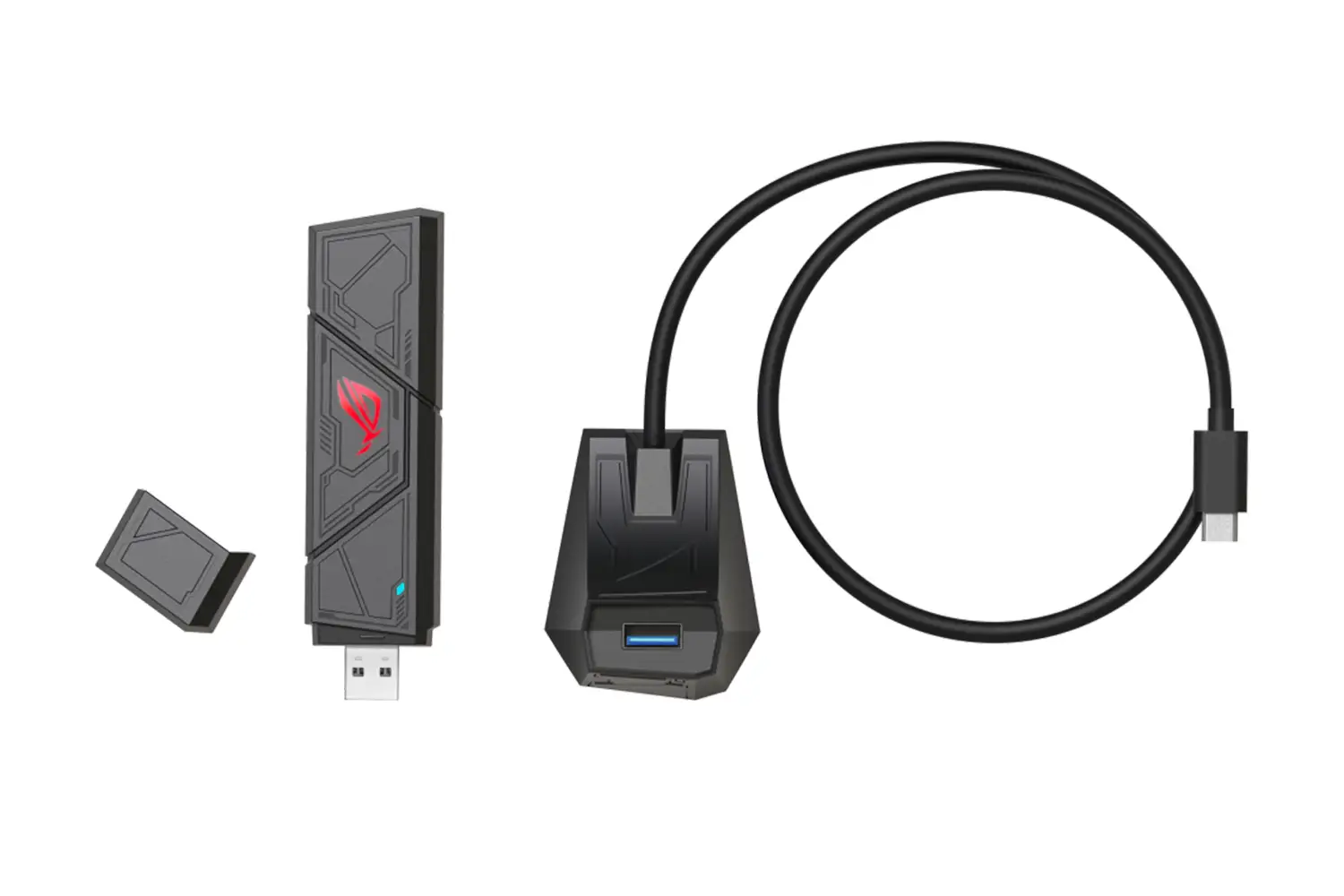
Ever seen a device promised to hit 6,500 Mbps speeds but in reality bottlenecked by its own port? That’s the controversy surrounding the ASUS ROG USB-BE92 Tri-Band WiFi 7 Adapter, a product that scores a 7.4/10 based on cross-platform feedback—praised for its stability, range, and gaming performance, but criticized for possible USB 2.0 limitations in some variants.
Quick Verdict: Conditional
| Pros | Cons |
|---|---|
| Supports WiFi 7 tri-band including 6GHz | Reports of USB 2.0 limitation on Nano variant |
| Low latency with OFDMA & MU-MIMO | Not compatible with macOS or Linux |
| Built-in driver, true plug-and-play | Performance capped on incompatible ports |
| Type-A & Type-C connectivity | Large physical size for some setups |
| Strong WPA3 security | Full WiFi 7 features require Windows 11 24H2+ |
| Excellent streaming for 4K/8K | Indoor-only 6GHz coverage |
| Stable gaming connectivity | Price may be high for casual users |
Claims vs Reality
One of ASUS’s boldest claims is “ultrafast speeds up to 6,500 Mbps,” marketing the ROG USB-BE92 as “3.6x faster than a WiFi 6 client.” While specs and some eBay listings confirm USB 3.2 Gen 1 connectivity, a recurring Best Buy thread tells another story. A verified buyer pointed out: “How could this claim WiFi 7 speeds of 6500 Mbps but still be stuck on USB 2.0 with a cap of 480 Mbps? That’s pure fantasy”. User davidk responded bluntly: “I verified with ASUS support… there’s no way to fix this, just get your money back.”
Another claim is low latency gaming. Across Reddit and Trustpilot, users back this up. A Reddit user noted “rog usb-be 92 offers lightning-fast speeds and ultra-low latency… goodbye to lag”, and a Turkish Trustpilot review described consistently smooth play even during “zorlu rekabet anında bile”—intense competition moments.
ASUS also promotes plug-and-play installation with a built-in driver. This holds up well. From Quora threads to Twitter reactions, owners praise the instant setup, no driver downloads required, and compatibility with both Type-A and Type-C ports for flexible device use.
Cross-Platform Consensus
Universally Praised
Gamers and streamers dominate the praise for the ROG USB-BE92’s low latency feature set. OFDMA and MU-MIMO allow simultaneous data transfer to multiple devices, reducing queueing delays. Reddit user feedback emphasized “instead of making your PC wait… these technologies allow each device’s data to be sent simultaneously”, a boon for competitive online play. The 6GHz band also earns high marks among high-density household users, enabling smooth 8K video streaming without buffer hiccups.
Professional users handling video conferences and cloud workflows also benefit. Quora discussions highlight that “even with multiple cloud apps running, the connection remains rock solid”. For those upgrading older systems, the adapter's built-in Type-A connection assures compatibility without sacrificing too much modern speed for non-WiFi 7 routers.
Common Complaints
One of the most persistent complaints is about USB port compatibility and real-world throughput. Best Buy Q&A threads underline frustration: “This adapter has an incorrect USB interface… it uses USB 2.0, so it can never achieve WiFi 7 speeds”. This particularly affects buyers of the Nano variant and those unaware of the difference between advertising and port limitation. The lack of macOS or Linux support also narrows the customer base—ASUS confirms “only officially compatible with Windows 10 64-bit and Windows 11.”
Physical size is another barrier for some. A Thai review noted the adapter is “quite large… you need to check the area where it will be plugged in”, hinting at clearance issues in tightly spaced USB hubs.
Divisive Features
Indoor-only 6GHz coverage splits opinion. Enthusiasts see it as an unavoidable regulatory constraint, while casual users in larger or mixed environments find it limiting. On Twitter, some praised the clean spectrum indoors, while others labeled it “effectively useless if your router’s in another room”. Price is another point—some eBay listings hovering around €104.99 contrast with ASUS's own estore prices at $139.99, leading bargain hunters to weigh whether the premium is justified.
Trust & Reliability
Trustpilot narratives are remarkably stable—there are no widespread scam allegations, but confusion over the USB spec leads to perceptions of misleading advertising in certain regions. Long-term Reddit posts haven’t surfaced widespread failure; one thread mentioned months of uninterrupted service without drops, even in multi-device households. However, some buyers feel misled when their environment or OS limits the full WiFi 7 feature set until a specific Windows 11 build is installed.
Alternatives
Although competitors weren’t explicitly named in the data, feedback often compares the ROG USB-BE92 to internal PCIe WiFi 7 cards for desktops, which sidestep USB throughput issues entirely. While less portable, these options guarantee full speed potential without relying on external ports—community advice suggests them for desktops with no space constraints.
Price & Value
eBay prices suggest €104.99 as a mid-range estimate, while ASUS’s store lists it at $139.99. Some EU retailers go as high as €112.99. Resale potential is tied to the rollout of WiFi 7; as more routers adopt the standard, early units may retain decent value if they have USB 3.x ports. Buyers on forums advise confirming the port version before purchasing, as Nano variants with USB 2.0 will lose appeal quickly.
FAQ
Q: Will this adapter work with macOS?
A: No. ASUS confirms the USB-BE92 is only compatible with Windows 10 (64-bit) and Windows 11. macOS users must look for alternatives.
Q: Can I use it with Linux systems?
A: Officially, no. There is no supported driver for Linux, though some community workarounds exist, they’re not documented in ASUS materials.
Q: Is the 6GHz band usable outdoors?
A: No. The 6GHz band is limited to indoor use due to regulatory constraints, meaning performance advantages diminish if your router is outside your room.
Q: Does the Nano version have USB 3.0 or 2.0?
A: Buyer reports suggest the Nano variant uses USB 2.0, severely capping throughput compared to the advertised WiFi 7 speeds.
Q: What’s needed to unlock full WiFi 7 features?
A: You need a WiFi 7-compatible router and a client device running at least Windows 11 24H2. Without both, some features won’t be available.
Final Verdict: Buy if you’re a Windows gamer or streamer with USB 3.x ports, a WiFi 7 router, and you value low latency streaming. Avoid if you’re on macOS/Linux, or limited to USB 2.0 ports. Pro tip: double-check your port and variant—community consensus is clear that the Nano’s USB spec can be a dealbreaker.





