ASUS ROG Strix XG27WCMS Review: Worth the Buy?
A Best Buy customer summed it up simply: “Got for $200 and totally worth it… this 1440p monitor looks tons better, it has all the features I wanted.” The ASUS ROG Strix 27" Curved Gaming Monitor (XG27WCMS) earns an 8.6/10 from aggregated feedback—lauded for its high refresh rates, vivid colors, and ergonomic design, but with occasional gripes about HDR quality, HDMI limitations, and backlight bleed.
Quick Verdict: Conditional Buy
| Pros | Cons |
|---|---|
| Crisp 1440p resolution praised across platforms | HDR performance underwhelms for some users |
| Smooth high refresh rates (up to 280Hz OC, 180Hz native) | HDMI may be limited to 60Hz in certain setups |
| Ergonomic stand with tilt, swivel, height adjust | Noticeable backlight bleed in dark scenes |
| Multiple input options (DP, HDMI, USB-C) | No built-in speakers |
| Vivid, factory-checked colors (95% DCI-P3) | VRR can cause flicker for a few users |
| Minimal ghosting and lag reported | Build quality of monitor shell feels “flimsy” to some |
| Compact footprint with cable management features |
Claims vs Reality
Marketing emphasizes the blistering 280Hz overclocked refresh rate and 1ms (GTG) response time as game-changing speed. While some buyers on Amazon and Reddit confirmed the monitor feels “snappy” and keeps motion blur at bay, prolonged testing by Best Buy customers aligned more commonly with 180Hz operation. One owner noted: “Connected via DisplayPort… 2560x1440 at 180Hz on RTX 4090—worked perfectly.” Official specs allow overclocking, but day-to-day real-world use often lands lower.
The HDR10 + DisplayHDR 400 claim promises rich dynamic range, but multiple reports cast doubt. A Best Buy reviewer observed, “HDR yields a flat, darkened image regardless of adjustments made.” This reflects a recurring pattern where HDR impresses in bright, colorful titles but disappoints in dark cinematic scenes.
ASUS champions extensive connectivity, especially USB-C with DP Alt Mode for clutter-free setup. While praised for flexibility, a Best Buy customer cautioned the USB-C was “temperamental as the computer has to support the protocol.” This shows marketing matches reality only if your hardware meets specific DP Alt Mode requirements—otherwise DisplayPort remains the reliable connection.
Cross-Platform Consensus
Universally Praised
The 1440p resolution consistently satisfies both competitive gamers and mixed-use owners. Noriel on Best Buy praised “vivid, powerful, and amazing” image quality. Owners appreciate the balance between detail and performance—high enough resolution to feel immersive, yet manageable for mid-range GPUs. One customer stated: “My mid-range 3050 can push 1440—it’s the perfect sweet spot.”
Refresh rate earned repeated applause. The 180Hz performance delivered fluid motion without ghosting; several noted minimal input lag. A Best Buy gamer stressed, “If you’re losing your match, it’s your skillz not your monitor.”
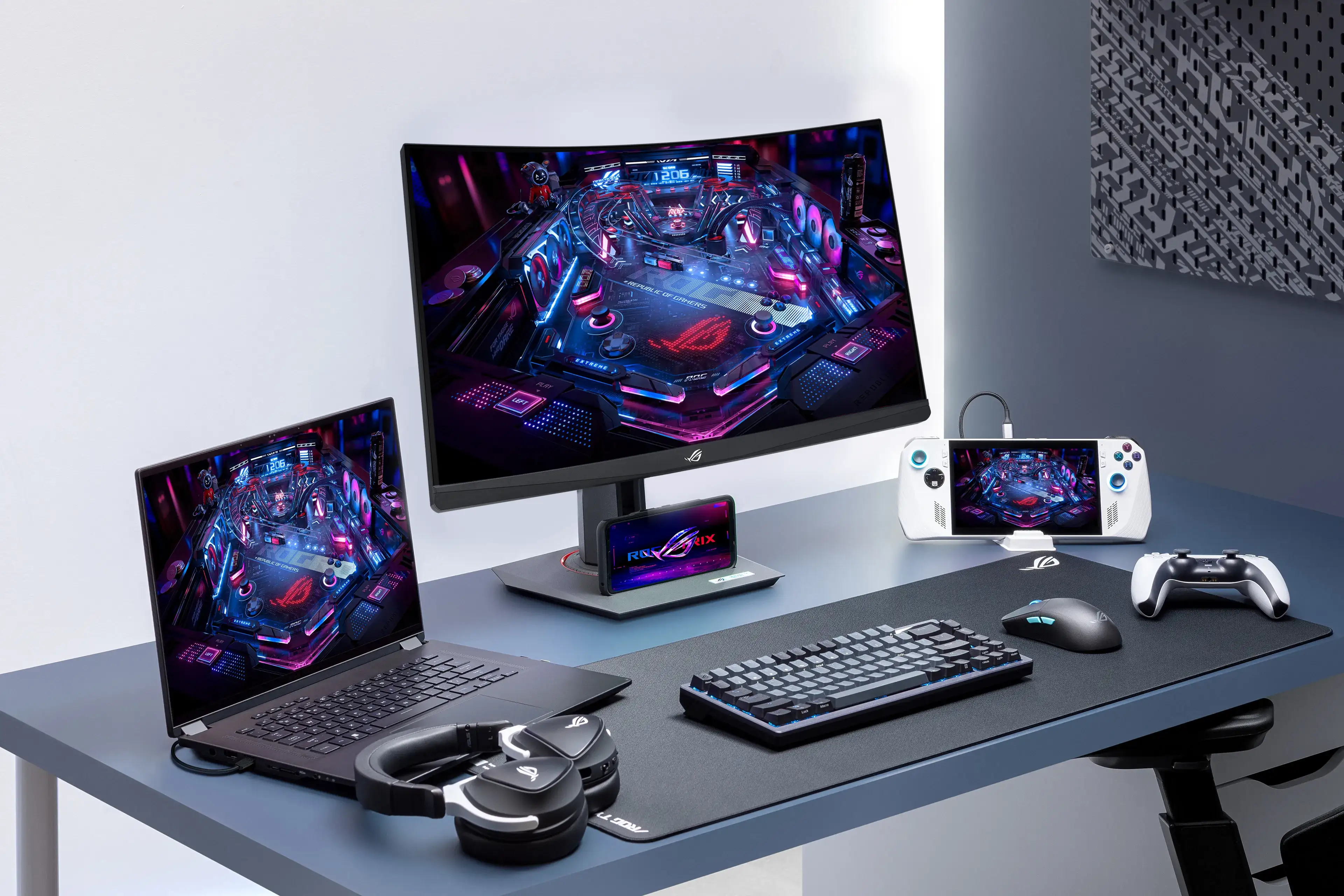
The curved 1500R design was often called “immersive” and comfortable for long gaming or work sessions. One reviewer observed that in multi-monitor setups, “Curved screens wrap around nicely and show all corners… avoids far-edge issues of flat panels.” Ergonomics—height, tilt, swivel, and cable management—made the stand a frequent highlight, especially the heavy, stable build and integrated phone holder.
Common Complaints
HDR disappointment emerged repeatedly. A Best Buy user described it as “decent (though not amazing).” Others found it too dark for their liking, especially in horror or low-light scenes. This impacts users craving cinematic visuals more than competitive gamers.
HDMI performance posed frustrations. Multiple feedback threads suggest a cap at 60Hz via HDMI—Justin on Best Buy reported “unable to get more than 60Hz using HDMI… switched to DisplayPort and everything immediately went to 1440p at 180Hz.” This is crucial for console integration or PC setups reliant on HDMI.
Backlight bleed affected dark-scene immersion. Noriel called it “extremely severe and noticeable in a pitch black room,” which is primarily a drawback for movie watchers or atmospheric game fans.
Divisive Features
The VRR/FreeSync Premium capability split opinions. Some saw it as flawless sync without tearing, while others mentioned flicker. Desolate Ripper admitted, “Its VRR can flicker pretty badly so I leave it off.”
Build quality perception diverged. While the stand won universal praise, the monitor casing sometimes felt “flimsy” despite functional solidity. This split likely depends on user expectations—premium aesthetics vs. pure functionality.
Trust & Reliability
Long-term owners bring positive signals. Thetrruenoah, after 11 months, noted: “No blurring… passed all monitor problem tests… vibrant range of colors.” Multiple six-month-plus ownership reports still tout consistent performance with no dead pixels or degradation.
Hardware quirks seem more common at initial setup—HDMI handshake issues, USB-C recognition—but most were solved with cable swaps or switching to DisplayPort. No widespread reports of premature failure or warranty headaches surfaced.
Alternatives
Within ASUS’s own lineup, the ROG Strix XG27WCS shares much of the DNA at 180Hz without the overclocking of the WCMS model, and tends to be priced lower. Buyers sensitive to HDR issues or backlight bleed may look at IPS-based options from competitors, but will trade contrast for viewing angles.
Price & Value
Listings span $229.99–$399, with enthusiasts reporting deals under $300 as excellent value. On eBay, WCMS models command around $379 while WCS versions fetch $289. The inclusion of a DisplayPort cable, heavy stand, and ROG pouch adds tangible extras rarely seen at this tier. Best Buy reviewers often frame purchases around sale periods—“Got for $200… totally worth it”—underscoring that retail price tolerance changes with refresh rate expectations.
FAQ
Q: Does HDMI support full 180Hz or 280Hz refresh rates?
A: User evidence suggests HDMI may be capped at 60Hz in some systems. DisplayPort is the preferred connection to achieve high refresh rates.
Q: How noticeable is the curve in daily use?
A: For multi-monitor setups and immersive gaming, buyers find the 1500R curvature comfortable and engaging without distortion for productivity tasks.
Q: Can I use the USB-C for charging my phone while connected?
A: Yes, USB-C supports DP Alt Mode and up to 15W power delivery, though one Best Buy reviewer cautioned device compatibility is key.
Q: Is HDR worth enabling on this monitor?
A: Gamers using bright, colorful titles enjoy HDR’s vibrancy; in dark scenes, several found it flat or too dim.
Q: How bad is the backlight bleed issue?
A: It varies—some barely notice it, while others, like Noriel, find it severe in dark environments, impacting cinematic game or movie enjoyment.
Final Verdict
Buy if you’re a PC gamer or mixed-use user seeking sharp 1440p visuals, high refresh rates, and an ergonomic curved display, with DisplayPort connectivity. Avoid if HDR movies or perfect dark-scene performance are a priority. Pro tip from Justin on Best Buy: switch to DisplayPort immediately for full refresh rate potential.