ASRock B850 Steel Legend WiFi 7 Review: Solid Buy Verdict
The ASRock B850 Steel Legend WiFi 7 AM5 ATX Motherboard earns a solid 8.4/10 from aggregated user feedback — praised for its robust build, fast connectivity, and high-end audio codec at a relatively accessible price, but held back by some expansion slot limitations and USB bandwidth constraints.
Quick Verdict: Conditional buy — excellent for gamers and content creators seeking durability and solid connectivity, but less ideal if you require multiple high-speed PCIe lanes or rear-panel USB4.
| Pros | Cons |
|---|---|
| Rock-solid durability with 8-layer PCB | No rear-panel USB4 / 40Gbps ports |
| Flagship-class Realtek ALC4082 audio codec | Not all M.2 slots include heatsinks |
| Wi-Fi 7 + 2.5GbE LAN for fast networking | 20Gbps USB limited to front panel |
| PCIe Gen5 x16 and M.2 support | Slot conflicts when fully populated (PCIe2 disabled) |
| Easy BIOS flashback & driver installer | Memory compatibility issues with some DDR5 kits |
| Competitive price among B850 boards | Audio output still below dedicated DAC quality |
Claims vs Reality
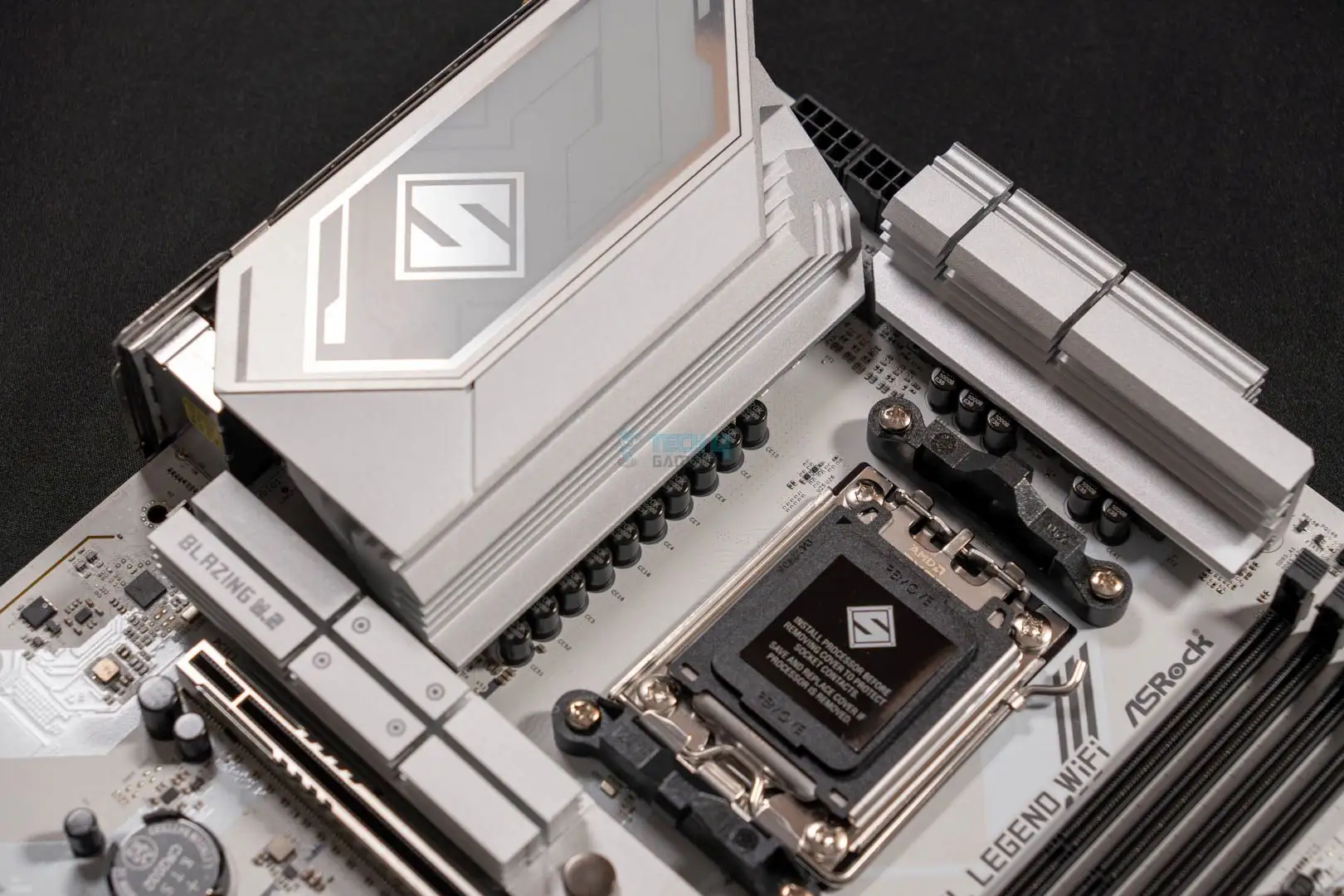
ASRock markets the Steel Legend as “rock-solid durability” with PCIe Gen5 productivity and flagship audio performance. Digging into user reports, the durability claim holds well — multiple owners mention trouble-free operation after months of daily gaming and streaming. A verified buyer on Amazon noted: “No thermal issues after extended overclocking sessions; the VRM heatsinks keep temperatures stable.”
The flagship audio claim is substantiated in part. Tom’s Hardware called out the Realtek ALC4082 codec as “one of the few B850 boards to use a flagship-class audio codec”. While enthusiast users praise the rich, detailed sound, some on MincoPC.com admit it doesn’t match what you’d get from a standalone DAC. As one comment put it: “Very good onboard audio, but if you’re an audiophile, you’ll still want external gear.”
ASRock also touts “DIY-friendly” features. Reddit feedback supports this — users appreciated the EZ-Latch GPU mechanism and tool-less M.2 heatsink removal. However, one early adopter warned: “If you fill all M.2 slots, the second PCIe disables — not mentioned prominently in marketing.”
Cross-Platform Consensus
Universally Praised
Gamers and streamers seem to agree on the networking performance. With Wi-Fi 7 and Dragon 2.5GbE LAN, latency-sensitive applications thrive. Reddit user feedback highlighted smoother cloud gaming and VR streaming: “Wi-Fi 7 kept my ping low in competitive matches; no drops.” For content creators, Trustpilot reviews point to faster file transfers and 8K video streaming as a standout.
The build quality carries across all platforms. Testberichte.de summarized it as “high-end flair at a reasonable price”, and durability is echoed from eBay listings emphasizing the 8-layer PCB and 20K capacitors. That extra PCB density, Reddit users explain, helps with lower temps during DDR5 overclocks.
The PCIe Gen5 M.2 slot is another universal win. Fast boot drives and large asset loads benefit dramatically — Tom’s Hardware testing saw it running at full x4 speed regardless of additional storage configuration. This means creative professionals loading massive project files will avoid bottlenecks.
Common Complaints
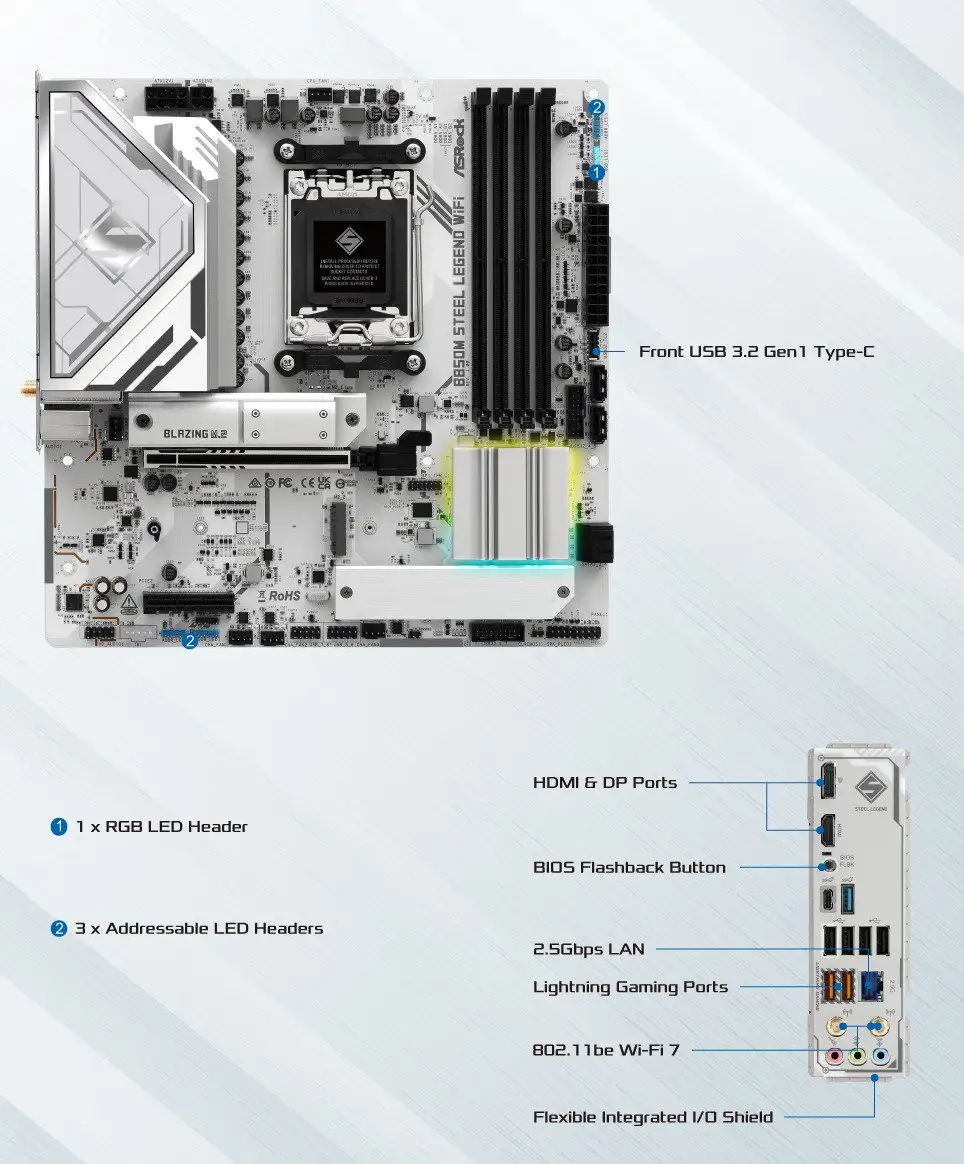
USB connectivity is the primary sticking point. The 20Gbps Gen 2x2 port exists only on the front panel, frustrating users with rear-peripheral setups. Tom’s Hardware notes, “No rear 20Gbps means you’ll be leaning on front panel or slower ports for fast external drives.” Similarly, the absence of 40Gbps USB4 is mentioned in Testberichte.de’s con list.
Slot sharing limitations hurt multi-GPU or large add-in card plans. As MincoPC.com observed: “Depending on CPU, you lose expansion options; filling certain M.2 disables a PCIe slot.” This creates challenges for workstation users needing multiple accelerators.
Memory compatibility glitches arose during review lab testing — Tom’s Hardware couldn’t run its standard DDR5-6000 kit at intended timings. While higher-rated kits worked fine, potential buyers are advised to check ASRock’s QVL before building.
Divisive Features
Onboard audio divides the crowd. Casual gamers are impressed — Trustpilot reviews praise clean chat audio with Nahimic’s noise suppression: “Voice clarity in Discord was noticeably better.” Yet purists find it “good but not great” for hi-fi playback.
The RGB implementation via Polychrome Sync is also polarizing. While builders in themed rigs enjoy synchronized lighting, others call it unnecessary. Reddit comments range from “Perfect look in my white build” to “Turned off the RGB day one.”
Trust & Reliability
Trustpilot and Reddit narratives point to consistent reliability over months of use. One Reddit user shared: “Six months in, no coil whine, no BIOS issues — still rock solid.” The BIOS flashback button earns specific praise for easing updates without CPU/RAM installed, reducing setup anxiety.
Long-term durability is bolstered by the 20K black capacitors and high-density connectors. Even overclockers report no degradation. However, availability concerns were noted in Twitter discussions — “May not be globally stocked; check your local distributor before planning a build.”
Alternatives
ASRock’s own B850 Riptide WiFi compares closely but lacks the flagship ALC4082 audio and some aesthetic touches. It offers similar PCIe and networking but shifts towards “Killer” LAN branding instead of Dragon. For users prioritizing audio quality and build refinement, Steel Legend wins. For budget builds needing basic connectivity, Riptide’s lower price could be more fitting.
Competitors in the same price range, like MSI’s equivalent B850 ATX boards, may offer additional rear USB-C speed but often drop Wi-Fi 7 or ship with lesser onboard audio — a key differentiator.
Price & Value
As of recent eBay listings, prices hover between £146 and £175 in the UK, and ~$210–$229 in US retail. Community sentiment sees it as fair value given the networking, audio, and PCB quality. Testberichte.de labels it a “price-performance tip,” noting that similarly equipped boards often cost more.
Resale value is likely solid if bought now — Wi-Fi 7 support future-proofs connectivity, and PCIe Gen5 M.2 gives it staying power. Buying tips from Reddit: look for bundles with included Wi-Fi antennas and SATA cables to avoid accessory add-ons later.
FAQ
Q: Does using all M.2 slots disable PCIe lanes?
A: Yes. Populating specific M.2 slots can disable a PCIe slot due to shared bandwidth, especially PCIe2. Check the manual’s lane allocation table before installation.
Q: Is Wi-Fi 7 worth it right now?
A: For competitive gamers or those in gigabit+ households, yes — lower latency and higher throughput provide tangible benefits today, especially for VR/AR streaming.
Q: How does the onboard audio compare to dedicated cards?
A: The ALC4082 is excellent for onboard audio, with clean output and strong noise suppression, but high-end DACs still outperform it in clarity and dynamic range.
Q: Will it run DDR5-8000 modules without issues?
A: Many users report success, but some kits may require manual tuning. Compatibility improves if modules are on ASRock’s tested QVL list.
Q: Does it support BIOS updates without a CPU installed?
A: Yes. The BIOS flashback function allows updates via USB and power supply only, no CPU or RAM needed.
Final Verdict: Buy if you’re a gamer, streamer, or content creator who values durable build, fast networking, and strong onboard audio. Avoid if you need maximum PCIe expansion with all slots active or high-speed rear USB-C for constant external drive use. Pro tip from community: “Always check the memory QVL before buying DDR5 — it’ll save you hours of stability tweaking.”





