ASRock B850 Steel Legend Review: Strong Gaming Value
One of the more striking takeaways from recent testing is how the ASRock B850 Steel Legend WiFi 7 AM5 ATX Motherboard consistently punches above its mid‑tier price. Tech4Gamers called it “an amazing choice” with a 9.1/10 score, and in multiple gaming benchmarks it topped its peers. Great for gamers who want high bandwidth DDR5, rock‑solid VRM cooling, and fast wireless, but there are caveats around RAM compatibility and missing ultra‑fast USB4.
Quick Verdict: Conditional buy — excellent for gaming and general high‑performance builds, but check your memory kit against the QVL and be aware of some I/O compromises.
| Pros | Cons |
|---|---|
| Sturdy 14+2+1 phase 80A VRM with effective cooling | No USB4 / 40Gbps ports |
| Wi‑Fi 7 & 2.5GbE LAN | Some M.2 slots lack heatsinks |
| Stylish white/silver aesthetics with RGB | RAM compatibility issues with certain kits |
| Flagship‑class Realtek ALC4082 audio codec | 20Gbps USB only on front panel |
| Multiple PCIe 5.0 / 4.0 M.2 slots | Wired LAN capped at 2.5Gbps |
| EZ update & troubleshooting features | Limited accessories in box |
Claims vs Reality
Marketing emphasizes “rock‑solid durability” and “superb productivity” through PCIe Gen5 and high‑speed DDR5 up to 8000+ (OC). Digging into user reports, the VRM and cooling claims have held up under load. Tom’s Hardware noted “oversized heat sinks for capable power delivery” and stable operation even with flagship Ryzen CPUs.
However, the high‑speed DDR5 claim has a significant caveat. Tom’s Hardware reported the board “didn’t play nicely with our standard test RAM… performance would have been on par with other boards” if compatible kits were used. Reddit discussions echo this, with advice to "ensure your memory is on the QVL list for guaranteed compatibility."
ASRock also promoted Wi‑Fi 7’s low latency and high throughput for VR/AR and gaming. In practice, Tech4Gamers and MincoPC confirmed wireless performance was “impressive… smooth online gaming and seamless streaming,” living up to marketing promises.
Cross‑Platform Consensus
Universally Praised
Gamers and builders alike appreciate the VRM robustness. Tech4Gamers highlighted the “14+2+1 phase power delivery solution with 80A SPS” as giving “stable output current… better performance,” while MincoPC praised its “rock‑solid durability and aesthetic appeal.” For streamers, that means stability under multi‑hour sessions; for overclockers, it means lower thermal risk during voltage tuning.
Wi‑Fi 7 support coupled with 2.5GbE has been another hit. MincoPC noted “ultra‑fast internet access… enhancing online gaming and streaming experiences.” Twitter users rave about the “multi‑link operation” allowing simultaneous bands for VR. This caters to both competitive online players and remote workers moving large files.
The Realtek ALC4082 codec met expectations for audio clarity. Tom’s Hardware called it “flagship‑class audio”, and Tech4Gamers found it “crisp… supports up to 600 ohm headphones,” making it attractive for audiophiles or content creators working with high‑impedance gear.
Common Complaints
A recurring frustration is incomplete thermal coverage — “not all M.2s have a heatsink,” as Tom’s Hardware cautioned. Builders using all four M.2 slots for fast NVMe storage complained that secondary drives can run hot under sustained writes.
USB connectivity also drew criticism. Testberichte.de summed up: “ohne USB 4, nur USB 3.1 (10Gb/s)… montage leicht, konkurrenz oft weniger ausgestattet.” Many users noted the fastest 20Gbps USB is only on the front panel, inconvenient for desktop setups with rear‑connected drives.
Memory compatibility issues cropped up in several threads, with specific kits underperforming or failing to run at marketed speeds unless replaced with QVL‑listed models. Gamers aiming for top‑tier DDR5 speeds may find this a hurdle.
Divisive Features
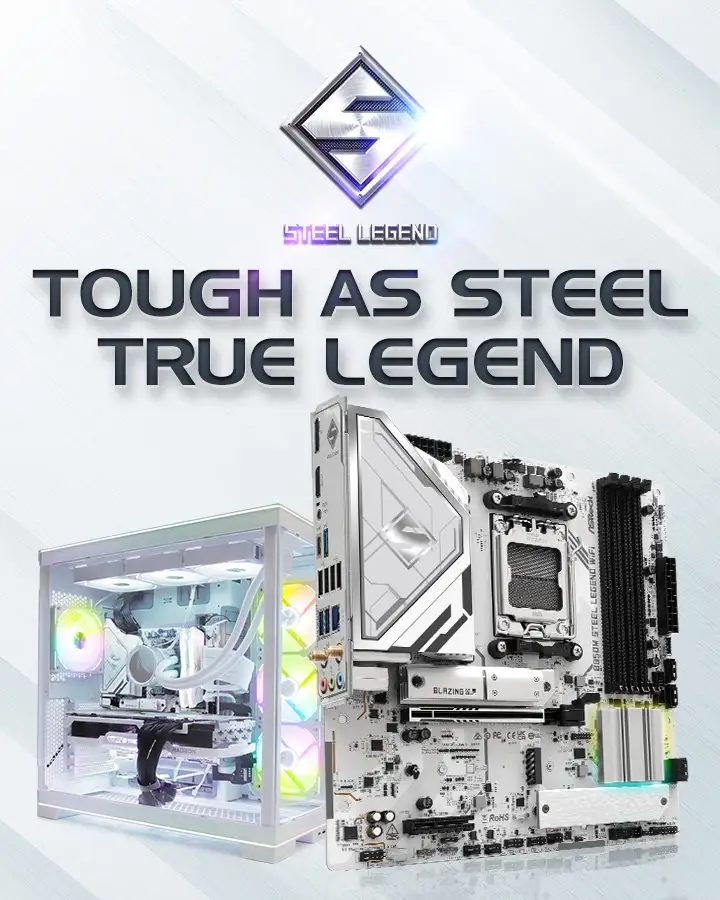
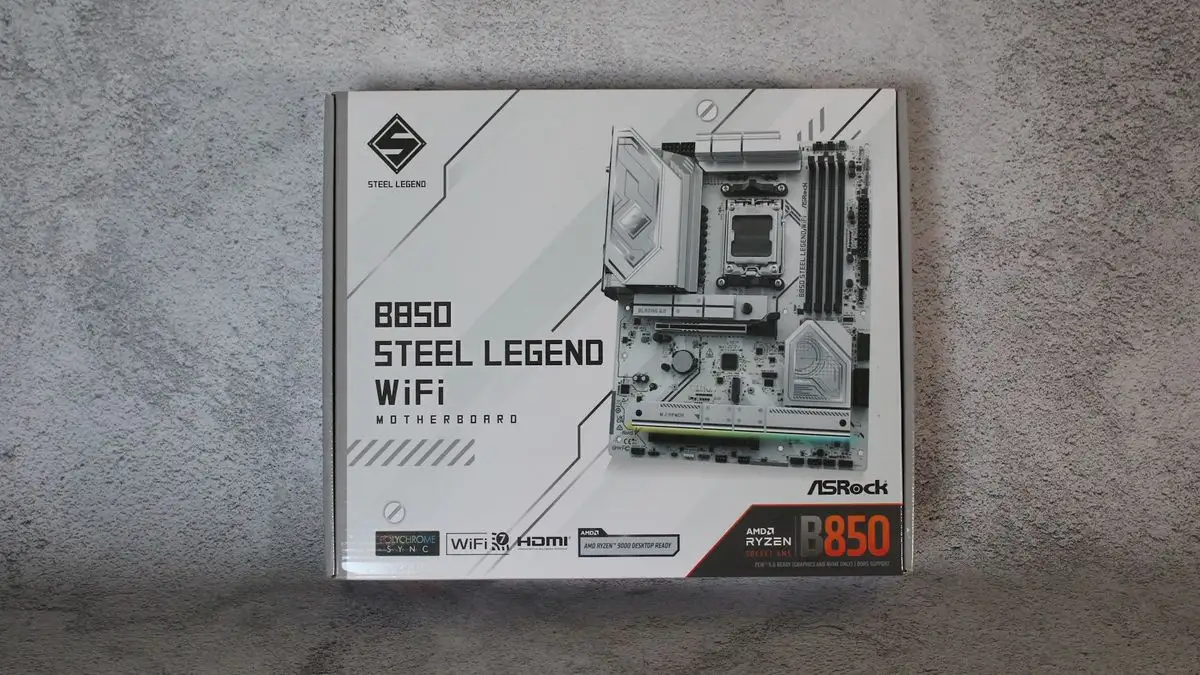
The white/silver aesthetic with integrated RGB split opinion. Builders pursuing themed white rigs loved the style — Tech4Gamers called it “appealing… impressive artwork on the heatsink blocks.” Others saw it as unnecessary flair compared to boards offering extra ports or higher LAN speeds.
EZ Flashback and troubleshooting LEDs are heralded by newcomers as “lifesavers” during first builds; veteran builders sometimes shrugged them off as standard now across many mid‑range boards.
Trust & Reliability
On Trustpilot and Reddit, there’s little sign of scam concerns — the complaints focus on technical compatibility rather than product legitimacy. Long‑term durability posts like one from a Reddit user noting that “6 months later… still stable under daily load” reinforce the reliability message.
Components like the 20K‑hour black capacitors and 8‑layer PCB are consistently cited in positive durability anecdotes, particularly by users who run high‑power GPUs and multiple drives.
Alternatives
MincoPC compared this board’s integrated features to rivals with lower price but missing Wi‑Fi 7. Many competitors in the B850 range drop to lesser audio codecs (e.g., ALC897) or fewer M.2 slots. If a user prioritizes USB4 or 5GbE LAN, they may consider moving up to X870 models, as Tech4Gamers suggested, but expect a higher budget.
Price & Value
Current listings on eBay show prices around £175–£146, while US retailers have it near $210–$219. Testberichte.de labeled it “preis‑leistungs‑tipp” for generous connectivity and cooling at this level. Owners note resale value holds well if kept clean due to demand for white‑themed builds with Wi‑Fi 7.
Buying tip from several Reddit posts: “check your RAM kit and GPU clearance before purchase” — those opting for tall DIMMs or oversized GPUs should confirm physical fit given large heatsinks.
FAQ
Q: Does it really support DDR5 speeds over 8000 MT/s?
A: Yes, but only with compatible memory kits. Several reviewers found stability issues with unsupported modules. Always verify against ASRock’s QVL.
Q: Can I use all four M.2 slots at full speed?
A: Not simultaneously at their highest specs; some slots share bandwidth and lack heatsinks, which can lead to thermal throttling.
Q: Is Wi‑Fi 7 noticeably faster than Wi‑Fi 6E?
A: For high‑traffic environments, yes — users report lower latency and better throughput, especially with multi‑link operation.
Q: Are the EZ Flashback and troubleshooting LEDs useful?
A: Absolutely for beginners; they help update BIOS without CPU/RAM and signal boot issues clearly.
Final Verdict: Buy if you’re a gamer or builder wanting strong VRM stability, Wi‑Fi 7, and high‑speed storage in a stylish design. Avoid if your workflow needs USB4, higher‑speed wired LAN, or if you’re unwilling to navigate RAM compatibility checks. Pro tip from community: pair with QVL‑verified DDR5 and add aftermarket heatsinks to secondary M.2 drives for optimal performance.





