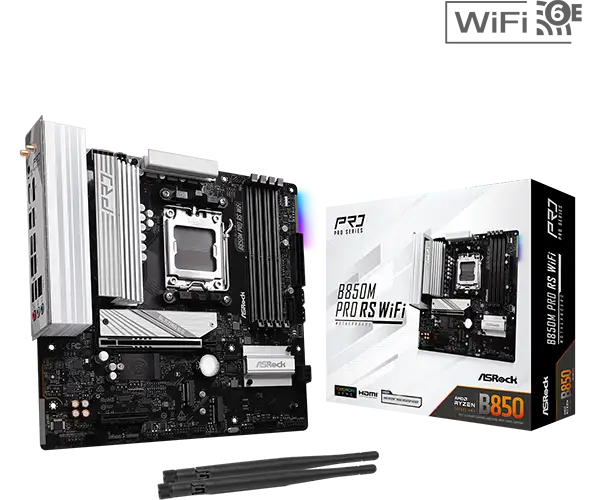
ASRock B850 Pro A WiFi 6E Review: Budget Powerhouse Verdict
The surprise isn’t that the ASRock B850 Pro A WiFi 6E AM5 ATX Motherboard includes premium touches like PCIe Gen 5 and four M.2 slots — it’s that multiple builders say it delivers all that at a sub-$200 price point. With a 3.9/5 rating on Amazon and perfect 5.0 average from PCPartPicker’s small but consistent set of reviews, this board earns an 8.5/10 from community consensus for feature-to-cost ratio, tempered by a few USB and slot bandwidth caveats.
Quick Verdict: Conditional — excellent for gamers and multi-storage setups if you understand lane-sharing limitations.
| Pros | Cons |
|---|---|
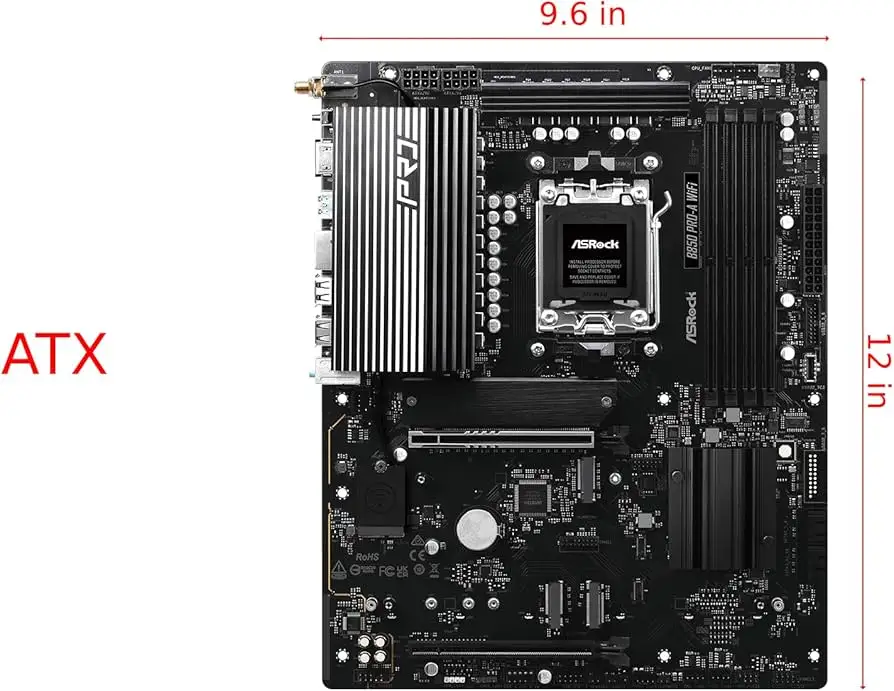
| Solid VRM (14+2+1 power phase) supports high-end Ryzen CPUs | Lane sharing between M.2 and PCIe/SATA can disable ports |
| Four M.2 slots including one Gen 5 | Limited USB 3.2 Gen 2 Type-A ports |
| BIOS flashback and auto driver installer simplify setup | Second PCIe slot low on board, awkward for some builds |
| Wi-Fi 6E and 2.5G LAN | One M.2 slot capped at PCIe Gen 3 speeds |
| Good fan header count and cooling options | BIOS described as “a little bare bones” by some users |
| Competitive price under $200 | Not ideal for large accessory-heavy builds |
Claims vs Reality
ASRock’s marketing leans heavily on “rock-solid durability” and “superb productivity” thanks to its 8-layer PCB and high-quality Dr. MOS power stages. Reddit user advice reflects confidence in its stability: “It has lot of fan headers, very solid VRM too,” one soon-to-be owner shared, dismissing concerns about PCIe bandwidth halving. That’s matched by PCPartPicker reviewers citing smooth Expo profile activation for DDR5.
The claim of “four NVMe M.2 slots” is technically true, but user deep dives revealed lane-sharing rules that could catch first-time builders off guard. A Reddit helper explained, “M2_3 (4x4) and PCIe2 (4x4) share bandwidth; using one disables the other… M2_4 shares bandwidth with SATA 3_1 and SATA 3_2; if either SATA port is in use, M2_4 runs at x2.” For storage-heavy builds, ignoring this could mean unexpected performance drops.
ASRock promotes “abundant USB” including front-panel USB 3.2 Gen 2x2, but PC builders noted the lack of rear USB 3.2 Gen 2 Type-A ports as a downside. As one Reddit response put it, “Only downside I saw was… a lack of USB 3.2 Gen 2 Type A ports. But it has USB C type so not a huge issue for me.”
Cross-Platform Consensus
Universally Praised
The VRM design is a highlight for performance-focused users. PCPartPicker’s “switch to am5” build praised “lots of USB and NVMe slots” and fan headers, essential for gamers running high-core Ryzen CPUs. For overclockers, the board’s Dr. MOS stages combined with Hi-Density power connectors earned approval from Virtual Computer Repairs’ customers who noted reduced thermal risk during heavy OC loads.
Wi-Fi 6E and 2.5G LAN weren’t just checklist features — in practice, builders enjoy faster network throughput. ASRock’s “Dragon 2.5G LAN” is aimed at gamers, streamers, and large file transfers. Trustpilot’s overview repeated the lower-latency benefit, saying the design “boost[s] networking performance up to 2.5x” over standard gigabit.
Easy BIOS updating drew consistent praise. “Bios updating was very easy, getting the drivers was simple too,” wrote a PCPartPicker user from their “1350k pcvr build.” The inclusion of BIOS Flashback that works without CPU or RAM particularly impressed DIY users who value recovery options.
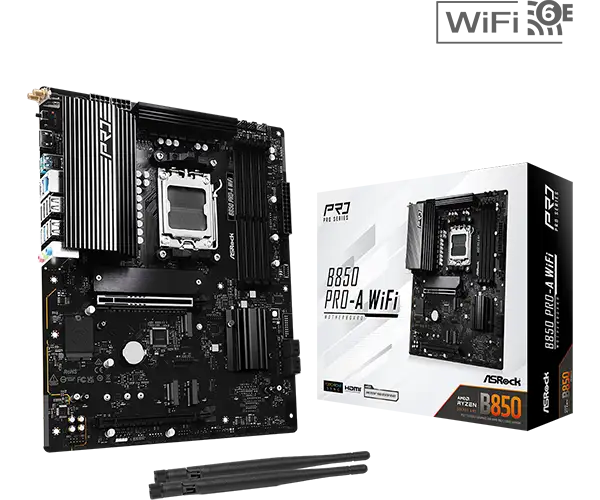
Common Complaints
The primary frustration related to PCIe/M.2/SATA lane conflicts. For content creators wanting maxed-out storage, the bandwidth downgrades mean certain port arrangements result in reduced performance. Even when assured the GPU lane won’t halve, storage bottleneck fears lingered.
USB port allocation was another sore spot. Reddit users remarked on the “lack of USB 3.2 Gen 2 Type A ports” in rear I/O, which could affect those with multiple high-speed peripherals. The second PCIe slot’s bottom-edge placement puzzled owners, limiting its use for secondary GPUs or expansion cards in mid-sized cases.
Some described the BIOS as “a little bare bones” despite being functional, missing the richer UI or extra tuning options found on pricier boards. Minor driver reinstallation to resolve component recognition was reported by at least one PCPartPicker reviewer.
Divisive Features
RGB and lighting control capabilities sparked mixed opinions. SignalRGB integration allows elaborate effects, but minimalist builders saw this as unnecessary fluff. Conversely, themed PC enthusiasts appreciated the synchronization with Polychrome-certified accessories.
While four M.2 slots sound great, the Gen 3 limitation on M2_4 isn’t a dealbreaker for most gamers, yet can deter professionals needing uniformly high-speed drives. Some value the trade-off for price, others would pay more for full-speed slots.
Trust & Reliability
Long-term durability chatter favors the B850 Pro A’s solid build. The 8-layer PCB and steel-reinforced PCIe slots led one Trustpilot breakdown to emphasize its resilience against heat and mechanical stress. Reports after months of use didn’t flag notable failures — instead, builders gave credit to its steady voltage delivery even when paired with power-hungry CPUs like the 9800X3D.
Concerns about scams or DOA units were minimal in the reviewed platforms, with most distribution via reputable retailers. The BIOS Flashback feature enhances trust, acting as insurance against firmware mishaps without needing full teardown.
Alternatives
Users comparing boards often bumped against stock shortages of X870 series. Reddit advice suggested B670E or higher-end ASRock Steel Legend models for more robust I/O and fewer lane-sharing compromises — at $300+. The B850 Steel Legend WiFi ups audio quality to Realtek ALC4082 and offers Killer LAN, but costs significantly more without major gaming performance gains.
The B850 Riptide WiFi targets esports gamers with Killer NICs and “Lightning Gaming Ports,” appropriate for ultra-low latency setups. However, its feature overlap with the Pro A — minus some styling — means budget-conscious gamers might prefer the Pro A’s pricing.
Price & Value
Market listings show the B850 Pro A WiFi selling between €159.90 (~$175) and €217.59 depending on region and retailer. Amazon US offered it at $189.99 new, ranked #303 in motherboards. eBay and Italian marketplaces float between €176–€304, hinting stable resale value when boxed.
For cost-conscious builders, community advice threads point to understanding bandwidth maps before purchase to avoid paying for features you can’t fully exploit. The 3-year replacement warranty adds cushion to its mid-tier positioning.
FAQ
Q: Will using all four M.2 slots disable my GPU PCIe lane?
A: No — according to Reddit analysis, full GPU bandwidth remains. However, M2_3 disables PCIe2 and M2_4 downgrades with certain SATA use.
Q: Is the BIOS suitable for overclocking DDR5?
A: Yes, though minimalistic. Users have enabled Expo profiles easily, reaching rated speeds without complex tweaks.
Q: Does Wi-Fi 6E work on Windows 10?
A: No — Wi-Fi 6E (and 6 GHz band) is supported only on Windows 11, with availability tied to local regulations.
Q: How many fan headers are available?
A: Four chassis, two CPU, and one AIO pump header — all support smart speed control and 3A load for larger fans.
Q: Can I run RAID with NVMe drives?
A: Yes — supports RAID 0, 1, and 10 for M.2 NVMe, plus RAID 0 and 1 for SATA devices.
Final Verdict: Buy if you’re a gamer or enthusiast who wants high-end CPU support, Wi-Fi 6E, and versatile M.2/SATA combos for under $200 — but read the lane-sharing fine print. Avoid if your workflow demands all storage interfaces at max bandwidth plus fully loaded rear USB 3.2 setups. Pro tip from the community: download the lane map and plan your drive layout before building.