ASRock B550M PRO4 Review: Budget Board Worth Buying?
Few budget motherboards earn near-universal praise across platforms, but the ASRock B550M PRO4 lands a solid 8.7/10 for delivering rich features in a micro-ATX form at a price that repeatedly surprises first-time builders. Its appeal stretches from casual gamers to mid-tier workstation users—although recurring USB controller complaints and quirks in M.2 lane allocation mean it’s not flawless.
Quick Verdict: Conditional Buy
| Pros | Cons |
|---|---|
| Strong value: feature-heavy for its ~$90–$110 street price | Second M.2 slot limited to PCIe 3.0 x2 lanes; affects high-speed SSD performance |
| 8-phase VRM holds up well at stock speeds | Reports of dead USB controller or instability tied to power supply or overclocking |
| Multiple RGB/ARGB headers and six PWM fan headers | RGB control software (Polychrome) is widely disliked |
| PCIe 4.0 x16 slot with reinforced steel | M.2 placement under GPU restricts heatsink choices |
| Supports Ryzen 3000–5000 series CPUs without major BIOS hurdles for most users | Some units failed early; warranted repairs took weeks |
| Includes M.2 Key E slot for Wi-Fi without sacrificing PCIe slot | Odd SATA port orientation frustrates neat cable routing |
| Solid audio with Realtek ALC1200/1220 and Nahimic | No USB-C header for front panel |
Claims vs Reality
ASRock markets the B550M PRO4 as “everything you need for computing” with premium VRM design, full spike protection, and PCIe 4.0 readiness. The 8-phase Digi Power design is touted to handle “unmatched overclocking capabilities,” but digging deeper into user reports shows most praise the VRM primarily for stable stock operation rather than aggressive PBO sessions. Reddit user feedback consistently notes that “the Pro4’s VRM is good enough to run any CPU at stock settings; if you use PBO, it will get toasty running Ryzen 9 CPUs.”
Similarly, while ASRock promotes its “dual M.2 solution” as high performance, multiple Amazon and Yandex.Market buyers point out the limitation: the second slot runs at PCIe 3.0 x2 and shares lanes with SATA 5/6. One Russian reviewer noted, “the second slot… has 2 lines v3.0, speed at the level of 1500 MB/s.” For builders expecting two full-speed NVMe drives, this is a mismatch.
The “Nahimic audio” claim fares better—community members across platforms compliment front and rear output quality once drivers are properly configured. However, PCPartPicker users detailed frustrating driver conflicts, with one writing: “Updated drivers again and lost rear panel audio… had to let Windows auto-install basic driver to fix it.”
Cross-Platform Consensus
Universally Praised
Across Reddit, PCPartPicker, and Russian retail reviews, the ASRock B550M PRO4’s feature density at the ~$90–$110 price point is its most repeated strength. Small form factor builders appreciate the micro-ATX footprint without losing expansion headroom. A Reddit commenter highlighted, “Micro ATX only has four slots… nice not to have to give up a PCIe slot if you want Wi-Fi,” thanks to the onboard M.2 Key E.
The abundance of fan headers—six in total, all PWM-capable—is a rare find in this segment. PCPartPicker builders routinely note fitting 6–7 case fans without needing splitters. “Enough fan pins to accommodate 7 fans in my case… BIOS fan tuning auto-adjusts fans for optimal use,” reported one post-build review.
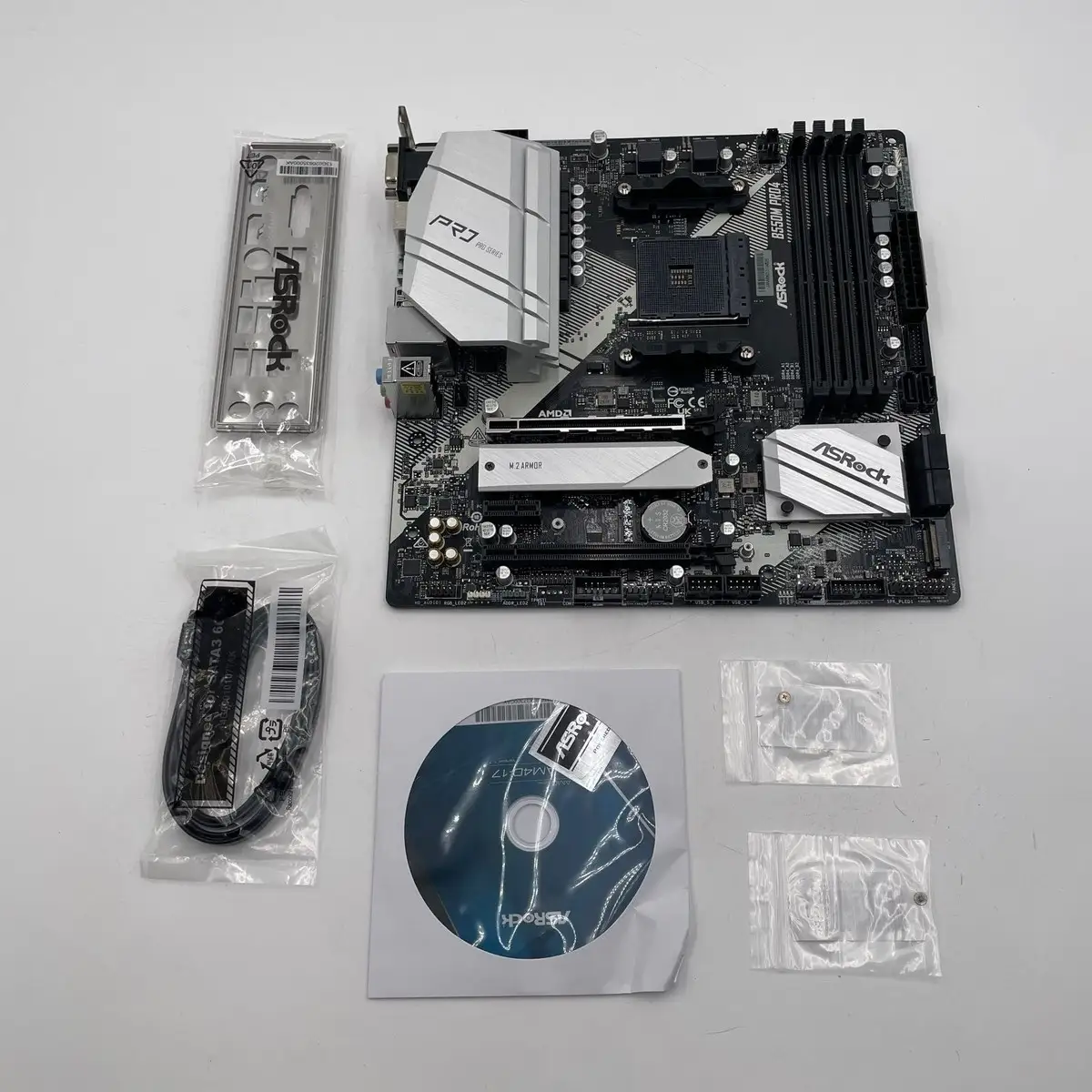
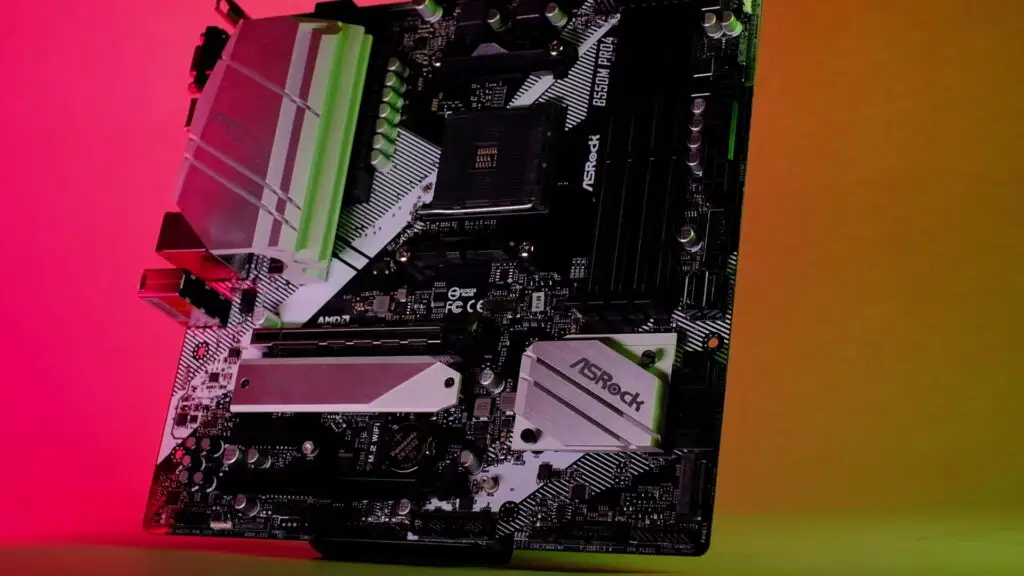
Aesthetically, sapphire black PCB, steel-reinforced PCIe slot, and included M.2 heatsinks draw compliments, particularly from themed builds. Russian owners praise “beautiful color scheme that fits both white and black builds.” BIOS usability also comes up often, even from novices: “Easy to install, easy to update, easy to navigate the BIOS. Overall just beginner friendly,” wrote one PCPartPicker reviewer.
Common Complaints
The M.2 arrangement earns recurring criticism, especially from high-performance SSD users. The primary Hyper M.2 slot sits directly under the GPU, limiting aftermarket cooler fitment. “Doesn’t allow a radiator other than the stock one… limits choice to ‘cold’ SSDs,” said one Yandex.Market buyer. The lane-sharing between M.2_2 and SATA ports also catches first-time builders off guard, forcing compromises in storage layouts.
USB subsystem issues are more worrying. Slickdeals threads mention “lots of reviews saying dead USB controller,” with anecdotes sometimes linked to overclocking instability or underpowered PSUs. One owner mitigated it by upgrading from a 350W PSU to a higher-quality 500W unit, hinting at power sensitivity.
RGB software is universally panned. “Polychrome sucks… hard to control onboard devices like my RGB RAM,” noted a PCPartPicker review. Many recommend bypassing it entirely for third-party solutions like OpenRGB or iCUE.
Physical design quirks draw minor ire: SATA ports with mirrored orientation complicate cable management; thin PCB flex during GPU install worries some; and the absence of a front-panel USB-C header is viewed as a missed modernization.
Divisive Features
VRM cooling prompts differing takes. Mid-range CPU users (Ryzen 5/7) find temps reasonable—Russian users measured ~40–44°C under load with ample case airflow. Enthusiasts notice faster heat buildup when pushing power limits, making it less appealing for sustained high-watt overclocks.
Audio quality splits opinion too. When configured correctly, “great audio” is the norm, but driver-related setup headaches lead others to abandon manufacturer packages for Windows defaults.
Trust & Reliability
While the majority of units run for months without fault, Yandex.Market and Trustpilot reports of early failures—ranging from complete boot refusal after days to specific SATA banks dying—underscore that DOA or early-life defects occur. These cases typically end in warranty service, but turnaround can be slow; one owner waited two weeks with “silence from the service center.”
Long-term Reddit and PCPartPicker posts suggest component stability if paired with a quality PSU and kept within stock parameters. “Had cheap ASRock mobos before, never had an issue… as long as you don’t cheap out on a PSU most other stuff is ok,” advised one experienced builder.
Alternatives
Only one recurrent alternative from discussions: the MSI MAG B550 Mortar, mentioned as ~$60 more with stronger VRM and potentially better long-term OC headroom. Reddit consensus leans toward the Mortar for Ryzen 9/PBO use, but the B550M PRO4 remains favorable for stock-frequency builds needing more headers and budget flexibility.
Price & Value
Community pricing data shows the board dipping to $89.99 on Amazon and Newegg, with occasional credits/refunds post-purchase. eBay resale varies sharply, from ~$84 CAD used to $180+ USD depending on condition and geography. Slickdeals buyers stress its “better features than many budget boards” and some “future proofing” for PCIe 4.0 GPUs and NVMe.
Buying tips: check BIOS version for Ryzen 5000 compatibility before purchase, especially for older stock, and budget for advisory cooling if running multi-core high-TDP chips.
FAQ
Q: Does the ASRock B550M PRO4 support Ryzen 5000 CPUs out of the box?
A: Most recent retail units do, but older stock may require a BIOS update. Without flashback, some users confirmed they could still boot without an older CPU, but it’s advised to verify with the seller.
Q: How many M.2 slots and what speeds are supported?
A: Two slots—one PCIe 4.0 x4 (under GPU), one PCIe 3.0 x2/SATA sharing lanes with SATA 5/6. The second’s reduced speed can bottleneck high-performance NVMe SSDs.
Q: Is the onboard audio good?
A: Yes, with Realtek ALC1200/1220 and Nahimic enhancements, though some encountered driver issues. Many fixed sound problems by using Windows default drivers.
Q: Can I add Wi-Fi without losing a PCIe slot?
A: Yes, the M.2 Key E slot supports Wi-Fi/BT modules and has rear-mounted antenna brackets, freeing PCIe slots.
Q: Does it have a front-panel USB-C header?
A: No, and this is a frequent complaint among users seeking modern case integration.
Final Verdict: Buy if you’re a budget-conscious builder using Ryzen 5/7 CPUs at stock, want abundant fan/RGB headers, and appreciate PCIe 4.0 readiness. Avoid if you plan heavy OC on Ryzen 9, need dual full-speed NVMe, or rely on front-panel USB-C. Pro tip: Pair with a quality PSU and consider third-party RGB control to sidestep Polychrome frustrations.





