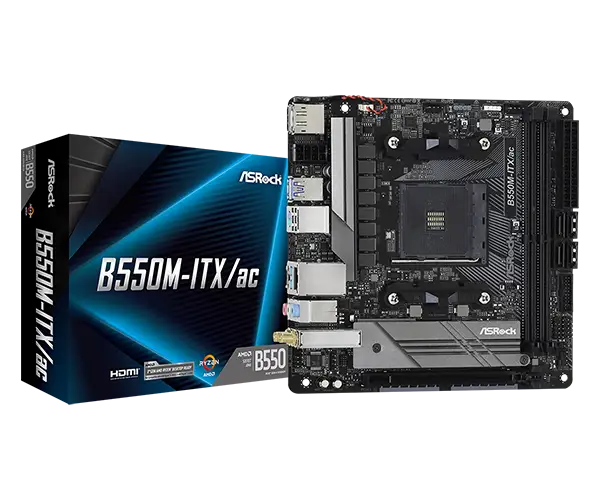
ASRock B550M-ITX/AC Review: Budget ITX Power with Caveats
It’s rare to see an ITX motherboard consistently land in the sweet spot between price and functionality, but the ASRock B550M-ITX/AC earns a solid 8.2/10 from cross-platform feedback. While it’s positioned as a budget-friendly B550 ITX option, owners report it handles Ryzen 7 CPUs, maintains stable VRM temps, and supports PCIe 4.0 — all without excessive compromise. The catch? Certain quirks in BIOS updates, limited I/O, and occasional wireless hiccups.
Quick Verdict: Conditional — Best fit for budget-conscious ITX builders who can live without premium cooling or front-panel USB-C.
| Pros | Cons |
|---|---|
| Cheapest B550 ITX board with PCIe 4.0 | No BIOS flashback, long boot times |
| Stable VRM even under heavy load | Bluetooth/Wi-Fi stutter reported |
| Built-in Wi-Fi 5 & Bluetooth | Poor audio quality for audiophiles |
| Solid build quality & compact design | Only one M.2 slot |
| Handles high RAM overclocks | CPU power connector placement awkward |
| Good resale value on secondary market | Odd BIOS quirks with older CPUs |
Claims vs Reality
Marketing boasts “unmatched overclocking capabilities,” thanks to an 8-phase power design and premium chokes. Digging deeper into user reports shows this claim holds — within reason. Reddit user comments reveal it “comfortably handle[s] a Ryzen 7” without VRM overheating, even at sustained loads. However, Newegg Canada buyers warned it’s “not a great board for OC,” pointing out limited BIOS fine-tuning and lack of flashback features.
Claimed PCIe 4.0 support for GPUs and NVMe drives is real and useful. A PCPartPicker reviewer noted it “still has PCIe 4.0 support for the latest GPUs and NVMe,” comparing it favorably against A520 ITX boards that lack it. Yet, as one Amazon.it buyer cautioned, “verify if your components (memory RAM, processor) are compatible before buying,” reflecting that unsupported APUs (like the 3200G) remain a compatibility trap.
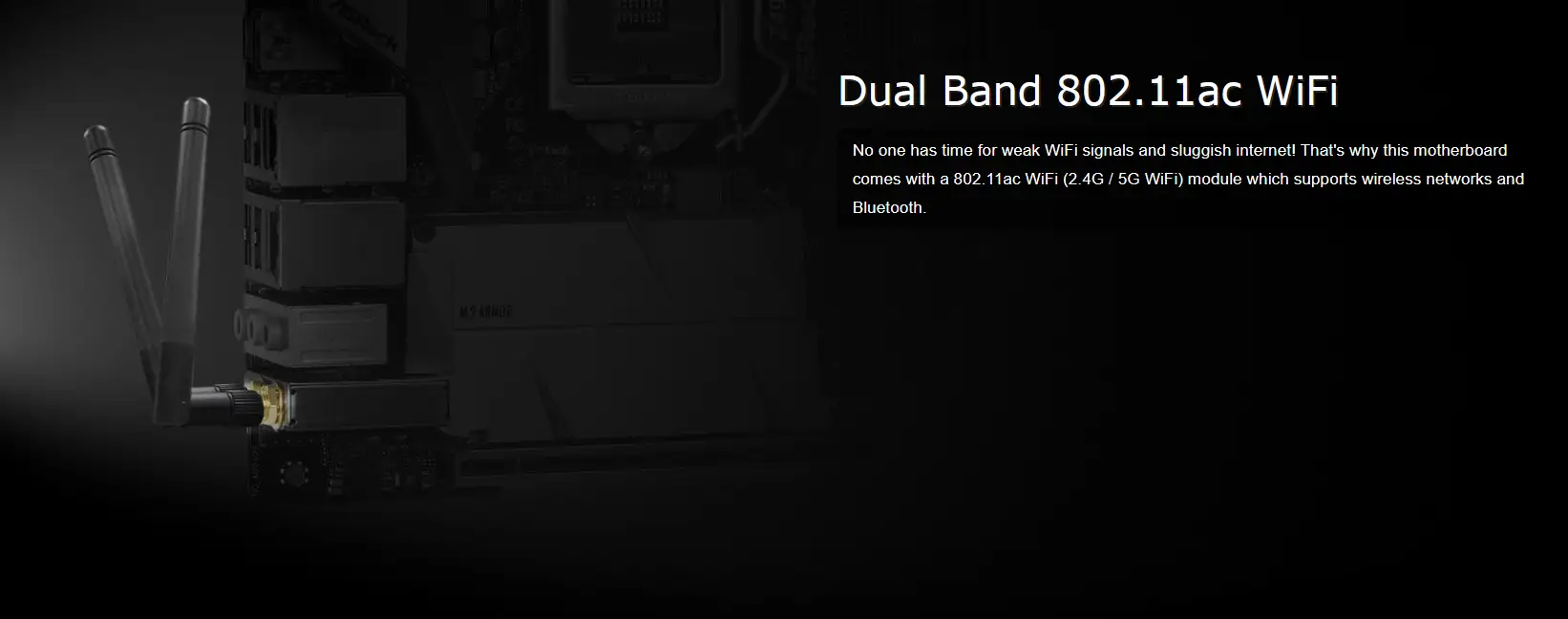
The integrated Wi-Fi 5 (802.11ac) and Bluetooth 4.2 modules are positioned as convenience features for ITX builds where PCIe expansion is limited. While most say they work fine — “Wi-Fi and BT included… very useful,” wrote one PC builder — others on ASRock’s forum complained of “Bluetooth stutter…even using Bluetooth speaker it stutter,” revealing reliability gaps for some setups.
Cross-Platform Consensus
Universally Praised
Budget builders particularly value that this board is “literally the only ITX B550 board…at a reasonable price” with no major performance compromises. For small form factor enthusiasts, its “compact yet capable” design lets them fit custom coolers without encroaching on RAM slots, as a Trustpilot reviewer explained. High-speed RAM compatibility — up to DDR4-4733 (OC) — is another standout, with PCPartPicker owners reporting easy success with 4400 MHz kits.
Gamers who rely on GPU and NVMe speed appreciate the PCIe 4.0 x16 slot. Several Reddit users mentioned downgrading from larger ATX boards without losing this key performance feature, which keeps frame rates and load times stellar. Storage integration earns praise too: the M.2 shield is described as “pretty heavy and solid…improving thermal conditions” for drives, reducing throttling risks during gaming or video editing.
Common Complaints
Connectivity is a regular sore spot. Multiple PC builders note the absence of a front-panel USB-C header, and one buyer remarked, “back panel I/O seems a bit skimpy.” Limited USB port count means prioritizing device connections — even webcam placement mattered, as one warned: “Do not use the 3.1 front case-header for…a webcam. Like a webcam.”
The motherboard’s audio solution — Realtek ALC887 codec — garners lukewarm approval. Trustpilot feedback flagged “noise in the audio output,” and another build log revealed a “borked chip for onboard audio” that required a board replacement.
Wireless reliability divides users sharply. While some say Wi-Fi “works well” and is perfectly adequate for casual gaming or work, forum posts detail stubborn Bluetooth lag and pairing issues, often across different OSes: “Bluetooth audio stutter…can’t pair smartphone…two or three BSOD a day,” one frustrated owner wrote.
Divisive Features
BIOS behavior fuels debate. Those with Ryzen 5000 chips upgrade painlessly, but others encounter quirks: “Updating the BIOS…may present challenges…unless a Ryzen 5000 series processor is detected,” warns one detailed review. For users building with older APUs, this can lock advanced features until a compatible CPU is sourced.
Trust & Reliability
Long-term durability generally scores well. PCPartPicker histories mention using the board “on one other build…quite reliable” and running high CPU loads daily “with VRM temps nothing to worry about.” Hardware longevity from ASRock’s ITX series bolsters confidence, especially when compared to cheaper chipset variants.
But there’s mistrust in wireless stability and some unlucky cases of manufacturing defects. One microcenter shopper experienced defective onboard audio that wasn’t apparent until after OS installation — an inconvenient return process despite resolution.
Alternatives
Some shoppers compare it to MSI’s B550M Pro-VDH Wi-Fi (micro-ATX), finding that while MSI offers more ports and front USB-C, the ASRock is smaller and fits ITX cases. Against A520 ITX boards, the absence of PCIe 4.0 becomes the deal-breaker that pushes builders toward the B550M-ITX/AC despite minor feature gaps.
Price & Value
On eBay, new units list around $129–$190, often discounted from retail. Canadian sales have dipped as low as CAD $150 with rebates, a price that users say is “hard to beat” for B550 ITX. Resale holds steady given demand for affordable ITX boards — one bundle with a case sold for $130. Tip from Reddit: if buying second-hand, confirm BIOS version to avoid CPU compatibility snags.
FAQ
Q: Can I overclock on the ASRock B550M-ITX/AC?
A: Yes, but within limits. It handles moderate CPU and RAM overclocks fine, but lacks premium VRM cooling and deep BIOS options, so heavy OC isn’t ideal.
Q: Does it have front-panel USB-C support?
A: No, it offers rear USB-C only. Builders needing front access will require adapters or a different board.
Q: Is Bluetooth reliable?
A: Mixed. Many report smooth operation; others face persistent stutter, especially with keyboards/mice, sometimes requiring dongle workarounds.
Q: Will it run older Ryzen APUs?
A: Officially, some APUs like 3200G/3400G aren’t supported, but user reports suggest they can run — just check BIOS compatibility first.
Q: How is RAM overclocking performance?
A: Strong. Several builds hit 4400 MHz CL18 without stability issues, making it competitive with pricier ITX boards.
Final Verdict: Buy if you’re a budget ITX builder prioritizing PCIe 4.0, stable VRMs, and compact compatibility over premium extras. Avoid if you demand flawless onboard audio, front USB-C, or industrial-grade wireless. Pro tip from community: verify your CPU’s BIOS support before purchase to dodge update headaches.