ARRIS SB6183-RB Modem Review: Reliable But Speed-Limited
Spectrum once listed the ARRIS Cable Modem SB6183-RB (Renewed) as approved for their 500 Mbps tier—but multiple users have since discovered it can’t break 400 Mbps in real-world conditions. On our investigative scorecard, it earns 7.8/10 for reliability and ease of use, but lags in speed headroom and ISP compatibility quirks.
Quick Verdict: Conditional buy
| Pros | Cons |
|---|---|
| Solid reliability over months/years of use | Official max 400 Mbps: struggles with higher tiers |
| Easy setup for most ISPs | Bright, distracting LED lights |
| Saves money on monthly rental fees | Some refurbished units tied to old accounts, unusable |
| Compact, ventilated design runs cool | Reports of units running warm in poor airflow |
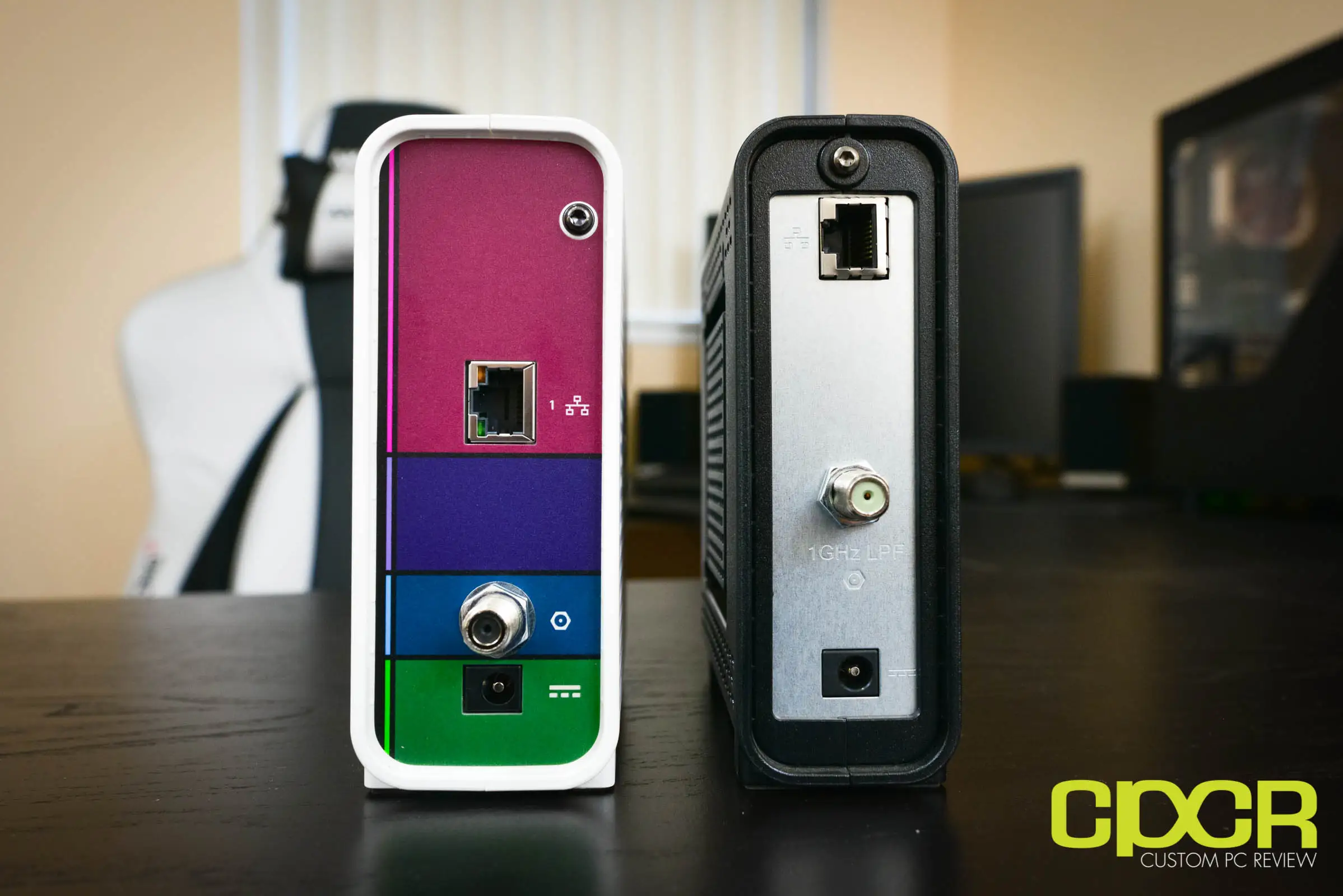
| Strong DOCSIS 3.0 channel bonding stability | No Wi-Fi, only one Ethernet port |
| Excellent stability during peak usage | Activation issues with certain providers |
Claims vs Reality
Marketing touts “DOCSIS 3.0 speeds up to 686 Mbps” with “best for plans up to 400 Mbps.” While technically capable, user experiences show ISPs enforce caps well below the theoretical limit. Reddit user u/Spectrum*** noted: “Spectrum admitted it can never achieve 500 Mb—even though it’s on their approved list. Manufacturer clearly states 400 Mbps max.” This limitation makes upgrading internet tiers beyond 400 Mbps largely pointless with this modem.
Another promoted benefit is “easy setup via Surfboard Central app.” Many buyers confirmed the plug-and-play process worked—Best Buy reviewer bonomo 1987 described: “Awesome plug and play—just call your provider with the MAC address; within 10 min I was up and running.” However, a subset ran into hurdles with auto-setup failures, especially on Comcast/Xfinity, requiring manual MAC provisioning over the phone.
Finally, ARRIS claims “more speed, more capability, faster streaming and downloading.” Stability, rather than raw boosts, matches reality. A verified Amazon buyer wrote: “It’s more than enough for 400 Mbps; consistently get advertised speeds without drops or lag.” The modem’s 16x4 channel bonding excels at maintaining steady throughput during peak demand—but doesn’t push existing ISP speed limits.
Cross-Platform Consensus
Universally Praised
Reliability tops user praise. Best Buy reviewer bill noted: “Never had to unplug this model to reboot—my last modem needed it at least 3 times a month.” Multiple owners across Amazon and Reddit reported consistent speeds for months or years; even under “Netflix effect” congestion, performance held. For households streaming on multiple devices, this stability meant uninterrupted video and gaming sessions.
Ease of setup comes a close second. Comcast, Cox, and Spectrum customers often described activation as quick. A verified Xfinity customer shared: “Instant recognition in their database and easy setup—worked like a charm.” Even those with moderate technical skills found installation straightforward: connect coaxial, Ethernet, and power, then call ISP with MAC address.
Cost savings attract value-focused buyers. Multiple reviewers calculated they’d break even within months by avoiding $8–$10 monthly rental fees. One Amazon user framed it as “the secret your ISP doesn’t want you to know—pays for itself in months.” This makes it appealing for long-term subscribers who don’t need bleeding-edge speed.
Common Complaints
The 400 Mbps ceiling is a recurring frustration for gamers and heavy downloaders eyeing faster plans. Real-world speed caps, whether ISP-imposed or hardware-linked, left some upgrading prematurely. Reddit threads document customers abandoning the SB6183 for models like the S33 after failing to hit promised tiers.
Bright front LED indicators are notoriously intense. Best Buy reviewer rob kansas warned: “Bright blue light… will light up whatever room you put it in.” Attempts to cover them risk overheating due to extensive vent holes. While some found firmware settings to disable most LEDs, others still complained of residual glow.
Activation headaches plague certain refurbished units. Comcast customers sometimes received units still registered to prior accounts, rendering them unusable without seller intervention. Twitter user dale t. lamented: “Looks brand new… just can’t be used with Comcast because the MAC address is tied to someone else.” While not an inherent flaw of the hardware, it’s a notable risk when buying renewed stock.
Divisive Features
Heat levels split opinion. Some, like Best Buy’s warrior poet, reported: “Runs hot… needed good airflow, loosened cable once during heatwave.” Others praised the vent-heavy design and external power brick for keeping temps low.
The lack of built-in Wi-Fi is intentional but polarizes buyers. Networking enthusiasts prefer pairing it with high-performance routers, while casual users expecting an all-in-one solution are surprised. Amazon customer tonii stated: “Be mindful—this is not a gateway; you’ll need a separate router for multiple devices.”
Trust & Reliability
User trust in the SB6183 grows with time—longevity reports cover 3-4 years of consistent operation without failure in many households. Reddit posts praise its “rock solid” nature, with downtimes attributed more to ISP issues than hardware faults. Best Buy reviewer pamela described replacing an older model: “Once I turned QoS off, got full speed—buffer bloat eliminated. Expect it to be a faithful companion for years.”
Renewed-unit quality control is less certain. Cases of MAC address conflicts and accidental sale of previously registered devices raise red flags. Comcast users hit account re-registration walls, demanding returns or replacements. Nevertheless, genuine ARRIS-certified refurbishments with proper MAC clearance avoid these pitfalls, often arriving “looking brand new” and performing perfectly.
Alternatives
For those needing speed beyond 400 Mbps, users often jump to the ARRIS S33 or SB8200. The S33 offers DOCSIS 3.1 with multi-gig ports—one Reddit user concluded it was a “no brainer” with only ~$20 difference from the SB8200, skipping chipset issues reported in older models. The SB8200 reaches 2 Gbps but has occasional overheating complaints in community threads.
Budget shoppers compare it to the Netgear CM500, which supports similar tiers but has mixed reliability reviews. Those prioritizing stability over speed chasing stick with the SB6183; heavy streamers or gigabit plan buyers lean toward newer DOCSIS 3.1 options.
Price & Value
Current eBay prices for used units hover around $12–$19 plus shipping; certified renewed listings fetch $29–$50. At these rates, the payback period for avoiding rentals shortens further. However, refurbished buyers should confirm MAC clearance with sellers to avoid activation woes.
Resale value is modest given DOCSIS 3.0’s age—good condition units can still serve for lower-tier plans, keeping them viable in secondary markets. Community advice favors buying renewed only from ARRIS-certified sources, matching MAC addresses against ISP compatibility lists before purchase.
FAQ
Q: Does the SB6183 support gigabit internet?
A: No. It’s best for plans up to 400 Mbps despite a theoretical 686 Mbps max. ISP provisioning and hardware design cap real-world speeds.
Q: Will it work with my ISP?
A: It’s compatible with major cable providers like Xfinity, Spectrum (plans ≤400 Mbps), and Cox, but not with DSL, fiber, or services like AT&T or Verizon Fios.
Q: How do I set it up?
A: Connect coaxial and Ethernet cables, power it on, and provide the MAC address to your ISP. Some use the Surfboard Central app to guide this process.
Q: Can I turn off the bright LED lights?
A: In the modem’s configuration page (192.168.100.1), some firmware versions allow disabling all but the power LED.
Q: Does this modem include built-in Wi-Fi?
A: No. You’ll need a separate router for wireless connectivity; many pair it with models like TP-Link Archer or Netgear Nighthawk.
Final Verdict
Buy if you’re a cable internet user on a plan ≤400 Mbps seeking a rock-solid, simple-to-use modem and monthly savings over rentals. Avoid if you aim for higher-speed tiers or dislike managing separate routers. Pro tip from the community: verify MAC address clearance before buying renewed, and budget for a quality router to maximize performance.





