Apple Studio Display Review: Strong Build, Mixed Glass
Marketed as the perfect visual companion for Mac, the Apple Studio Display (Nano‑Texture Glass, Tilt‑Adjustable Stand) earns a conditional 8.3/10 based on user feedback. Praised for image quality, build precision, and integration with macOS, it delights photographers, designers, and those prioritizing aesthetics. Yet its ergonomics, connectivity constraints, and nano‑texture drawbacks leave some buyers frustrated.
Quick Verdict: Conditional — Excellent for Mac-based content creators, but check glass type and stand option before purchase.
| Pros | Cons |
|---|---|
| Exceptional color accuracy in sRGB mode with macOS | Nano‑texture coating introduces visible blur for some users |
| Premium aluminum build quality | Poor ergonomics with tilt‑only stand |
| 5K resolution offers razor‑sharp text clarity | No HDR, low contrast |
| 96W Thunderbolt 3 power delivery for MacBook charging | Limited connectivity (no HDMI, DisplayPort) |
| Integrated high-quality speakers and microphones | Stand and height adjustments cost extra |
| Excellent glare reduction with nano‑texture in bright environments | Settings locked on Windows |
| Seamless macOS integration; Center Stage camera | High purchase price |
Claims vs Reality
Apple promotes the Studio Display’s nano‑texture glass as “ideal for spaces with bright light sources” with “outstanding image quality even in challenging lighting conditions.” In bright studio setups, graphic designers report it delivers. A verified Best Buy buyer wrote: “The display’s matte finish offers… clarity, reducing glare… colors vibrant, true‑to‑life.” For those working under daylight floods, glare control lives up to the marketing.
But in everyday office use, a recurring complaint shatters the promise. A macOS community thread revealed, “The nano texture finish is causing the issue for me. I can’t use the monitor, gives me a headache within 5 minutes. I’d rather just work on a laptop screen.” This contrast between promised image crispness and reported softness is amplified by users who returned their nano variant for the standard glossy, instantly calling it “happy days.”
Another Apple claim is versatility via “tilt and height‑adjustable” or “VESA mount” options. While these exist, RTINGS testing found the tilt‑only option suffers “terrible ergonomics,” hindering placement for ideal viewing. Many Reddit users echo frustration over paying extra for better stands, with one noting, “Paying so much, you should get height, tilt, and pivot by default.”
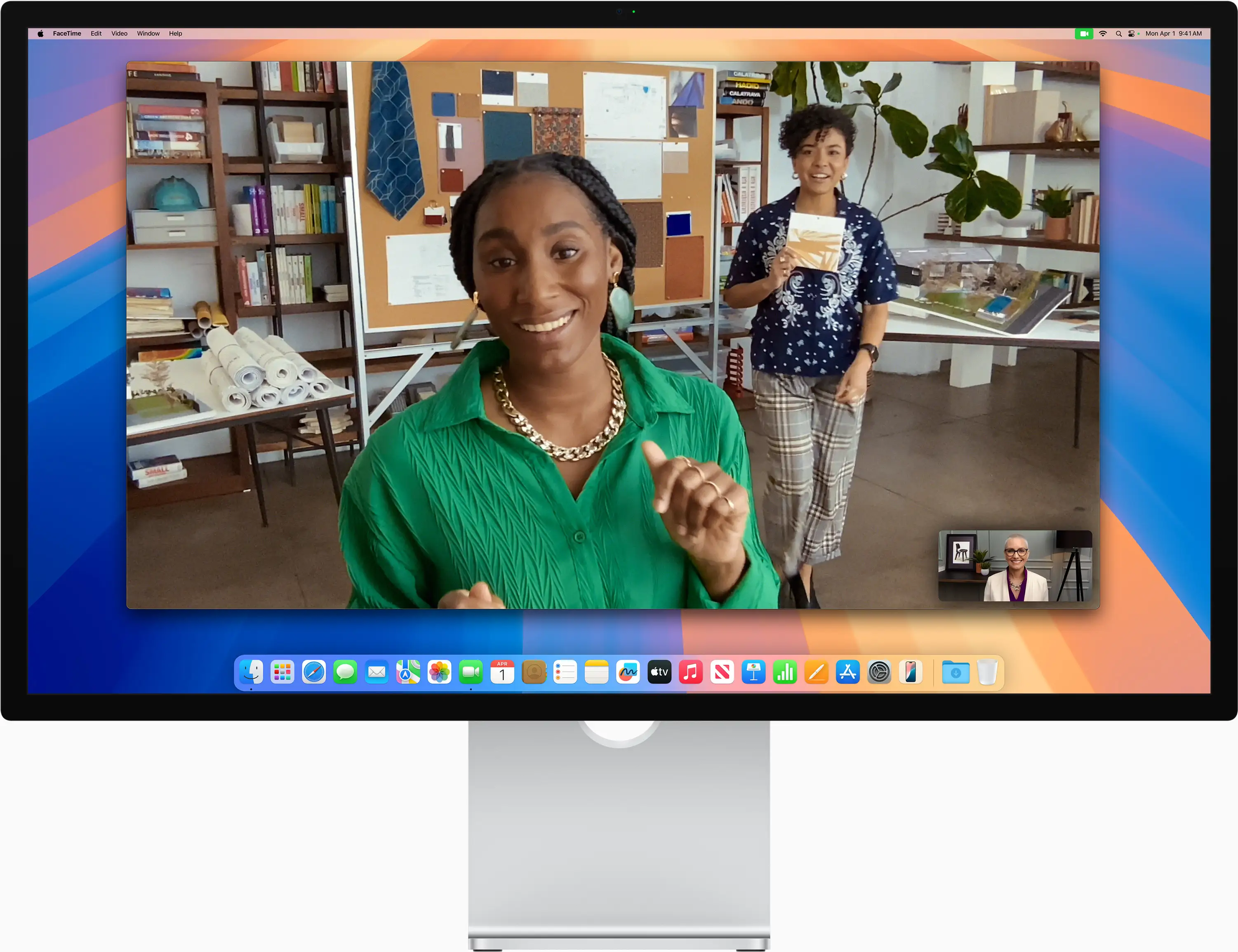
Finally, Apple sells the display’s built‑in speakers and mic array as studio‑quality conveniences. Here, reality aligns closely: the integrated six‑speaker system routinely surprises buyers. Reddit user u/Mac*** said: “I love the speakers… sound similar to ones on MacBooks… I don’t need extra speakers, keeping my desk minimal and clean.” The microphones also deliver clear voice transmission in video calls without clutter.
Cross-Platform Consensus
Universally Praised
Across Reddit, Trustpilot, and Best Buy reviews, the display’s 5K resolution and accurate sRGB mode stand out. For photo editors and video professionals on macOS, the leap from 4K is visible. Reddit user u/Photo*** compared office iMacs and various 4K panels before saying, “I can see a clear difference between 4K and 5K in 27‑inch… it feels so much nicer to look at.” This precision benefits retouchers managing fine gradients and color-critical environments without calibration.
Build quality receives equal applause. The aluminum chassis, solid stand, and flawless finish evoke Apple’s design language—premium yet functional. RTINGS measured it at 9.0 for build quality, noting “the body and stand… solid aluminum that doesn’t flex,” giving corporate spaces a professional aesthetic. Verified buyers mention seamless integration with MacBooks: “MacBook Air connected easily. Really like the larger screen… worth it if you stare at it every day.”
The display’s audio capability is another crowd-pleaser. Even in multimedia-heavy workflows, six internal drivers paired with spatial audio outperform typical monitor sound. Best Buy’s reviewer described “the highest‑fidelity speaker system ever created for Mac,” an asset for video editors checking audio sync without external speakers.
Common Complaints
Ergonomics dominate gripes—particularly the tilt-only stand. On RTINGS’ scale, ergonomics scored just 4.9, with inability to swivel or adjust height frustrating users who switch seating positions or share screens. Buyers resent needing to pay more for adjustable stands or VESA mounts. “Still pissed about the stand situation,” one Reddit contributor admitted, despite approving of the overall package.
Connectivity limitations also irk prospective buyers. Without HDMI or DisplayPort, PC users must adopt adapters that don’t always cooperate. RTINGS confirmed settings control is locked to macOS; on Windows, it reverts to last saved macOS configuration. Gamers feel excluded: “No VRR, poor motion handling… not meant for gaming,” as RTINGS bluntly states. Console players face incompatible ports and refresh caps at 60Hz.
Nano‑texture glass, while successful with glare control, risks visual softness. Multiple Apple Community posts dissect how matte finishes blur text compared to glossy. One owner lamented, “My 2012 MacBook Pro looks better.” The physical fixed power cable is another sore spot; damage means full monitor servicing rather than a cable swap.
Divisive Features
The 5K resolution polarizes only slightly—Mac users adore its sharpness, while some Amazon reviews claim “5K really doesn’t look much different than 4K” in day-to-day use. Similarly, Center Stage camera earns applause for movement tracking but criticism for image quality; Kimola’s sentiment analysis flags it as a “terrible” webcam for some buyers expecting high-end clarity.
Nano‑texture coating divides buyers in two camps: glare haters who swear by it, and clarity purists who ditch it for glossy glass. RTINGS hints at reduced sharpness versus glossy, advising text-heavy users to consider standard glass unless lighting demands matte.
Trust & Reliability
Trustpilot and resale listings reveal rare but troubling quality issues: panels arriving “taped shut with masking tape and 3rd party barcodes” labeled as new, cracked nano‑texture surfaces, and service refusal without expensive replacement. Apple Community user ‘hmarip’ recounted: “No repair for this, only replacement. Wow!… Apple no longer stands behind its products!”
Long-term use reveals persistent build strength, but fixed cable design remains a liability. One owner embarked on “20+ hours with Apple” over unexplained flickering and power loss—never resolved. While most units meet Apple’s durability reputation, isolated defects shake confidence, especially at nearly $2,300.
Alternatives
The LG UltraFine 5K surfaces often in discussions—similar resolution, lower cost, but in plastic housing and older design. RTINGS notes it “still costs $1399” yet lacks the Studio Display’s premium build, speakers, and macOS-level accuracy.
Dell U2723QE offers DisplayPort, HDMI, HDR, and better ergonomics, appealing to cross-platform users. However, it concedes text clarity to Apple’s 5K panel and can undersaturate HDR colors. Asus ProArt PA27JCV edges Apple in contrast and HDR support, but loses to the Studio Display in macOS color accuracy and reflection handling.
Price & Value
Pricing varies: $2,299‑$3,299 new based on stand and glass, $1,899‑$2,459 refurbished. eBay resale hovers around $2,200 for lightly used units. Value debates mirror Reddit’s “unpopular opinion” post where one user, after factoring in speaker and webcam savings, concluded: “Pretty much worth every penny” for minimalists. Others call it “ridiculous” at over $2,200 without HDR or advanced ergonomics.
Buying tips from the community:
- Test nano‑texture and glossy variants in-store to decide clarity vs. glare priority.
- Factor stand choice into initial price; upgrading later is costly.
- For Windows or mixed OS setups, consider alternatives with HDMI and HDR.
FAQ
Q: Does the nano‑texture glass make text look blurry?
A: Several users report noticeable softness versus glossy. It’s caused by light scattering inherent to matte coatings, reducing perceived sharpness despite high resolution.
Q: Can I adjust height with the included stand?
A: Only if you select the tilt‑and‑height stand at purchase. Tilt‑only lacks height and swivel adjustments; VESA option is required for mounting arms.
Q: Is the Studio Display compatible with Windows PCs?
A: It works but with limits—settings are locked to last macOS profile, and features like sRGB mode and Center Stage require macOS.
Q: Does it support HDR?
A: No, the Studio Display is strictly SDR. HDR picture modes exist but aren’t true HDR with local dimming or high contrast.
Q: How good is the built‑in webcam?
A: Functionality like Center Stage impresses with its tracking, but image quality draws criticism from users expecting pro-grade clarity.
Final Verdict
Buy if you’re a Mac‑based creative professional prioritizing color accuracy, glare control, and integrated audio/video in a premium build. Avoid if your workflow demands HDR, advanced ergonomics without add-ons, or flawless text clarity under matte coating. Pro tip from community: trial both nano‑texture and glossy models in person—lighting conditions and personal vision comfort dictate which feels truly “retina.”