Apple Smart Folio iPad Pro 11 (M4) Review: 7.8/10
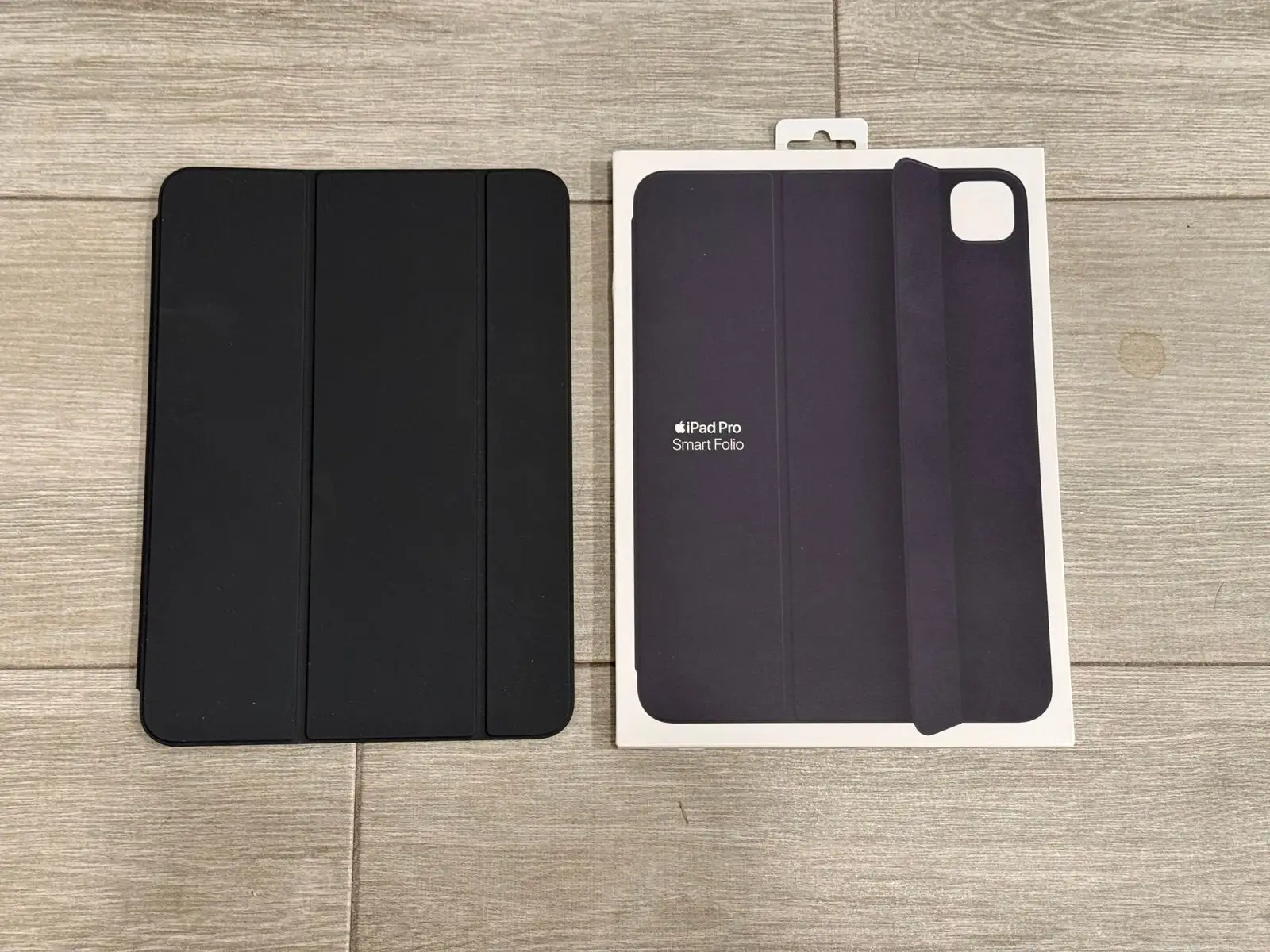
The loudest “wow” isn’t about how the Apple Smart Folio for iPad Pro 11-inch (M4) - Black looks—it’s about how little it changes the iPad’s feel, for better and worse. One Best Buy reviewer summed up the appeal bluntly: “adds very little size to the ipad,” while another warned it’s “not… to protect it from heavy duty damage or drops.” Verdict: a sleek, magnet-on cover that many love for minimalism, but a deal-breaker for anyone who wants side protection or absolute attachment security. Score: 7.8/10
Quick Verdict
For the right buyer, yes—conditionally. If you want a thin, Apple-made folio that wakes/sleeps your iPad and folds into a stand, most feedback trends positive. If you expect drop-grade security or a rock-solid magnetic hold in every position, multiple users say the experience can turn frustrating fast.
| Call | Data-driven takeaway | Evidence (platform) |
|---|---|---|
| Buy? | Conditional | Best Buy reviews include both “works flawlessly” and “ipad to slide out” |
| Biggest pro | Minimal bulk + premium feel | “minimal, but built with premium materials” (Best Buy) |
| Biggest con | Edge protection is limited | “doesn’t offer any protection on the sides” (Best Buy) |
| Reliability risk | Magnet hold is inconsistent by user | “magnets are strong enough…” vs “will not stay attached” (Best Buy) |
| Best for | Scratch protection + stand use | “tiny layer of protection… smudges and scratches” (Best Buy) |
| Not for | Heavy drop protection or lap instability | “isn’t… for… drops” + “if you move slightly… it will fall over” (Apple Community) |
Claims vs Reality
Apple’s marketing frames the Apple Smart Folio for iPad Pro 11-inch (M4) - Black as “thin and light” with automatic wake/sleep and a “new sliding design for greater adjustability” (Amazon specs; Apple product pages). Digging deeper into user reports, the “thin and light” claim is the one that lands most cleanly: a Best Buy reviewer praised how it’s “minimal, but built with premium materials that help keep the thin and lightweight feel of the device intact.”
Where the real-world story gets messier is the implied promise of secure everyday usability. One Best Buy reviewer insisted “the magnets are strong enough, that if you hold it from the cover, the ipad won’t fall off of the case,” pushing back on what they called “other reviews misleading.” Yet another user described the opposite scenario with vivid frustration: “if you hold it up to read or anything else, get ready for the ipad to slide out,” adding they resorted to “glue spots” to keep it in place.
Apple also emphasizes adjustability for “reading, watching movies, typing or making FaceTime calls” (Apple pages). Some buyers echo that the fold-stand is practical—one said it “doubles as a stand—it’s practical and feels high quality” (Best Buy). But in Apple Community discussions about iPad-on-lap use, a recurring complaint emerged about stability with lightweight tri-fold-style covers: “the tri-fold cover doesn’t provide enough area to hold the ipad up… if you move slightly or press the screen… it will fall over” (Apple Community thread, user j bertram). That’s a gap between “more comfortable” positioning in marketing and the reality of certain casual, mobile postures like couch or bed use.
Cross-Platform Consensus
Universally Praised
A recurring pattern emerged around how unobtrusive the Apple Smart Folio for iPad Pro 11-inch (M4) - Black feels in daily carry. For commuters and travelers who want the iPad to stay tablet-like, users repeatedly celebrate low bulk and low weight. One Best Buy reviewer put it simply: “adds very little size to the ipad,” while another called it “slim, lightweight” and said it “feels high quality.” For people who hate clip-on shells, the magnetic concept itself is part of the charm: “magnetized to the ipad there is no clips holding it on but it is super solid” (Best Buy).
The “premium minimalism” persona shows up again and again. A Best Buy review described it as “minimal, but built with premium materials,” framing it less like armor and more like a thin protective skin for everyday scuffs. That same reviewer clarified the intended protection level—“a tiny layer of protection to prevent the exterior from getting smudges and scratches”—which resonates for office users, students, or anyone mostly dealing with backpacks and desk surfaces rather than drop hazards.
The auto wake/sleep behavior is also treated as a “quiet convenience” feature that becomes part of the routine. One reviewer highlighted that it “conveniently turn[s] the ipad on and off when you open and close the folio” (Best Buy). In practice, that matters most for note-takers and frequent pick-up/put-down users—people using the iPad in short bursts across the day, where frictionless open-and-go behavior is the whole point of a folio.
After those narratives, the positive themes condense into a few consistent takeaways:
- Thin and light feel that preserves the iPad’s form factor (Best Buy)
- Magnetic attachment praised as simple and “super solid” by many (Best Buy)
- Wake/sleep convenience noticed and valued (Best Buy)
- Stand function described as practical for viewing/reading (Best Buy)
Common Complaints
The sharpest complaint isn’t subtle: some users say the attachment doesn’t stay put when held in real-life reading positions. A Best Buy reviewer called it “a pitiful excuse for a cover,” explaining the magnets “keep it closed when the ipad is flat,” but when held up, “get ready for the ipad to slide out.” Another one-star reviewer echoed that the “case will not stay attached… like the magnets are not working,” and couldn’t tell if it was “a defective unit or a design issue” (Best Buy). For readers who hold the iPad vertically, parents handing the tablet to kids, or anyone who shifts positions frequently, that complaint targets the basic promise of a magnetic folio.
Protection expectations also collide with reality—especially around exposed sides. One reviewer praised the build, but warned: “this doesn’t offer any protection on the sides… isn’t to protect it from heavy duty damage or drops” (Best Buy). That’s a crucial caveat for buyers who assume any “cover” is drop protection. Even those who like the product sometimes admit the tradeoff: it’s elegant and thin, but the edges are still vulnerable.
Another common frustration lives at the intersection of Apple accessory compatibility and the 2024 M4 redesign. One Best Buy reviewer argued Apple “changed the magnet location for the smart folio and magic keyboard” and questioned whether it was necessary: “Did they have to? no. Did it make them more money? absolutely.” For upgraders coming from older iPad Pros, that feeds a narrative that accessories have become more complicated—and more expensive—just to maintain the same basic functionality.
Summarized complaints, as told by users:
- Some units (or users) experience weak/unstable magnetic hold when handheld (Best Buy)
- Side/edge protection is intentionally limited and surprises some buyers (Best Buy)
- iPad Pro M4 accessory changes fuel frustration about forced upgrades (Best Buy)
Divisive Features
The magnet system is the big divider. One camp insists the criticism is overblown—“the magnets are strong enough… the ipad won’t fall off”—and suggests fit complaints may come from buyers using the wrong iPad model case (Best Buy). Another camp describes the same idea as fundamentally unreliable in handheld reading: “ipad to slide out” (Best Buy). The split creates a real buyer-risk dynamic: the folio can feel “super solid” to some, and untrustworthy to others.
The minimalist philosophy is similarly polarizing. Supporters frame it as a feature: “minimal, but built with premium materials.” Critics see “minimal” as “not enough”—especially when expecting side protection or more secure Apple Pencil handling. One reviewer pointed out: “it still doesn’t protect three of the sides, and doesn’t hold the apple pencil securely” (Best Buy), highlighting how Apple’s design choice can frustrate heavy stylus users who want everything locked together in transit.
Trust & Reliability
Digging deeper into the reliability signals, the most concerning thread is the magnet-hold inconsistency in Best Buy reviews. One user described returning it immediately—“taking it back”—because it “will not stay attached” (Best Buy). Another went further, describing DIY “glue spots” and “rubber cement” to compensate for slippage. Those are not subtle complaints; they read like users trying to salvage an expensive accessory that isn’t meeting the core requirement of staying attached in the way they hold the device.
Long-term durability stories for this specific M4 folio aren’t richly represented in the provided M4 review set, but adjacent Apple accessory discussions show how expectations differ between “lightweight convenience” and “stable lap use.” On Apple Community, j bertram described using iPads primarily on “couches, chairs and in bed” and said a tri-fold style cover “doesn’t provide enough area to hold the ipad up,” becoming “very very frustrating.” While that thread is about keyboard and stand experiences more broadly, it underscores a key reliability expectation: stability in casual environments, not just at a desk.
Alternatives
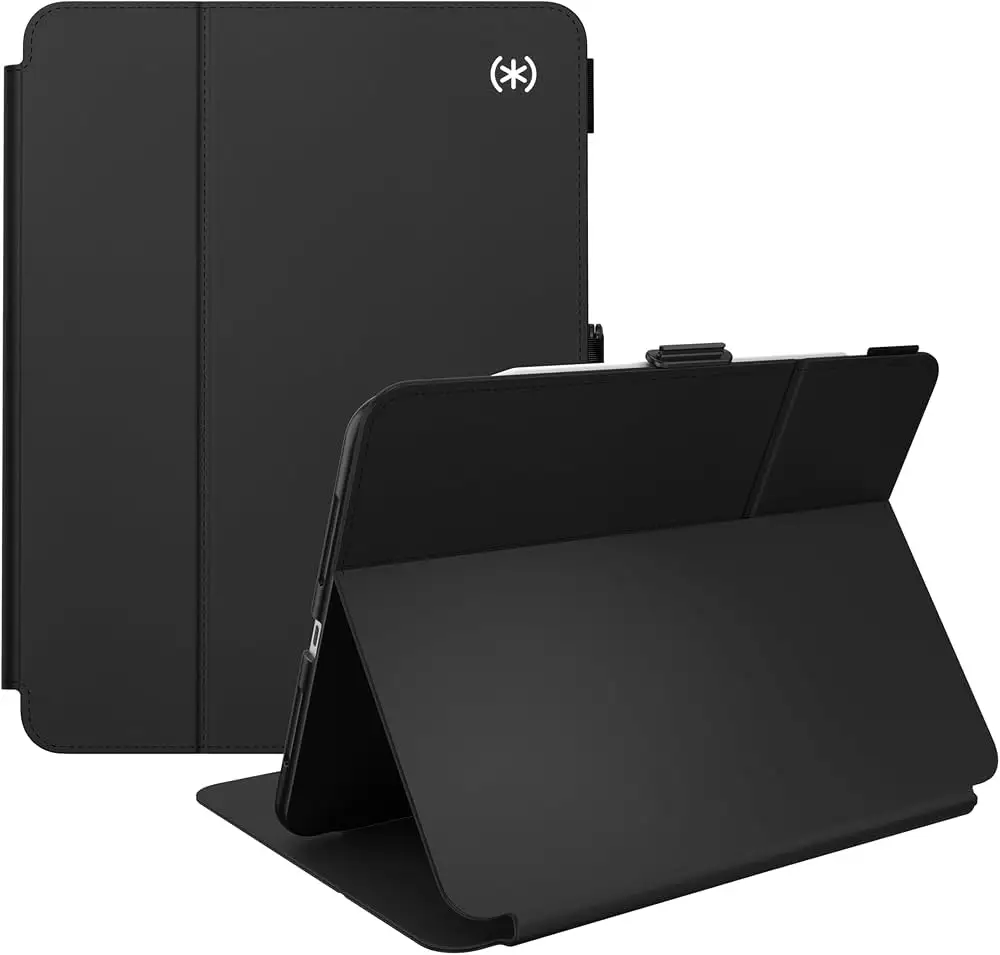
Only a few alternatives are explicitly mentioned in the data, and they reveal the buyer psychology around the Apple Smart Folio for iPad Pro 11-inch (M4) - Black. The biggest “alternative” conversation is really about keyboards and weight.
On Apple Community, j bertram contrasted the old Smart Keyboard Folio style with the newer Magic Keyboard direction, calling the newer option “very rigid and very heavy” and unsuitable for couch/bed use. Another participant wrote they were “forced to purchase a logitech keyboard” and argued “the magic keyboard is for desk-bound people,” emphasizing portability and lap usability as the priority (Apple Community).
For buyers who considered Apple’s own keyboard ecosystem, that debate matters because it shapes whether the Smart Folio is seen as the light everyday cover you pair with a separate keyboard, or a compromise that still won’t stabilize the iPad the way you want on a lap.
Price & Value
Sticker price varies sharply by retailer and region in the provided data. Amazon lists the product with a strong headline rating (“4.8 out of 5 stars” on the listing data provided), while Apple pages show pricing like “A$129.00” (Apple AU Education) and “$99.00” (Apple CA Business/Education listings). Best Buy shows “$79.00” for the M4 folio listing.
On the resale side, B&H’s used listing shows “$56.50” used versus “$79.00” new for the same model, suggesting a meaningful but not catastrophic drop for lightly used inventory (B&H used listing). For value-focused buyers, that supports a strategy: if you like the concept but fear magnet fit variability, buying from a retailer with easy returns—or trying used/open-box—can reduce risk.
Community feedback also hints at a value paradox: people accept the premium when it “works flawlessly,” but become sharply critical when the basic attachment feels unreliable. That’s why the magnet-hold divide matters more for value than any spec sheet.
Buying tips implied by user behavior:
- Prioritize return-friendly retailers if you’re sensitive to magnet security (Best Buy complaints + returns).
- If you only need scratch protection and minimal bulk, users say it excels at that specific job (Best Buy).
- Consider used/open-box pricing if you’re testing whether the magnetic hold suits your handling style (B&H used pricing).
FAQ
Q: Does the Smart Folio for iPad Pro 11-inch (M4) actually stay attached?
A: Conditionally. Some Best Buy reviewers say “the magnets are strong enough” and the iPad “won’t fall off,” but others report the opposite—“get ready for the ipad to slide out” when held up. Experiences suggest either unit variance, usage posture differences, or fit confusion.
Q: Is it good for drop protection?
A: No, not for serious drops. One Best Buy reviewer emphasized it “doesn’t offer any protection on the sides” and “isn’t to protect it from heavy duty damage or drops,” describing it more as scratch and smudge protection for everyday handling.
Q: Does it wake and sleep the iPad automatically?
A: Yes. Both Amazon/Apple specs state automatic wake when opened and sleep when closed, and users echo it. A Best Buy reviewer said it “conveniently turn[s] the ipad on and off when you open and close the folio.”
Q: Does it hold the Apple Pencil securely?
A: Not securely, according to at least one reviewer. A Best Buy reviewer noted it “doesn’t hold the apple pencil securely.” If Pencil retention is critical for commuting or school, that complaint suggests you may need a separate Pencil holder solution.
Q: Is the stand stable for lap or couch use?
A: It depends on posture and expectations. Apple markets multiple viewing angles, and some users like the stand function. But Apple Community users describing couch/bed use complain that tri-fold style support “doesn’t provide enough area” and can fall if you shift or press the screen.
Final Verdict
Buy if you’re a minimalist iPad Pro M4 owner who wants thin front-and-back coverage, automatic wake/sleep, and a simple fold-stand—and you’re comfortable with exposed sides. A Best Buy fan summed up the vibe: “simple and premium,” “slim, lightweight,” and “practical.”
Avoid if you read handheld a lot and need absolute attachment security, because multiple Best Buy reviews describe slippage—“ipad to slide out”—and even returns due to magnets “not working.” Pro tip from the community mindset: if your iPad life happens on couches and laps, stability can matter more than thinness—j bertram’s warning that a tri-fold cover can fall over “if you move slightly or press the screen” captures that risk (Apple Community).





