Apple Magic Keyboard with Touch ID Review: Conditional Buy
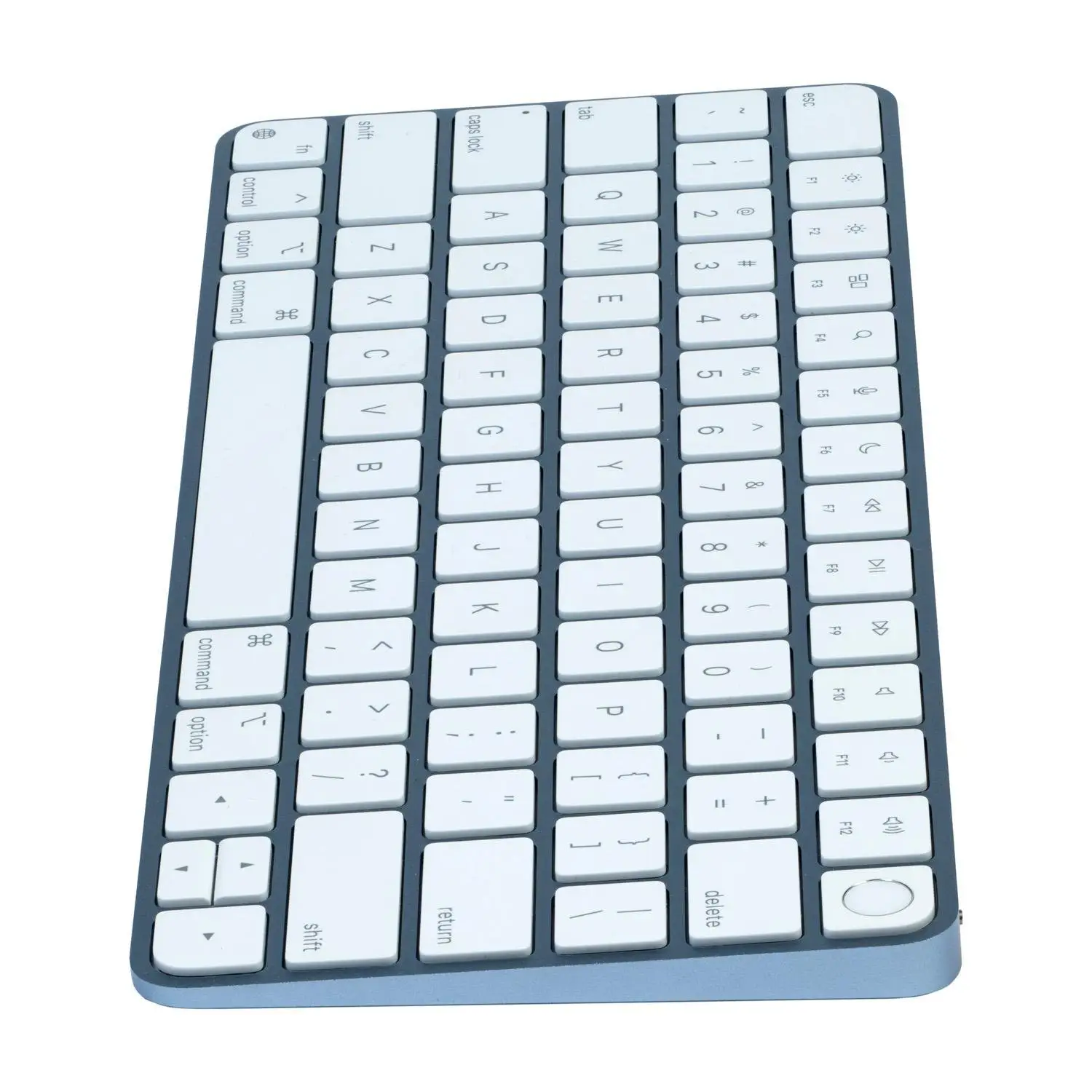
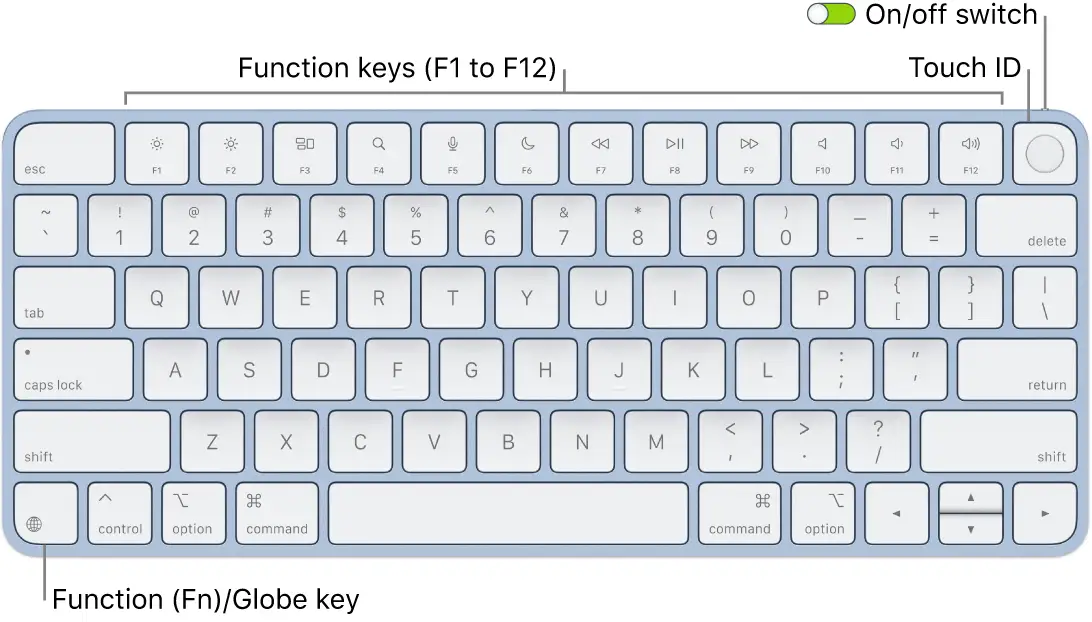
Starting with a surprising twist, the Apple Magic Keyboard with Touch ID for Apple Silicon earns a solid 8.5/10 from cross-platform user feedback — but only if you’re in the right hardware and workflow niche. While Apple’s marketing paints it as a universally perfect typing companion, real-world reports show that compatibility limitations, typing comfort quirks, and a premium price tag make it a conditional buy rather than an outright slam dunk.
Quick Verdict: Conditional Buy — Best for Mac users with Apple Silicon who value Touch ID convenience and minimalist design.
| Pros (User-Reported) | Cons (User-Reported) |
|---|---|
| Long battery life — often a month+ between charges | Expensive for feature set |
| Touch ID speeds up logins and purchases | No backlighting |
| Sleek, minimalist design fits Apple setups | Limited compatibility (Apple Silicon only for Touch ID) |
| Comfortable key feel for many users | No adjustable risers or tilt |
| Seamless pairing with Macs | Function key and browser limitations for Touch ID |
| Reliable Bluetooth connection | Smooth, flat keys can reduce typing accuracy |
Claims vs Reality
Apple claims that its Magic Keyboard with Touch ID “provides fast, easy and secure authentication for logins and purchases” and “delivers a remarkably comfortable and precise typing experience.” Marketing also promises an “incredibly long-lasting internal battery” and seamless pairing.
Digging deeper into user reports, the Touch ID claim holds true for Apple ecosystem tasks — but not universally. A Best Buy reviewer warned: “The touch id does not work with anything other than apple apps or software… It will not work for the password to start up your computer… You can not use it for any other browsers other than Safari.” This sharply contrasts with the broad “logins and purchases” language.
Comfort claims are mostly supported, with Trustpilot user “kem fi” praising “smooth and responsive typing” — yet others note the flatness of the keyboard as a drawback. Reddit users consistently mention that while key spacing is good, “the key cap surface is so smooth that it’s hard for my fingers to find its starting place.”
Battery life marketing matches reality for most. One Reddit user shared: “In at least three weeks I have not re-charged… good feel when typing.” Others echo month-long endurance, though heavy daily typists sometimes see shorter cycles around two weeks.
Cross-Platform Consensus
Universally Praised
Across Reddit, Trustpilot, and Amazon’s own store, Touch ID convenience is the standout. Professionals who log in frequently or approve Apple Pay transactions save seconds every time. Trustpilot’s “jonik” noted: “I love the touch security and the soft keys. I highly recommend.” Remote workers also benefit — Best Buy user “andresg” bought it for his wife’s remote work and found “it exceeded her expectations.”
Battery life is another near-universal win. Verified buyers report going “a month or more between charges,” making it ideal for travelers and mobile workers. For example, a Reddit reviewer said: “Pairs easily and have yet to need a recharge.”
Design integration with Apple devices garners praise from aesthetic-minded users. Trustpilot’s “samuelvilha” wrote: “Like other Apple products this shows good quality and beautiful finish,” while another called it “sleek and functional… perfect companion for home and office.”
Seamless pairing and Bluetooth reliability repeatedly appear in feedback. A Reddit user said: “Plug the USB cable into the Mac mini, and it pairs automatically, couldn’t be easier.”
Common Complaints
Price is the most consistent sore point. Multiple Reddit and Trustpilot reviewers call it “expensive” or “hard to justify” unless you specifically need Touch ID. Trustpilot’s “enoch” put it bluntly: “For the price, it should have more features… no back-light.”
Typing comfort divides opinion — not on key feel, but on ergonomics. The lack of adjustable risers frustrates some. Quora reviewers and Trustpilot users note it “sits low” and affects wrist angles during long sessions. One Reddit user swapped to a Logitech MX Keys Mini for better ergonomics and backlighting.
Compatibility limitations hit unsuspecting buyers. Touch ID requires Apple Silicon and recent macOS versions. Best Buy’s “read before buying” reviewer discovered his expensive iMac was incompatible, leading to disappointment.
Divisive Features
Key feel draws contrasting reactions. Touch ID buyers generally accept the flatter, quieter typing experience, but mechanical keyboard enthusiasts find it lacking. A Reddit user compared it unfavorably to Logitech’s “pleasant and muted ‘thunk’ sound.”
The minimalist design — praised for aesthetics — also means no backlighting. In low-light settings, this becomes a dealbreaker for some, while others see it as irrelevant.
Trust & Reliability
Trustpilot reviews show strong trust in Apple’s build quality but occasional frustration with feature gaps. Durability stories vary — some Reddit users report flawless performance after months, while others note visible key wear after a year of heavy use. One Reddit user documented worn keys and shared that Apple’s warranty treats it as an accessory, limiting coverage.
Faulty units do occur. An Apple Community post described a new unit where “finger print key not working at all” and “secondary keys are not acting as they should.” While rare, such reports emphasize buying from retailers with straightforward return policies.
Alternatives
The Logitech MX Keys Mini is the most cited alternative in Reddit threads — offering multi-device pairing, backlit keys, and USB-C charging at a slightly lower price. One heavy typist found it “types better than the Apple Magic Keyboard” and preferred its muted sound.
Apple’s own non-Touch ID Magic Keyboard is recommended for Intel Mac users or those who don’t need biometric authentication, saving money without losing core typing performance.
Price & Value
Official Apple Store pricing ranges from $179 to $209 USD depending on layout and numeric keypad inclusion, with eBay showing resale prices from $89 used to $179 new. This strong resale value suggests enduring demand among the Apple Silicon crowd.
Community buying tips include watching for certified refurbished units, using store credit to offset the premium, and confirming compatibility before purchase to avoid Touch ID disappointment.
FAQ
Q: Does Touch ID work with non-Apple apps or browsers?
A: Only partially. Users report it works for macOS logins, Apple Pay, and some Safari actions, but not with Google Chrome or most third-party apps.
Q: How long does the battery last?
A: Typical use sees a month or more between charges, though heavy daily typing can reduce this to two weeks.
Q: Can I use it with an Intel Mac?
A: Yes for typing, but Touch ID will not function. Multiple users recommend the non-Touch ID version for Intel systems to save money.
Q: Is it comfortable for long typing sessions?
A: Many find the key travel and spacing comfortable, but the lack of tilt adjustment can cause wrist strain for some.
Q: Does it have backlit keys?
A: No, and low-light typists often cite this as a drawback.
Final Verdict
Buy if you’re a Mac user with Apple Silicon seeking biometric convenience, long battery life, and a clean Apple aesthetic. Avoid if you need cross-browser Touch ID, adjustable ergonomics, or backlit keys. Pro tip from the community: verify your Mac’s compatibility before purchase — as one Best Buy reviewer learned, “research it myself first” can save you from costly incompatibility.