Apple Magic Keyboard Review: Premium Yet Pricey Verdict
The Apple Magic Keyboard has earned a reputation as both a premium productivity tool and a controversial purchase. Across Amazon, Reddit, and Trustpilot, users rate its typing experience and build quality highly—often 4.6 to 4.8 out of 5—but many also call it “singularly most overpriced” among Apple accessories. From sleek aluminum desktop versions to iPad Pro cantilever designs, it blends aesthetics and functionality, yet recurring complaints about price, ergonomics, and device-switching friction surface frequently. Based on aggregated feedback, it scores 8.2/10 for Apple ecosystem users, dropping to 6.5/10 for those outside it.
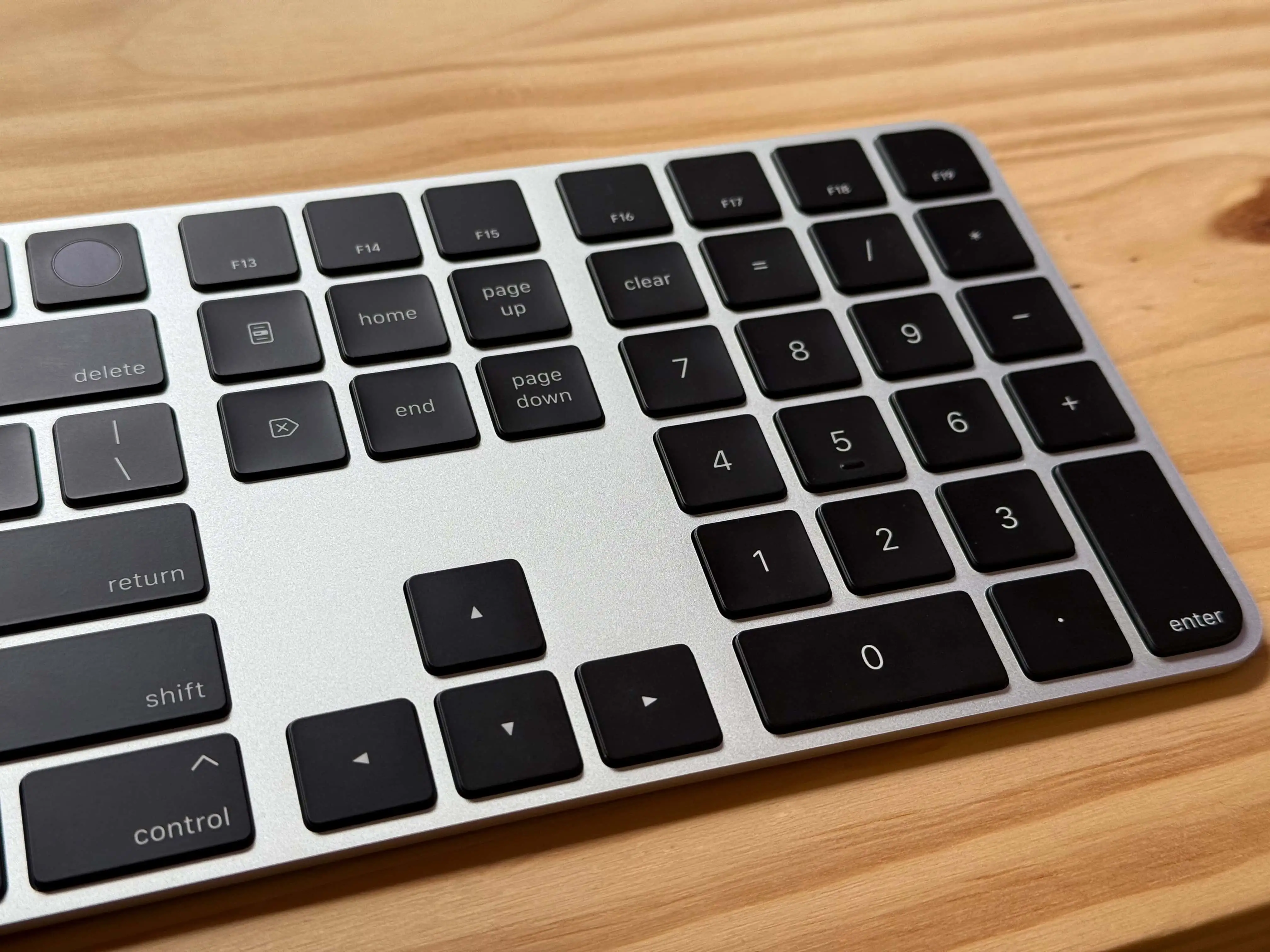
Quick Verdict: Conditional buy—excellent for dedicated Apple users, hard to justify for casual typists.
| Pros | Cons |
|---|---|
| Premium build quality and sleek design | High price compared to similar third-party keyboards |
| Responsive, quiet scissor-switch keys | No easy multi-device switching |
| Long battery life (weeks to a month) | Limited ergonomic adjustments |
| Seamless pairing within Apple ecosystem | Some models lack backlit keys |
| Excellent trackpad integration on iPad models | White versions attract dirt easily |
| Function keys on newer iPad Pro model | Rocking motion when tapping/drawing on screen |
| USB‑C charging on latest version | Secondary USB‑C port limited to charging only |
Claims vs Reality
Apple markets the Magic Keyboard as offering “great typing experience” and “seamless connectivity” across devices. Digging deeper into user reports, the typing praise holds up. A verified buyer on Amazon noted: “The keys feel smooth, and typing is very comfortable. Setup with USB‑C was quick and easy.” Reddit user feedback mirrors this, with one saying: “It is without question the best typing experience I’ve had on any hardware keyboard for my iPad.”
Connectivity, however, tells a different story. While Apple promises instant pairing, switching between devices is not seamless. An Apple Community poster explained: “There is no way to easily switch between devices… manually selecting in Bluetooth settings hardly works for me.” This gap between marketing and reality especially frustrates users with both Macs and iPads, who expect AirPods-like switching.
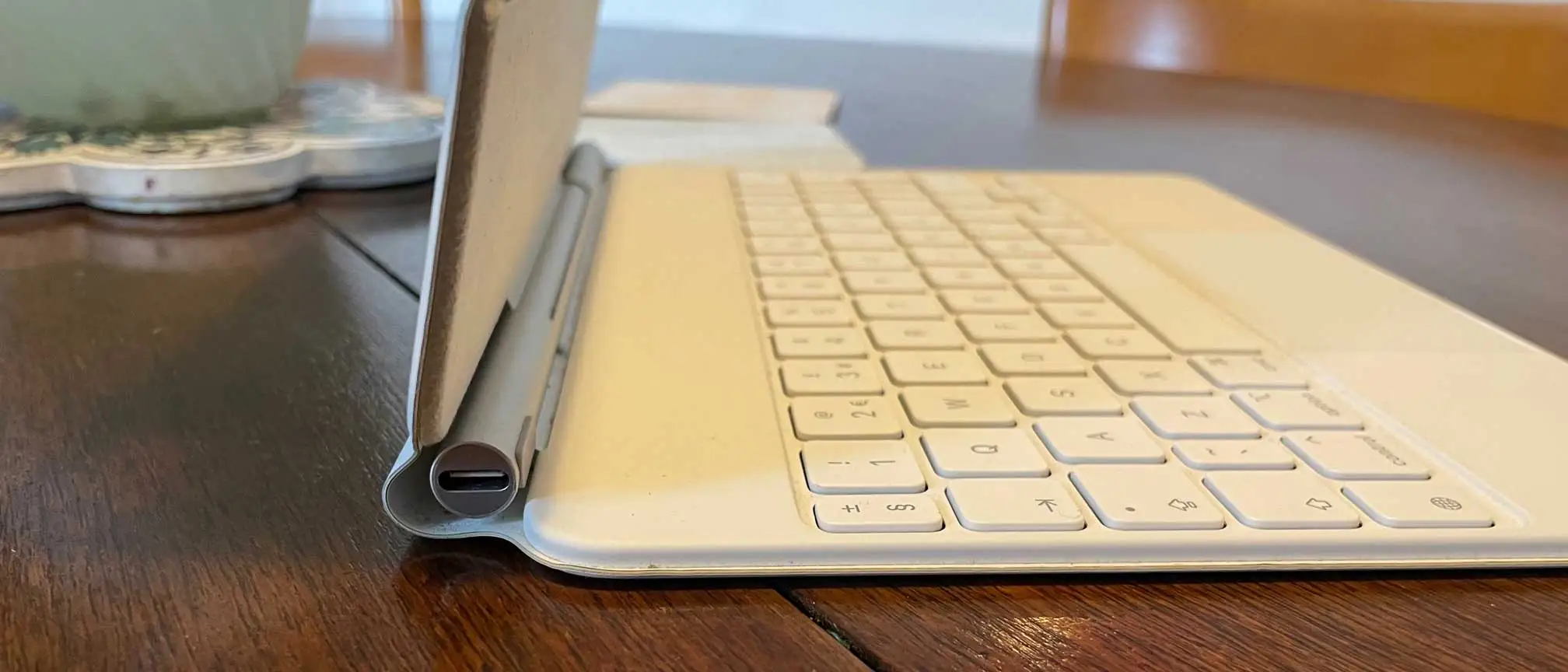
Apple also promotes the iPad Pro version’s “floating cantilever design” as comfortable and adjustable. While many admire its look, Digital Trends’ review warns of a design flaw: “If you’re tapping on the screen… the whole assembly rocks and wants to topple over.” For heavy Apple Pencil users, this undermines the laptop-like promise.
Cross-Platform Consensus
Universally Praised
Across platforms, typing feel is the standout. Trustpilot reviewers consistently describe it as “smooth and comfortable,” with responsive keys that suit long work sessions. For coders, Rian on Trustpilot said: “When I hook my MacBook to my monitor, it’s the best way to type… battery lasts long too with almost no lag.” Reddit user u/Travel*** echoed the sentiment for portability: “I use my iPad Pro 12.9 M2 as my main portable device and the Magic Keyboard is essential.”
Build quality also earns praise. The aluminum desktop versions feel “premium and durable,” while iPad models are described as “fantastic build quality” by Digital Trends. The newer iPad Pro variant’s full function key row and larger trackpad improve workflow for power users, making it feel closer to a MacBook.
Battery performance is another universal win. Apple’s claim of “about a month or more between charges” aligns with real-world use. A Trustpilot reviewer said: “I only have to charge it occasionally… a few minutes of charging gives hours of use.”
Common Complaints
Price dominates negative feedback. Reddit comments call it “outrageous” and “insanity” compared to launch prices. One post urges waiting for “Best Buy open-box deals… I got mine like-new for $175.” On Amazon, users compare it to cheaper brands with similar features, struggling to justify $299–$349 for iPad models.
Ergonomics divide opinions. Hacker News users criticize the desktop version: “Keys are too close together… key travel is absurdly low… ergonomically it’s a horror show.” The iPad Pro design’s “rocking” issue when touching the top half of the screen frustrates artists and note-takers.
Device-switching friction is a recurring theme. Without multi-device memory or quick-toggle keys, moving the keyboard between a Mac and iPad involves manual Bluetooth steps that often fail, disappointing those expecting Apple’s ecosystem fluidity.
Divisive Features
Backlighting splits users. iPad Magic Keyboards feature backlit keys, praised in low light. The desktop models lack it, with Quora reviewer Jeff Benjamin disappointed: “Keys still lack illumination… not easy to use in dark settings.” Some prefer this for battery savings, others call it a missed premium feature.
Trackpads on iPad models are loved by most—“the star of the show” according to Apple Community—but some dislike their size or haptic feedback changes. White color options spark aesthetic enthusiasm but also cleaning headaches: “White exterior is welcoming to dirt smudges… needs frequent cleaning” (Digital Trends).
Trust & Reliability
Trustpilot sentiment skews positive on product quality but reveals occasional retail mishaps. One reviewer recounted receiving “a used and dirty product” from Best Buy, with a failed return due to serial number mismatches—highlighting the importance of reputable sellers.
On durability, long-term Reddit users report sustained performance over years. One noted using a Magic Keyboard daily for 95% of computing tasks with no degradation. Hacker News commenters contrast modern Apple keyboards unfavorably to older aluminum wired models, but acknowledge Magic Keyboards avoid catastrophic reliability flaws of past MacBook butterfly keys.
Alternatives
Logitech’s Touch Combo for iPad is frequently mentioned as a cheaper option with function keys and pen holder, though it lacks Apple’s sleek cantilever design. ESR’s Rebound Keyboard is cited on Reddit as “just as good apparently” at lower cost. For desktop use, some Hacker News users prefer the older Apple Wireless Keyboard (MB167LL/A) for its “sensible layout and full inverted-T arrows” available used for ~$40.
Price & Value
As of recent eBay listings, desktop Magic Keyboards range from ~$50 used to $155 new with Touch ID, while iPad versions climb past $200–$350. Resale values remain high, especially for newer models with Touch ID. Community buying tips emphasize open-box deals, refurbished units, or seasonal discounts to soften the sticker shock.
FAQ
Q: Does the Magic Keyboard work well with multiple Apple devices?
A: It pairs easily, but switching between devices requires manual reconnecting in Bluetooth settings, which users say often fails. No seamless multi-device toggle exists.
Q: Is the iPad Pro Magic Keyboard comfortable for drawing?
A: For lower screen areas, yes. But tapping or drawing on the upper half can cause rocking, frustrating artists and Pencil users.
Q: How long does the battery last?
A: Most users report weeks to a month per charge, aligning with Apple’s claims. Quick charging via USB‑C or Lightning gives hours of use from minutes of charging.
Q: Is backlighting available?
A: Only iPad versions have backlit keys. Desktop models do not, which some users find limiting in low light.
Q: Does the white model stain easily?
A: Yes. Multiple reports note it attracts dirt and smudges, requiring frequent cleaning with proper materials.
Final Verdict
Buy if you’re embedded in the Apple ecosystem, value premium build quality, and will use it daily for long typing sessions—especially with iPad Pro workflows where the trackpad integration shines. Avoid if you expect mechanical key feel, need effortless multi-device switching, or balk at paying top-tier prices for a keyboard. As Reddit’s community advises: “Wait for open-box deals—your fingers will love it, your wallet will too.”