Anker 727 Charging Station Review: Conditional Buy Verdict
Boasting a slim profile “about the size of an iPhone 13 Pro Max” yet delivering up to 100W charging, the Anker 727 Charging Station (GaNPrime 100W) has drawn unusually consistent praise across Amazon, Reddit, and Trustpilot. With a 4.7/5 average rating from 999+ verified buyers, it scores 9/10 in user satisfaction, but a few hidden drawbacks—primarily fixed power distribution and high price—temper its universal appeal.
Quick Verdict: Conditional Buy
| Pros | Cons |
|---|---|
| Charges up to 6 devices simultaneously without major speed loss | Fixed USB-C port output allocation (no auto distribution) |
| Slim, travel-friendly design fits in tech pouches | Premium price compared to similar Anker models |
| Maintains high output even with multiple devices | No surge protection |
| Sturdy build with stylish black + gunmetal finish | Blue LED indicator only lights at near-max output |
| 100W USB-C output for laptops and tablets | Slightly heavy for ultra-light packers |
| AC ports support 1000W for small appliances | Shows fingerprints easily |
Claims vs Reality
One of Anker’s core claims is “super fast… a MacBook Pro 16" can be charged to 50% in 43 minutes.” Digging into user reports, that benchmark holds up in single-port scenarios—Reddit user feedback shows USB-C1 consistently delivering 96–100W, hitting the promised charge times for high-end Macs. But when multiple ports are active, the unit allocates 45W and 30W (fixed), meaning larger laptops slow down unless they’re on the primary port.
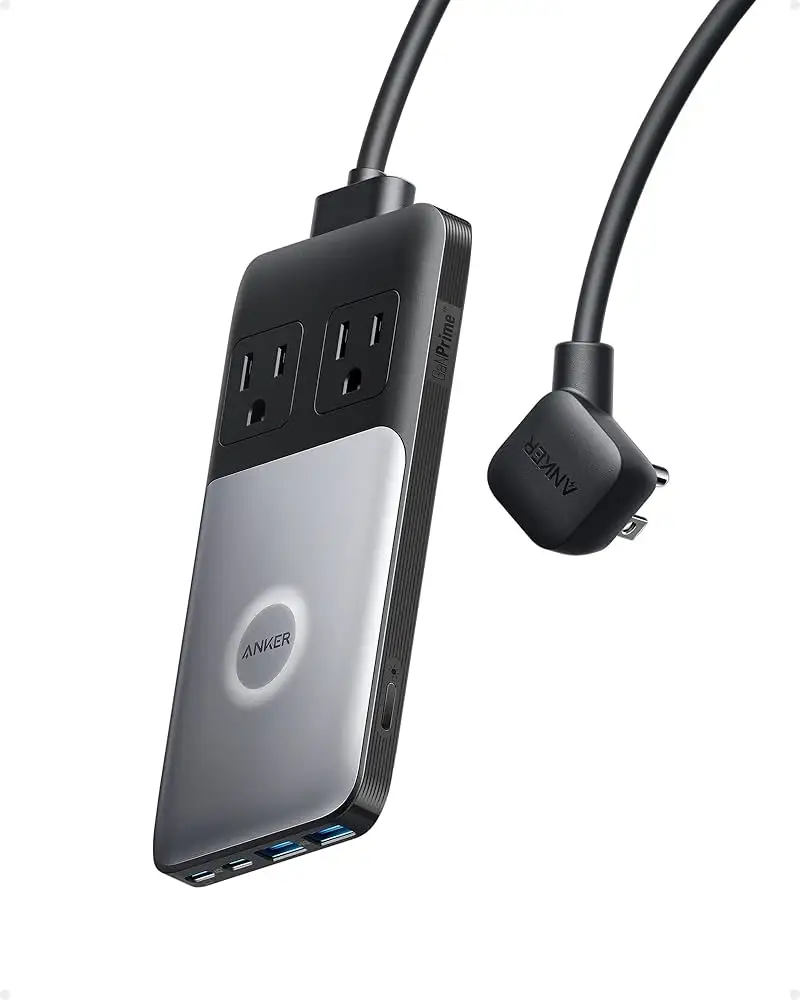
Marketing touts maximum portability—“about the size of an iPhone 13 Pro Max.” Owners confirm the dimensions (161×79×18mm) make it easy to slip into a travel pouch. A verified buyer on Amazon noted: “Fits in my gadget bag beside my camera batteries, lighter than a brick-style power strip.” Still, at ~400g with cord attached, some ultra-light travelers prefer lighter alternatives.
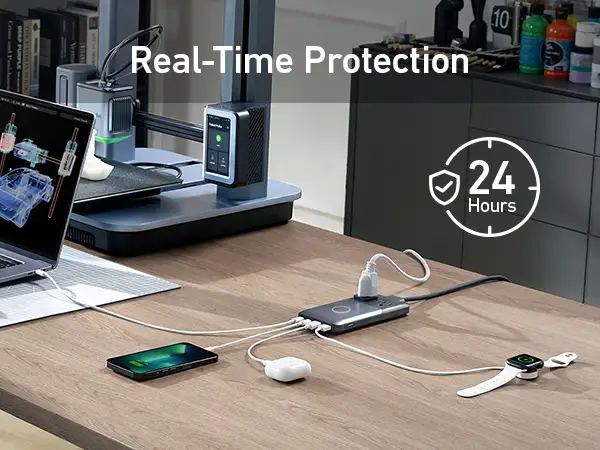
The “ActiveShield 2.0” selling point promises real-time temperature monitoring. Community feedback backs this; multiple long-term users reported surface temps around 39–40°C even under full load. Reddit user Kobi*** wrote: “Ran USB-C ports at max for an hour—never crept above 40°, so very safe for desk setups.”
Cross-Platform Consensus
Universally Praised
Port versatility is a recurring favorite; two USB-C ports, two USB-A ports, and two AC sockets allow six devices at once without crippling speed. Apple device owners particularly benefit—one Reddit post described simultaneous charging of a MacBook, iPad Pro, iPhone, and AirPods with “no noticeable slowdown beyond what specs predicted.”
The slim-profile design resonates with digital nomads. A Trustpilot review highlighted its “gadget-pouch friendliness” for travel jobs and conferences. For home users, its style—black and gunmetal with shallow border grooves—wins approval as “not looking like a clunky surge protector.”
Power retention under load is a standout feature. Many chargers drop significantly when all ports are live; here, USB-C stays at 45W + 30W while USB-A holds combined 15W, keeping multiple midsize devices topped up efficiently. Reddit user TechNomad*** called it “the first strip I’ve owned that doesn’t choke when the family’s devices all plug in.”
Common Complaints
The fixed port allocation frustrates users who expect intelligent distribution. Without auto-load balancing, you must manually choose the high-output port for power-hungry devices. As one Reddit comment put it: “You have to remember C1 is 45W, C2 is 30W when multi-charging—it’s not plug-and-play smart.”
Price is another sore point. At $99.99 list, and often north of $79 even in sales, it costs roughly double the Anker 525 model, which carries slightly lower specs but adds auto power distribution. Some buyers accept this as a “premium tax”—others, like a Trustpilot poster, say: “I’d pay this for an inverter or battery pack, but not a desk strip.”
There’s no surge protection, something often expected in a multi-device power unit. While most users aren’t affected, one Fakespot reviewer warned about RFI noise: “Radiates interference—my tabletop radio went noisy as soon as it’s plugged in.”
Divisive Features
The LED output indicator garners mixed reception. Blue lighting signals 90–100W draw; otherwise it’s white. For some, it’s handy status feedback; for others, “pointless eye candy,” especially since many devices won’t trigger blue even if rated for 100W, due to adaptive voltage/current.
Weight sparks debate. Desk-bound users shrug at its heft, appreciating stability from the non-slip rubber pads. Frequent fliers split between liking the slim footprint and disliking the ~400g carry weight.
Trust & Reliability
Concerns around shipping and returns pop up sporadically—mainly about slow USPS return timelines when replacing faulty units. However, product reliability itself sees consistently positive anecdotes. Reddit and Trustpilot users describe six months to a year of daily use without port degradation or overheating.
Anker’s 24-month warranty plus $200,000 connected equipment coverage (per spec sheets) reassures many. Long-term owners say the build feels “premium and durable,” with no fraying of the detachable cord even after frequent packing.
Alternatives
The most frequently mentioned competitor is Anker 525 Charging Station. Community comparisons reveal that while the 525’s max USB-C output is 67W and has a thicker build, it costs about half and supports auto power allocation—a sharp advantage for casual users not wanting to remember port priority.
Users who can trade slimness and max output for automation tend to favor the 525; power users charging high-demand laptops lean toward the 727. Reddit user NomadGear*** summed it up: “525 is my everyday desk buddy; 727 is my travel assault charger when speed matters.”
Price & Value
At $99.99 direct and ~$79 resale (or even $49 used on eBay plus shipping), market pricing shows this model holding 60–80% of its retail value. High retention reflects demand among those needing compact, high-output strips.
Buying tips from community include watching for seasonal Anker discounts—especially during “Prime Day” or Black Friday—where prices dip into the low $70s. Since cosmetic wear (like fingerprints) doesn’t affect function, several tech forum members advise buying “used in excellent condition” to save 30–50%.
FAQ
Q: Does the Anker 727 have surge protection?
A: No, it lacks built-in surge protection. Users relying on it for sensitive equipment often pair it with an external surge-protected outlet.
Q: Can it charge a MacBook Pro 16" at full speed while other ports are used?
A: Only if plugged into USB-C1 in single or limited multi-port scenarios. With multiple ports active, it delivers 45W on C1, slower than full 96W capability.
Q: Is this good for international travel?
A: Yes. USB ports accept 100–240V input, so it’s safe for overseas use with the right plug adapter. AC output capacity may vary by region.
Q: Why doesn’t the LED turn blue even when my laptop supports 100W?
A: The voltage/current must hit 90–100W sustained; many devices draw less in real-world conditions, especially when near full battery.
Q: Can I use hair appliances with it?
A: Yes, up to 1000W on the AC ports—adequate for typical hair irons, but not high-power dryers exceeding that rating.
Final Verdict: Buy if you’re a traveling professional or desk power user who values slim form, high sustained multi-port output, and stylish build. Avoid if you need auto-load balancing or budget-friendly desk strips. Pro tip from community: Always plug your biggest power draw into USB-C1 to exploit max output.