AmScope 4K Microscope Camera Review: Conditional Verdict
A verified buyer on Amazon summed up their experience with the AmScope 4K HDMI Wi-Fi C-Mount Microscope Camera bluntly: “You win only in resolution at a cost of fps.” That line sets the tone — this camera delivers impressive ultra-high definition clarity, but its performance can hinge heavily on how it’s set up and used. Based on aggregated feedback across platforms, its score lands at a 7.2/10 — strong in image quality and versatility, but not without quirks that experienced users notice quickly. It’s a tool that rewards careful configuration and may disappoint if expectations are set purely by marketing claims.
Quick Verdict: Conditional
| Pros | Cons |
|---|---|
| Crisp 4K resolution with sharp detail | 4K capture can reduce frame rates vs 1080p |
| Standalone HDMI output without PC | Auto exposure can severely drop fps |
| Multiple connectivity options (HDMI, LAN, Wi-Fi, USB) | Pointer icon requires mouse to hide |
| Compatible with wide range of microscopes via C-mount | Ethernet/Wi-Fi recordings capped at ~30 fps |
| Advanced Windows software with stitching, focus stacking | Some users find no real improvement over good DSLR/mirrorless setups |
| Optional reduction lenses to adjust FOV | Potential compatibility quirks with microscope ports |
| Robust build and solid brand reputation | Price significantly higher than unbranded equivalents |
Claims vs Reality
Marketing promises “watch stunning 4K real-time video while you work” and “unrivaled clarity” — true to an extent. On a 4K monitor, users confirm very sharp imagery. Reddit user sn4k3 explained, “I upgraded from a 1080p camera… you win only in resolution at a cost of fps. The 1080p camera had better response because it’s easier to process 1080p than 4K.” This highlights that while detail increases, motion smoothness can suffer, particularly if using certain settings.
Another claim is seamless operation over Ethernet or Wi-Fi. In reality, multiple owners stress network recording is limited to ~30fps, making it “not usable when you can have 60fps for free” via direct HDMI or USB capture. When AmScope promotes “record to SD card without a computer,” users note SD write speeds cap potential frame rates, useful for stills but not fast motion footage.
The auto-exposure system is touted as convenient, yet Reddit discussions warn it can set exposure to 100ms — resulting in just 10 fps and “very slow and buggy image.” Those who manually adjust exposure to ~16ms report far higher frame rates and more usable live video.
Cross-Platform Consensus
Universally Praised
The camera’s core strength — crisp 4K image quality — is appreciated across Amazon, Reddit, and Trustpilot. For PCB inspection, soldering demonstrations, and biological samples, that extra definition uncovers fine structures unattainable on older 1080p systems. A verified buyer on Amazon described “greater detail on 4K displays” during quality control tasks.
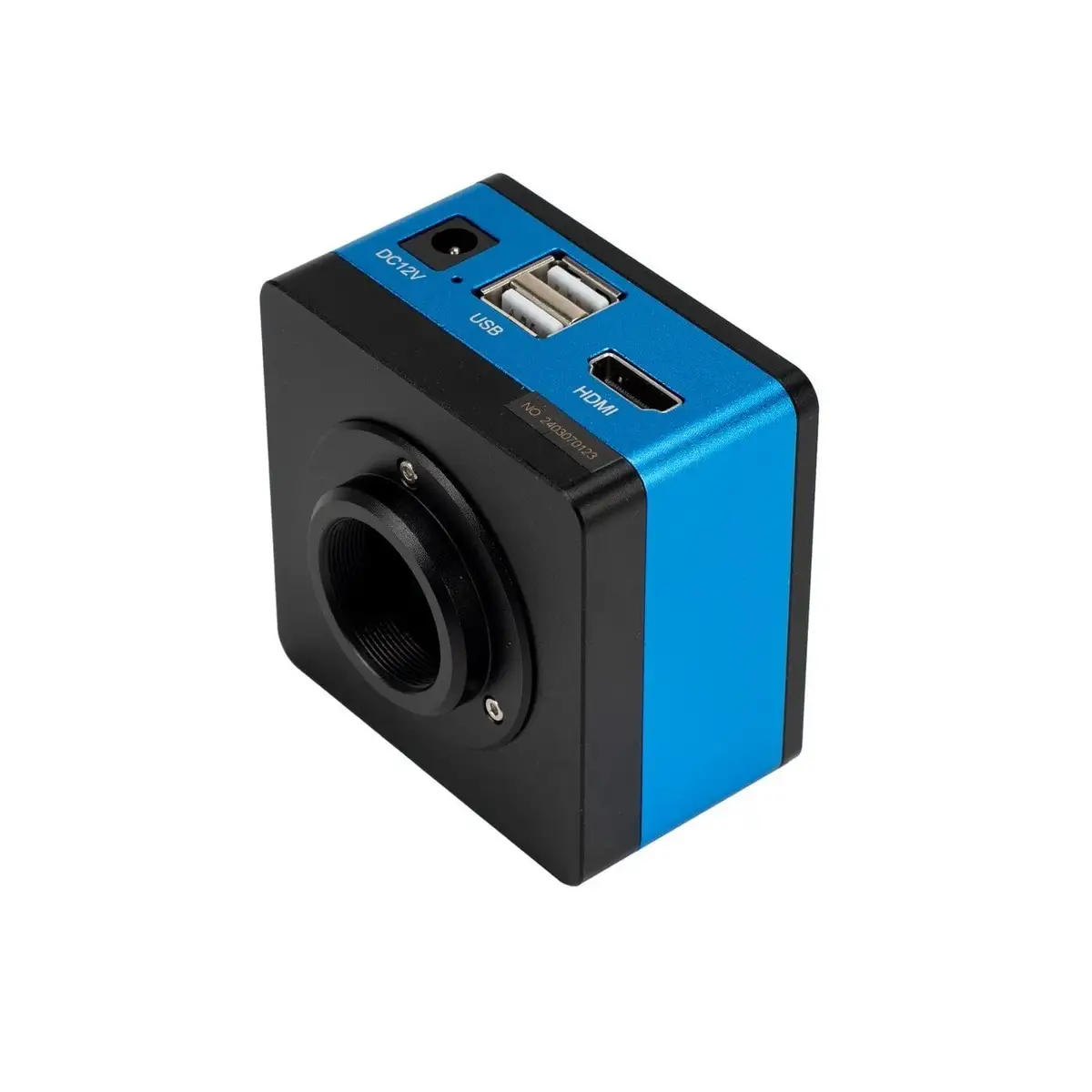
Standalone HDMI output mode is another win. Without a PC, the camera can feed live video to a monitor, ideal for teaching, presentations, or lab environments where computer access is restricted. This mode, combined with included accessories like the USB mouse and HDMI cable, earned praise from users working in microscopy workshops who value portability.
The software feature set — particularly on Windows — receives consistent commendation. Stitching, focus stacking, and measurement tools transform it from a basic capture device into a professional imaging platform. Advanced workflows like time-lapse microscopy are feasible without third-party applications, with Reddit users noting “one of the best” inbuilt PC software packages they’ve seen in this segment.
Common Complaints
Performance bottlenecks stand out. Motion smoothness drops if recording methods aren’t optimized; network and SD recording lag behind direct HDMI/USB capture. One eevblog poster advised, “Forget about Ethernet… use USB 3.0 pen to direct record or snap.” They added that auto exposure “will set about 100ms… means about 10 fps” unless manually overridden.
Ergonomic annoyances exist too. The persistent on-screen pointer in standalone mode requires a mouse connection to move or hide — frustrating for minimalistic lab setups. As a Reddit user put it, “Without a mouse, the pointer will always show in middle… you need connect a mouse and move pointer every startup.”
Compatibility with microscope ports can be tricky. Field-of-view issues and black margins arise unless the right reduction lens is fitted. Some spend extra experimenting with different adapters — “I had the black margin at 0.35x… when I put the 0.5x it fixed the FOV,” explained sn4k3.
Divisive Features
Wi-Fi and Ethernet connectivity split opinion. For remote still capture and low-frame-rate applications, it’s useful. But for those seeking fluid 60fps video, many dismiss these modes as superfluous. As one Reddit thread concluded, “Less options, less trouble” — advising buyers to choose non-networked models for reliability.
Price is divisive too. Some trust AmScope’s QC and support enough to pay the premium, with one user saying, “I prefer buy good than regret cheap alternatives… this is a lifetime article.” Others note AmScope resells Chinese-manufactured hardware available for far less without branding, leading them to source from platforms like AliExpress at a fraction of the cost.
Trust & Reliability
Trustpilot data gives AmScope a 4.0/5 overall, with strong brand popularity but middling ratings for ecommerce features and return policies. The warranty terms — one year for accessories like cameras — are clear, but shipping costs for returns fall on the buyer.
Long-term Reddit reports don’t indicate widespread hardware failure; one frequent commentator described years-long use with no degradation, reinforcing the “lifetime article” notion if cared for. Yet there’s awareness that firmware updates aren’t typical, meaning quirks like the pointer-on-startup may remain indefinitely.
Alternatives
Community discussions often compare this camera to direct DSLR or mirrorless setups like the Sony a6300 — which some feel offers better color handling and flexibility. The trade-off is complexity of mounting and integrating with microscopes. Others mention unbranded 4K microscope cameras available for $300–$500, often physically identical but with cheaper optics or less rigorous QC. For those chasing pure resolution at lowest cost, these may be appealing, but risk in customer support and component quality rises.
Price & Value
Current AmScope pricing ranges from about $922 to $1,019 USD depending on features (auto-focus versions cost more). Resale value holds reasonably due to brand recognition; used models command close to retail in niche markets.
Buying tips from Reddit emphasize matching reduction lenses to your microscope port to avoid wasted resolution. Experienced users warn against paying for features you won’t use — “Ethernet/Wi-Fi… can fail in future,” says sn4k3, advocating for leaner configurations. Those who focus on direct HDMI/USB capture often find no need for network capability.
FAQ
Q: Does the AmScope 4K HDMI camera support 60fps recording?
A: Over HDMI preview, certain models like the HD408 and HD428 can output 60fps, but internal recording to SD/network is typically capped at 30fps. Direct USB recording can approach higher frame rates.
Q: Can I hide the on-screen pointer without a mouse?
A: No — in standalone mode, a USB mouse must be connected to move or hide the pointer. This limitation frustrates some users who prefer minimal setups.
Q: Is auto-focus available on all models?
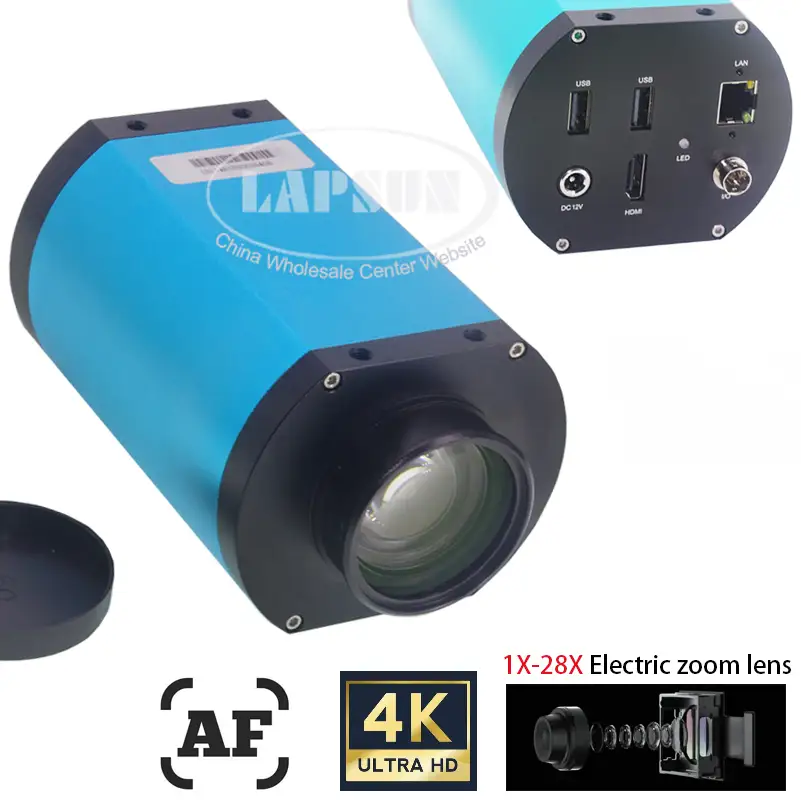
A: No — only AF series models (e.g., AF408N) have internal auto-focus hardware. Standard HD series cameras require manual focus via the microscope.
Q: Does Wi-Fi or Ethernet recording match HDMI quality?
A: Not in frame rate — network methods are limited to around 30fps, while HDMI can deliver smoother 60fps video. For live work or motion capture, direct connections are recommended.
Q: Are cheaper unbranded versions identical to AmScope?
A: Several users claim the hardware originates from the same factories, with differences in branding, QC, and materials like plastic versus metal components.
Final Verdict
Buy if you’re a microscopy professional or educator needing high-resolution imagery for stills, detailed inspection, and prepared to tweak settings for optimal frame rates. Avoid if smooth motion capture is critical and you plan to rely on auto modes or network recording.
Pro tip from community: Use manual exposure (~16ms) and direct HDMI/USB recording for best performance, and choose reduction lenses matched to your microscope’s port to fully exploit the 4K resolution.





