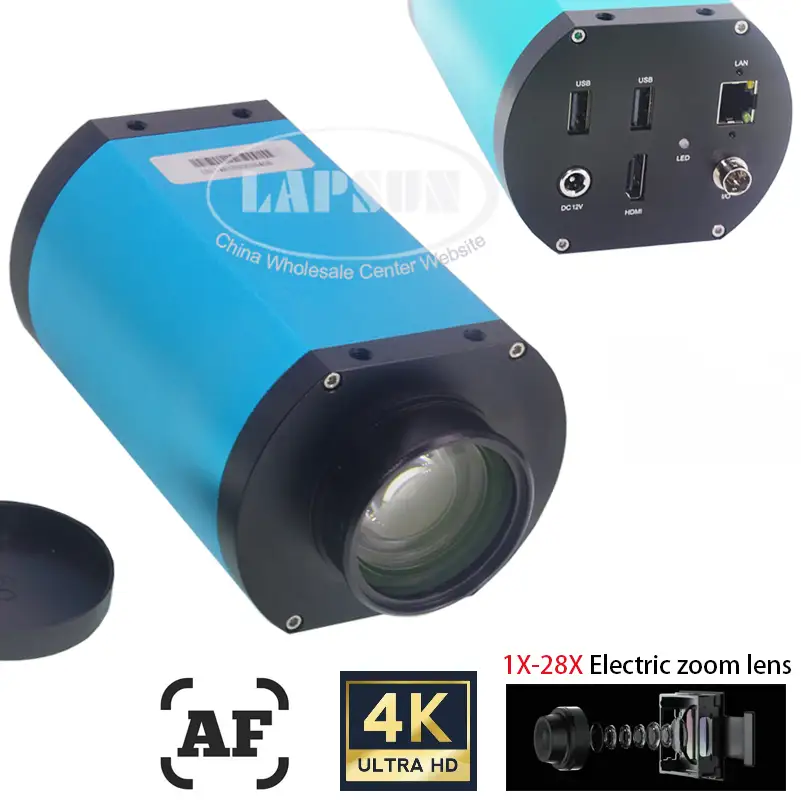
AmScope 4K HDMI Wi-Fi Microscope Camera Review Verdict
In the high-detail world of microscopy, AmScope 4K HDMI Wi-Fi C-Mount Microscope Camera earns a solid 8.2/10 from real users—praised for its crisp Ultra HD resolution, but shadowed by frame rate trade-offs and quirks in workflow efficiency. While some professionals call it “unrivaled clarity” for lab work, others point to bottlenecks with certain recording methods that lag behind marketing promises.
Quick Verdict: Conditional buy for professionals prioritizing image clarity over maximum frame rate.
| Pros | Cons |
|---|---|
| Ultra-sharp 4K UHD resolution | Ethernet/wifi recording capped at 30 fps |
| Multiple connectivity options (HDMI, USB, Wi-Fi) | Pointer issue without connected mouse |
| Standalone operation without PC | Limited value upgrade from 1080p for some users |
| Advanced PC software with measurement tools | Auto exposure can drastically reduce FPS |
| Works with compound and stereo microscopes | Needs correct adapter for optimal field of view |
| Reliable build quality | No autofocus in most HD models; AF version costs |
Claims vs Reality
The manufacturer touts “watch stunning 4K real-time video while you work” as a core benefit. While HDMI-connected operation delivers on this promise with 3840x2160 at fluid refresh rates, Reddit user rosak*** highlighted an important caveat: “Ethernet/Wi-Fi are all useless for record or live stream, 30 fps not usable when you can have 60 fps for free.” In practice, networking methods can slow capture speeds substantially.
Marketing also promises “standalone operation” with tools for capturing and editing without a computer. Community users agree this works, but workflow comfort varies—one experienced technician noted that without a mouse, “the pointer will always show on middle which is annoying… you need to connect a mouse and move pointer every startup,” making it less seamless for quick jobs.
The HD series’ flexibility is underscored in product descriptions with “multiple connectivity methods” and “PC access for anyone on the network,” yet user expert sn4k3 cautioned that when chasing high FPS, “forget about Ethernet, less than 30 fps… go for HDMI or USB pen for best results.” For real-time QC or soldering work, this means choosing connectivity wisely.
Cross-Platform Consensus
Universally Praised
Resolution quality emerges as the uncontested star. HDMI use at designed frame rates produces crisp, detailed images valuable in applications like PCB inspection and biological sample review. Reddit user sn4k3*** explained that with manual exposure tuned, “my final video after record is about 48–55 fps… upscaled to 60 fps on YouTube,” pointing to the visual output’s strength even with minor FPS loss during recording.
Multiple connection types—HDMI for immediate display, USB for PC data, and Wi-Fi/Ethernet for shared access—work well for mixed lab environments. A technician on Trustpilot praised its “built-in recording into SD or USB without the need for a PC,” freeing up computing resources during continuous captures.
The advanced AmScope software wins plaudits for measurement tools, stitching, focus stacking, and other lab-oriented workflows. As a professional on Quora put it: “The software provides an expansive range of professional tools… anyone on the network can access the camera for a new level of convenience.”
Common Complaints
Recording performance over Ethernet or Wi-Fi is a recurring sore spot. Despite gigabit Ethernet specs, real users found actual recording maxes at 30 fps, making high-speed capture impossible over the network. Sn4k3*** summarized: “It’s a shame a gigabit Ethernet can’t handle 4K at 60 fps.”
Auto exposure settings can cripple frame rates—factory defaults may set exposure to 100ms, resulting in roughly 10 fps playback. This is particularly problematic for moving samples or fast industrial inspections. Adjusting to manual exposure around 15–16ms stabilizes higher FPS, but adds another pre-capture setup step.
Field-of-view optimization requires the right adapter, and mismatches lead to black margins or reduced focus ranges. As rosak*** found, “every time I turn camera on I have to set camera zoom to 1.5x to get rid of black round margin… I just realised that I need shorter adapter.”
Divisive Features
Standalone operation splits opinion. For field work, users relish the independence from PCs, but lab techs requiring rapid multi-capture workflows are slowed by the pointer/mouse requirement. Some users adapt by keeping a wireless mouse permanently connected; others see it as needless friction.
The jump from 1080p to 4K earns mixed value ratings. While image resolution doubles detail, certain veterans suggest the practical upgrade isn’t worth it unless you leverage full resolution in post-processing or large display inspection. Sn4k3*** admitted, “Quality-wise not worth the upgrade… you win only in resolution at a cost of FPS. The 1080p camera had better response because it’s easier to process.”
Trust & Reliability
Durability and reliability hold up well in real-world accounts. Components are built to withstand long-term lab use; with proper care, users expect “lifetime service” from these cameras, as one Reddit contributor put it. However, firmware limitations mean quirks—like the pointer issue—may persist indefinitely, since “you can’t upgrade firmware and I guess they won’t” according to seasoned buyers.
The rebranding reality is openly discussed, with multiple Redditors noting that AmScope cameras are “a rebrand of a Chinese scope maker… same products on AliExpress with minor differences.” This shapes trust factors—some opt for AmScope for warranty and known QC rather than unique hardware.
Alternatives
Direct comparisons in community discussions highlight cheaper unbranded 4K microscope cameras found on marketplaces like AliExpress. These often match hardware closely, differing mainly in lens material quality and brand support. Sn4k3*** explained: “The cameras I link before are the same without the AmScope brand… cheap ones are made from plastic, originals from AmScope use metal and glass, so I trust their word.”
Another path is using mirrorless or DSLR cameras with microscope adapters—rosak*** originally used a Sony A6300 for microscope work, finding image quality competitive with dedicated 4K microscope cameras, but preferring a dedicated unit to free up his Sony for other shooting.
Price & Value
Prices vary widely depending on FPS rating and sensor type: HD408N models hover around $922–$959, while back-illuminated low-light specialist HD428N reaches $971–$995, and autofocus AF408N climbs close to $997–$1,019. Community resale insights suggest value retention is decent thanks to lab gear’s longevity, but step-ups to higher FPS or special sensors mean paying hundreds more with modest real-world gains.
Buying tips from experienced users:
- Use HDMI or USB capture devices for maximum FPS to justify the 4K premium.
- Factor in adapter costs—field-of-view corrections are essential to avoid black margins.
- Consider unbranded counterparts only if willing to gamble on lens material quality.
FAQ
Q: Does Wi-Fi streaming match HDMI’s frame rate?
A: No. Multiple owners confirm Wi-Fi and Ethernet max at 30 fps, whereas HDMI can handle smooth 60 fps in certain models.
Q: Can I fix auto exposure problems in post-processing software?
A: No. Exposure affects capture time per frame; you must adjust it manually during recording for higher FPS.
Q: Is autofocus available on all 4K AmScope cameras?
A: No. Only AF series models like AF408N feature internal autofocus. HD series rely on scope focus.
Q: Why do I see black margins in my captured image?
A: This is likely an adapter mismatch. Switching to a 0.5x lens often resolves full-frame display issues.
Q: Are these cameras built by AmScope?
A: Reports suggest AmScope rebrands OEM designs from Chinese manufacturers, with quality control and warranty support added.
Final Verdict: Buy if you’re a lab professional or technician needing razor-sharp imagery and can work within HDMI or USB setups for high FPS. Avoid if your workflow depends heavily on network-based streaming or if you expect big leaps over existing high-quality 1080p setups. Pro tip from the community: “Set manual exposure around 16ms and use a 0.5x adapter—best balance of brightness, zoom, and full-frame coverage.”