AmScope 4K HDMI Wi-Fi Camera Review: Conditional Buy Verdict
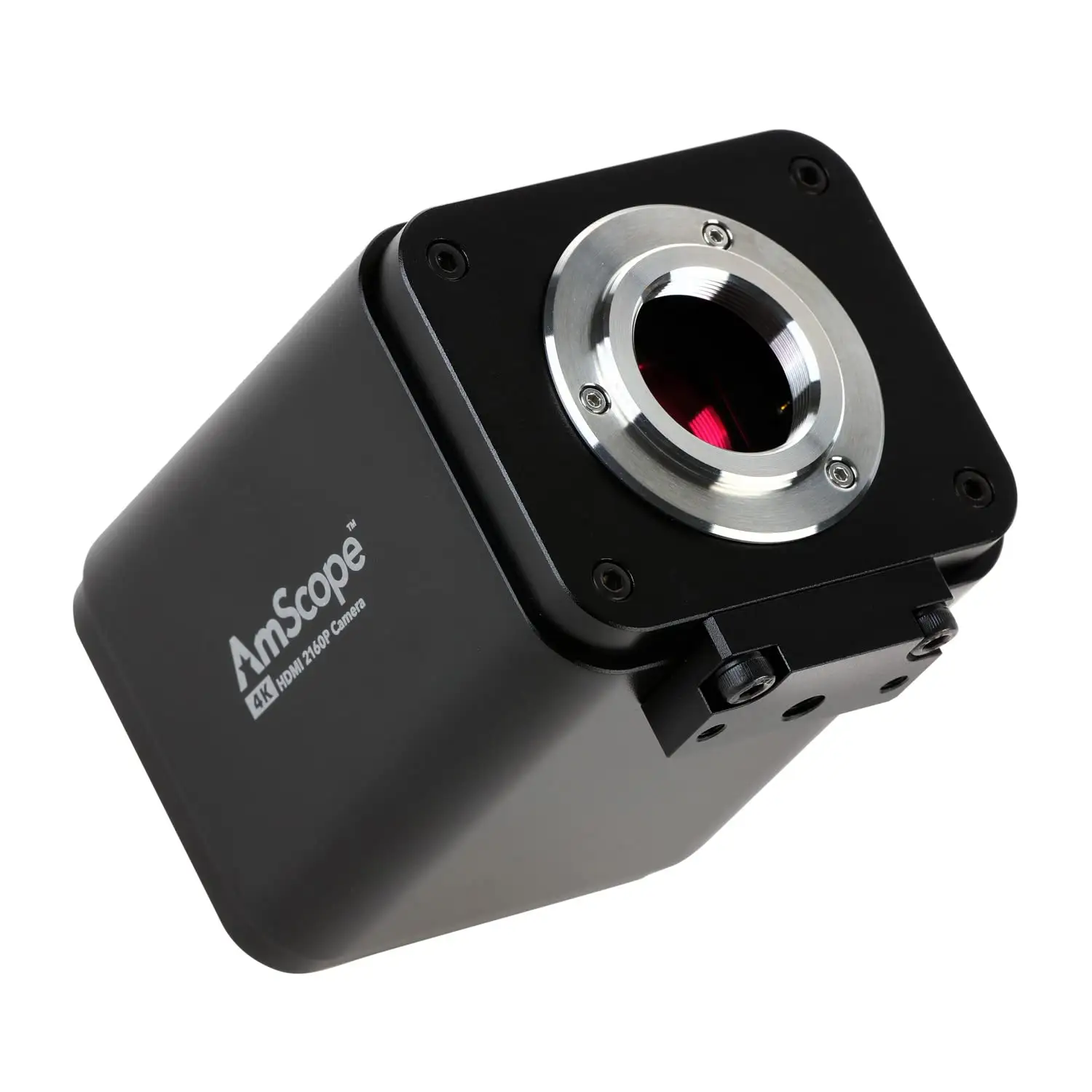
At nearly $1,000, the AmScope 4K HDMI Wi-Fi C-Mount Microscope Camera promises “unrivaled clarity” and pro-level imaging—but dig into community feedback, and a more nuanced story emerges. On paper, it’s feature-packed with 8.3MP capture, LAN/Wi-Fi connectivity, and advanced imaging software. In reality, it earns a solid 7.5/10 from users who value its standalone 4K output and network control, but warn of quirks that can frustrate certain workflows.
Quick Verdict: Conditional buy—excellent for lab and QC users seeking direct-to-monitor 4K feeds, but less appealing for high-FPS video operators.
| Pros | Cons |
|---|---|
| Crisp 4K UHD video and stills | FPS drop vs 1080p models |
| Standalone recording without PC | Ethernet/Wi-Fi limited to ~30fps |
| Broad microscope compatibility via C-mount | No autofocus on some variants |
| Built-in measurement and image processing tools | Requires mouse to hide pointer on startup |
| Good low-light performance on BSI models | High price compared to identical OEM units |
| Multiple connectivity options | Auto exposure slows frame rate |
| Solid build quality | Adapters needed for optimal FOV |
Claims vs Reality
One of AmScope’s boldest claims is “watch stunning 4K real-time video while you work.” Technically true—HDMI output runs at 30fps on most models, with the HD408 hitting 60fps—but Reddit users note that network and SD card recording drops to 20–30fps. “Ethernet / SD card / Wi-Fi are all useless for record or live stream…30 fps not usable when you can have 60 fps for free,” warned one long-time eevblog poster.
Another selling point is plug-and-play standalone workflow. Many Reddit and Trustpilot comments confirm this works well: insert SD or USB stick, connect HDMI, and record without a computer. But some quirks emerged—like needing a USB mouse to clear the on-screen pointer every time you start up. As one Reddit user put it: “Without a mouse, the pointer will always show on middle which is annoying…so you need connect a mouse and move pointer every startup.”
AmScope also markets “advanced software with stitching and focus stacking.” While several buyers praise these tools for multi-field captures, high-FPS advocates complain that enabling image processing effects like denoise and sharpness can cut frame rates dramatically. As sn4k3 explained: “Don’t use sharpness or denoise…it will drop fps and the manual exposure is already low to capture low light.”
Cross-Platform Consensus
Universally Praised
From Amazon verified buyers to Reddit lab techs, image clarity tops the praise list. Even skeptical upgraders notice the resolution boost: moving from 1080p to 4K provides finer PCB traces, better tissue detail, and improved low-light fluorescence (on the HD428N). A Trustpilot review summed up the appeal: “Sharper images with greater detail on my 4K display—exactly what I needed for QC inspection.” For educators, the ease of HDMI connection means students can watch real-time feeds on large monitors without complex setups.
Lab environments also benefit from the measurement suite. A verified buyer on Amazon noted: “I can measure, annotate, and export images without leaving the capture software—saves me so much time.” Users in quality control favour the LAN/Wi-Fi control option, allowing teams to access the camera remotely during extended experiments.
Common Complaints
Framerate frustration dominates complaints. Reddit threads reveal that while HDMI can deliver 60fps on certain models, adding auto exposure or complex processing drops rates sharply. “Auto exposure…means about 10 fps…you need to set manual exposure to about 15ms to have the 60 fps,” advised one experienced user. This hits live video workflows for soldering or motion observation hardest.
Field of view mismatches also appear often—especially for trinocular microscopes. Several users had to buy 0.5x or 0.75x adapters to avoid black margins in the image. “If you have black margin at 1x, a wider FOV will have bigger black margin,” explained sn4k3, urging careful adapter selection.
Quirks in the interface annoy some: pointer persistence without a mouse, no firmware updates for UI improvements, and limited control over color balance in standalone mode. For streaming, Ethernet and Wi-Fi bandwidth limits impose a 30fps cap—despite the “gigabit” label.
Divisive Features
The BSI sensor in HD428N is a low-light asset for fluorescence imaging, and fans rave about its sensitivity. One AmScope UK buyer praised “less light needed, shorter exposures, better detail”—critical for dim samples. However, others see minimal benefit for brightfield or PCB work, making the extra cost harder to justify.
Auto-focus models like AF408N split opinion. For intricate PCB soldering, it’s “ideal for examining topological features…let the camera do the focusing” per the product page, but some users prefer manual fine-tuning to avoid focus hunting.
Trust & Reliability
Digging deeper, longevity stories from Reddit show mixed outcomes. One user ran their older 1080p model “for two years without failure”—a positive sign for durability. Others worry about AmScope’s rebranding of OEM Chinese hardware: “AmScope itself is a rebrand…you can find the same products on AliExpress.” Some buyers are fine with this, noting it’s common in the industry, while others seek assurances on long-term support.
Trustpilot records largely highlight satisfaction with product quality but occasional dissatisfaction with support responsiveness. The one-year warranty on accessories covers cameras, but return shipping costs fall on the buyer, which some say discourages warranty use.
Alternatives
Interestingly, community discussions often compare these to Sony mirrorless setups like the A6300. Reddit user rosak noted: “The A6300 is much superior…quality is quite good—don’t expect more than you already have.” Yet, those seeking a permanent microscope mount prefer AmScope to repurpose portable cameras.
Cheaper identical models on AliExpress, sometimes under $500, are mentioned, but sn4k3 cautions: “Price difference…cheap ones are made from plastic…quality is indeed good [on originals].” The tradeoff is warranty and support versus upfront savings.
Price & Value
Current US pricing ranges from ~$922 for HD408N to ~$971 for HD428N, with AF auto-focus variants past $997. eBay listings occasionally offer markdowns, but resale value is moderate—these aren't collector items, and tech obsolescence hits after 4–5 years.
Buying tips from Reddit emphasize investing in proper relay lenses and avoiding unnecessary extra features if your workflow is fixed. “Go for the base model—less options less trouble,” advised sn4k3 when asked about Wi-Fi variants.
FAQ
Q: Can the AmScope 4K HDMI camera stream at full 60fps over Wi-Fi or Ethernet?
A: No—multiple users confirm network streaming caps around 30fps, even on gigabit links. For highest FPS, use direct HDMI or fast USB 3.0 storage.
Q: Do I need a reduction lens for my microscope?
A: Often yes. Without one, you may see black borders or cropped views. Common picks are 0.5x for most C-mount ports or 0.75x for certain BSI sensor models.
Q: Will auto-focus help for PCB soldering?
A: On AF408N, yes—it keeps topographic details sharp without manual tweaking. Some prefer manual focus to avoid hunting during small movements.
Q: Is low-light performance worth the upgrade cost?
A: For fluorescence or dim light applications, users like the HD428N’s BSI sensor. For brightfield labs, the gain is small compared to cost.
Q: Can I hide the pointer without a mouse?
A: No—current firmware requires a USB mouse to clear the pointer in standalone mode, though it’s not recorded in output.
Final Verdict: Buy if you’re a lab technician, educator, or QC inspector needing bright, detailed 4K stills and moderate-FPS video direct to monitor. Avoid if your priority is high-FPS streaming or you dislike peripheral setup quirks. Pro tip from community: lock manual exposure for consistent FPS, and invest in the correct reduction lens to maximize usable field of view.





