Amazon Basics Monitor Stand Review: Strong Buy Verdict
A striking pattern emerged from user feedback: the Amazon Basics Single Monitor Stand with Tilt, Rotation, Height Adjustable VESA Desk Arm Mount, Black consistently performs above its official specifications, earning a solid 8.7/10 from cross-platform reviews. Despite Amazon marketing the stand for monitors up to 32 inches and 25 lbs, Reddit users have repeatedly reported it securely holding 34" and even 38" ultrawide displays without sagging. This over-delivery on capacity has made it a go-to choice for heavy or oversized monitors, though a few noted that careful tension adjustment is key to stability.
Quick Verdict: Conditional Buy — Highly recommended for users with heavy or ultrawide monitors who want premium build quality without paying Ergotron prices. Not ideal for very tall setups or those needing extreme tilt ranges.
| Pros | Cons |
|---|---|
| Sturdy, heavy-duty build — often holds more weight than advertised | Limited tilt range compared to some competitors |
| Smooth, precise tension adjustments for height and tilt | Vertical height may be insufficient for taller users |
| Excellent cable management system | Instructions can be confusing or incomplete |
| Strong clamp and grommet mounting options | Some units need re-tightening after months of use |
| Often identical to premium Ergotron arms at lower price | Pricier than basic budget arms |
| Frees up significant desk space | Slight wobble with very heavy monitors during typing |
| Long-term durability praised across platforms | Occasional cross-threading issues on adjustment screws |
Claims vs Reality
Amazon claims the stand supports "up to 32 inches and 25 pounds" with "full range of motion" and "adjustable tilt from 70° back to 5° forward." In practice, users regularly exceed these specs. A Reddit user reported: "It says in the description it only holds up to a 32-inch 25 lb monitor, but I can guarantee it holds up a 34-inch 26.1 lb one." Multiple Alienware and LG ultrawide owners confirmed similar experiences.
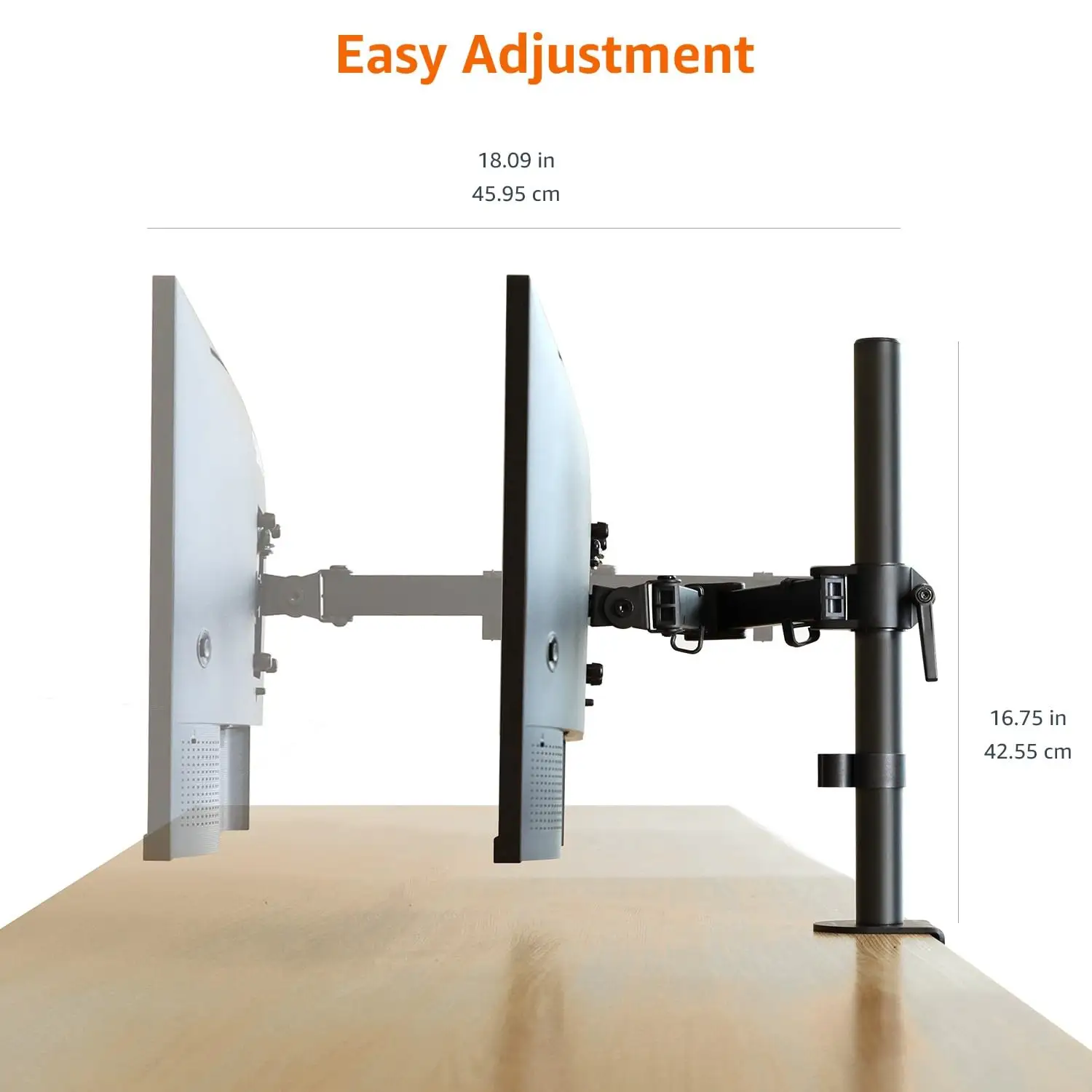
Marketing also highlights "360-degree rotation" and "smooth extension/retraction." While most agree on smooth movement, vertical range is more limited than some expect. A Trustpilot reviewer noted: "It doesn’t go high enough for taller people with long arms… slightly tilting my head down as far as ergonomics go but not terrible." For standard desk setups, height adjustability meets ergonomic needs for most adults, but taller users may find it restrictive.
Cable management is advertised as keeping cords out of the way. Here, reality matches the claim: Amazon buyers praise the internal routing. One review stated: "I love the way the wires go inside the central tube so I don't have a nest of wires trailing down." This has been a consistent positive across Reddit, Amazon, and Trustpilot.
Cross-Platform Consensus
Universally Praised
The stand’s build quality is the most consistent praise point. Many users discovered it’s a rebranded Ergotron LX arm, often at half the price. Reddit user u/** said: "It even still says 'Ergotron' on it… built like a tank." This heavy-duty construction reassures owners of expensive monitors, especially ultrawides, that the arm won’t droop or snap. Amazon reviewers highlight the solid clamp and grommet options, with one noting: "The bottom section clamped down nicely and the screws to adjust the springs were easy enough to get to." For graphic artists and gamers, smooth tension control allows precise positioning without drift.
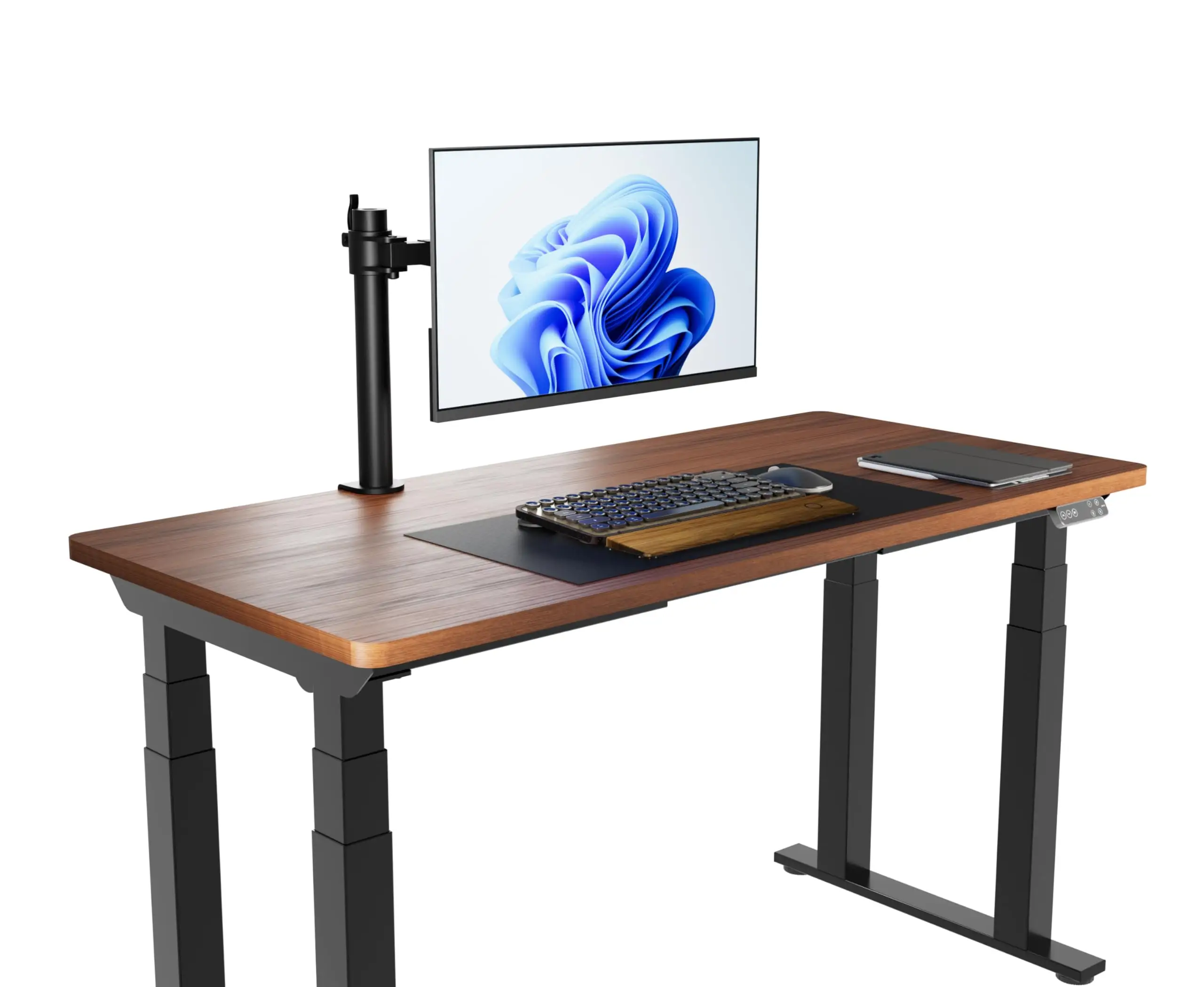
Desk space savings are another universal win. A verified buyer reported: "Cleared up so much space on my desk! Now my monitor sits at a much more comfortable spot." This benefit resonates with remote workers juggling multiple devices or creative professionals needing open workspace.
Cable management gets repeated applause. The integrated clips and internal routing keep setups tidy, which is especially valuable for video editors and streamers managing multiple cables.
Common Complaints
Height limitations are a recurring frustration, especially for tall users or those with unconventional desk setups. One Amazon buyer at 6' tall found themselves "slightly tilting my head down" due to maximum height constraints. Tilt range is another sore spot — while the stand offers 70° back tilt, forward tilt is limited to 5°, which some find restrictive for niche uses like drawing tablets in near-prone positions.
Build quality is praised, but instructions are not. Several users describe them as “confusing” or lacking detail. A Trustpilot comment emphasized: "Instructions are not great but it is not complicated." This leads to occasional setup errors, especially regarding tension screw locations.
Wobble under heavy load is rare but noted. A user with a 34" widescreen said: "It does lean slightly and sometimes wiggles when typing a lot… but my monitor is heavy at 15 pounds." This suggests the clamp is robust, but desk stability plays a role in perceived wobble.
Divisive Features
Price divides opinion. Reddit’s consensus is that at ~$100 it’s worth it for quality, but some balk at paying more than basic arms. A buyer on Amazon said: "I won't say the price is really cheap, but it delivered what it promised." For those upgrading from budget mounts that sag within months, the cost is justified. Others who need only basic positioning might prefer cheaper brands like Vivo.
The arm’s stiffness splits users too — some appreciate it staying put once positioned, others find it cumbersome for frequent repositioning. As one Redditor put it: "If you're constantly moving your monitor, it might get annoying as it's fairly stiff… but if not, I'd suggest it."
Trust & Reliability
Trustpilot and Reddit threads show high trust levels for this model, partly due to the Ergotron connection. Long-term owners report minimal degradation. Reddit user feedback includes: "I've been using Amazon Basics monitor arm almost 3 years now… nothing to complain so far." Others note tightening the tension once or twice over years of use, with no sagging thereafter.
Scam concerns are absent; instead, the biggest “surprise” is discovering the Ergotron branding underneath. This rebranding transparency boosts buyer confidence, especially among those who might otherwise spend $300+ on the original.
Alternatives
The most cited alternative is the Ergotron LX itself, which is mechanically identical but often twice the price. Reddit users repeatedly recommend buying the Amazon Basics version unless specific Ergotron features like extra articulation are needed. Vivo arms are mentioned as cheaper alternatives, but with trade-offs in durability and load capacity. One Redditor noted switching from Vivo after it bent under a 26 lb AOC ultrawide.
Price & Value
Prices vary: Amazon US lists around $145, while sales drop it to $99–$116, and European listings range higher. eBay shows resale potential near $160, suggesting strong value retention. Community buying tips include watching for restocks and sales, as “they tend to restock them pretty regularly” according to Reddit. The combination of premium build and below-Ergotron pricing makes it attractive for high-end setups.
FAQ
Q: Can it hold monitors larger than 32 inches?
A: Yes, many users report it holding 34" and even 38" ultrawides securely, as long as the weight is near or under 25 lbs and tension is adjusted properly.
Q: Is it easy to install?
A: Most find installation straightforward, though instructions can be vague. Expect to spend 20–30 minutes and possibly consult online guides or videos.
Q: Does it work with sit/stand desks?
A: Yes. Multiple users note smooth adjustment when changing desk height, making it suitable for sit/stand setups.
Q: How is the cable management?
A: Highly praised. Internal routing and clips keep cables tidy and out of sight, reducing desk clutter.
Q: Is it the same as the Ergotron LX?
A: Mechanically, yes. Many owners discovered “Ergotron” branding on the arm, confirming it’s a rebranded model.
Final Verdict: Buy if you own a heavy or ultrawide monitor and want premium stability without paying Ergotron prices. Avoid if you need extreme tilt for drawing tablets or maximum vertical height for tall users. Pro tip from the community: tighten the tension screws during setup, and it will “hold up like a champ” for years.





