Amazon Basics Keyboard Mouse Combo Review: 7.4/10 Verdict
Digging into hundreds of user reports, the Amazon Basics Wireless Keyboard and Mouse Combo, US Layout, Black lands at a conditional 7.4/10. While many praise its sturdy full-size keyboard and affordable price, recurring complaints about the mouse quality, occasional lag, and premature failures prevent it from being a universal recommendation.
Quick Verdict: Conditional Buy
| Pros | Cons |
|---|---|
| Sturdy, solid-feel full-size keyboard | Mouse feels cheap and too small for many hands |
| Quiet, comfortable key presses | Keyboard lacks on/off switch |
| Affordable compared to name brands | Occasional lag and connection dropouts |
| Extra function keys for productivity | Premature failures reported within months |
| Plug-and-play setup, no drivers needed | Warranty support can be frustrating |
| Long battery life for keyboard | Mouse scroll wheel issues common |
| Works well for office and light home use | USB receiver placement in packaging can be easy to miss |
Claims vs Reality
Marketing promises “plug and play convenience” and “comfortable typing with 20 shortcut keys,” and users largely confirm the setup is straightforward. A verified buyer on Amazon noted: “Plug the Bluetooth adapter into USB port, install batteries and start using! Extra key functions on keyboard are great.”
However, while Amazon Basics markets the mouse as “comfortably contoured” with a textured grip, many disagree. Reddit user reports repeatedly describe it as “cheap, light, and slippery… awkward to grip.” This mismatch in expectations is critical for buyers who prioritize mouse comfort for design work or extended sessions.
The brand emphasizes “128-bit AES encryption for added security,” but users rarely mention security benefits—most focus on typing feel and ease of connection. This suggests the encryption claim is not a strong purchase driver for everyday consumers.
Cross-Platform Consensus
Universally Praised
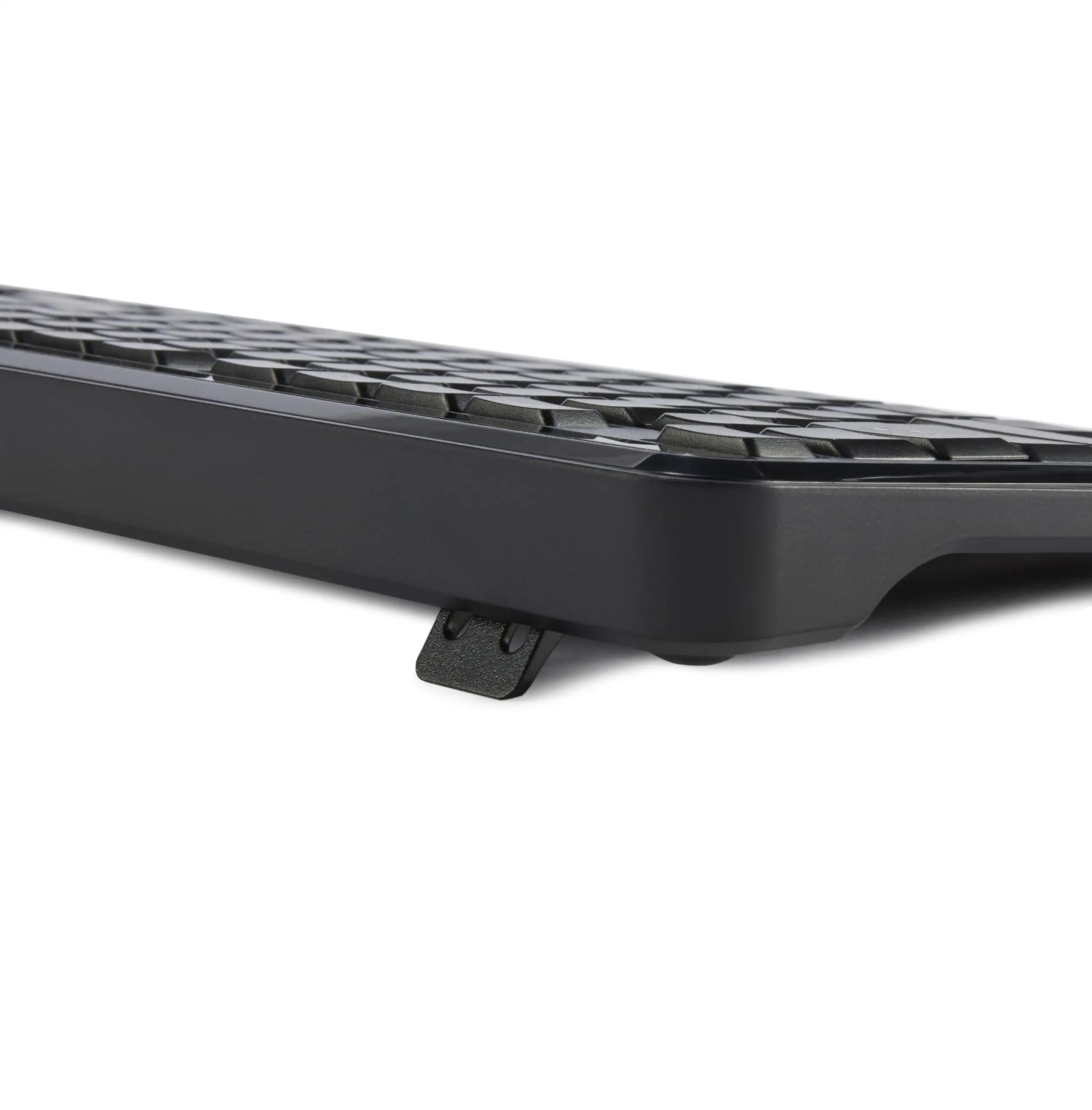
Across Amazon, Reddit, and Trustpilot, the keyboard earns consistent praise for its typing feel. One Reddit user described: “The key presses feel smooth, almost like velvet… neither clumsy nor stiff.” For writers, coders, and office workers, this translates into reduced fatigue during long typing sessions.
The inclusion of extra function keys is a standout for productivity-focused users. A designer on Reddit valued “easily accessible, clearly labeled keys that don’t require extra steps to use.” For spreadsheet-heavy work, the dedicated numeric keypad is another plus.
Plug-and-play setup is repeatedly cited as a positive. An IT professional on Amazon said: “They have long battery life, quick response for both mouse and keyboard… better than other name brands I have used before.” This makes the combo appealing for less tech-savvy buyers or quick office deployments.
Common Complaints
Mouse quality is the most consistent complaint. Trustpilot reviews call it “very light, feels cheap… awkward to grip,” with multiple users noting scroll wheel failures and “phantom trailing” after several months. For gamers or precision design work, this is a major drawback.
Reliability issues surface across platforms. A Reddit user reported: “Keys began randomly re-assigning themselves… deleting, moving, copying… unacceptable.” Others mention keyboards failing to power on even with fresh batteries within six months.
The lack of a power switch on the keyboard frustrates mobile users. One RV traveler explained: “We put the laptops and peripherals away when relocating… no option to turn off the keyboard.” This especially impacts those who pack equipment often.
Divisive Features
The heavy keyboard weight splits opinion. Some call it “beefy, in a good way” for stability, while others prefer lighter builds for portability. Similarly, the compact mouse appeals to some travelers but alienates users with larger hands.
Key feel also divides—users who like soft, quiet presses are satisfied, but those preferring more tactile feedback see it as “too flat” or “lacking click.”
Trust & Reliability
Trustpilot and Reddit highlight warranty frustrations. One buyer detailed a six-month failure and difficulty getting support: “Amazon wanted me to prove the warranty existed… tried to refund $25 instead of the $31 I paid.” Eventually resolved, but the process left a sour impression.
Long-term durability varies wildly. Some report years of trouble-free use, while others encounter failures within weeks. This inconsistency suggests quality control may be an issue. For budget buyers, the risk may be acceptable, but for mission-critical setups, caution is advised.
Alternatives
While no direct competitors are named extensively in the data, several users compare it to Logitech. One Amazon buyer admitted: “Mouse wheel slips unlike Logitech… still, great for the price.” Logitech’s mice are generally praised for more reliable scroll mechanisms, but at nearly double the cost for similar keyboard/mouse combos.
For users prioritizing mouse quality over keyboard features, a Logitech combo may be worth the premium. For those focused on getting a sturdy keyboard at a low price, Amazon Basics remains compelling.
Price & Value
Current individual unit pricing hovers around $30–$33 new, with bulk packs offering discounts. eBay listings show resale values from $19.99 for new units to as low as $1.15 in auctions, indicating modest resale potential.
Community tips include watching for Amazon sales—one buyer noted they paid $2 less when purchasing a second unit weeks later. Given the variability in durability, some advise keeping receipts and being proactive about warranty claims.

FAQ
Q: Does the keyboard have a power switch?
A: No, only the mouse includes an on/off switch. This can be inconvenient for mobile users who pack gear frequently.
Q: How is the mouse size?
A: Many find it too small, especially with larger hands. Some travelers appreciate the compact form, but precision work suffers.
Q: Can both devices share one USB receiver?
A: Yes, they operate via a single 2.4 GHz USB dongle. Users caution not to throw away the dongle—it's packaged separately, not inside the mouse.
Q: Is setup complicated?
A: No, setup is plug-and-play. Insert batteries, plug in the USB receiver, and both devices work immediately without drivers.
Q: How long do the batteries last?
A: Reports suggest weeks to months of use on included AAA batteries, with keyboard battery life generally outlasting the mouse.
Final Verdict
Buy if you’re an office worker, student, or casual home user who values a sturdy full-size keyboard and doesn’t rely heavily on the mouse for precision work. Avoid if you require a high-quality mouse, expect flawless long-term reliability, or need a keyboard with a power switch for mobile use.
Pro tip from community: Check the packaging for the USB receiver before discarding anything—multiple buyers nearly lost theirs hidden in a cardboard fold.