Amazon Basics Comb Binding Machine Review: Conditional Buy
A $30-ish “cheap comb binder” sounds like a shortcut—until the punching step turns into “hanging chads,” jams, and re-doing pages. Amazon Basics Comb Binding Machine lands as a Conditional buy, mainly for light, occasional projects, with a recurring warning that real-world punching capacity can be far below the marketing headline. Score: 6.5/10.
Quick Verdict
The call from real-world feedback: Conditional—worth it for occasional home/club/admin binding, but a gamble if you need clean punches quickly, punch plastic covers, or expect “12 sheets” to be effortless.
| Verdict Area | What users liked | What users disliked |
|---|---|---|
| Value | “a great value with limitations” (Amazon) | “not worth the money” (Amazon) |
| Ease of use | “ready to use right out the box, easy to use and works” (Amazon) | “difficult to use” (Amazon) |
| Punch performance | “punches holes very neatly” (Amazon) | “doesn't cut the holes in the paper well at all” (Amazon) |
| Capacity expectations | Works for “a report every once in awhile” (Amazon) | “really only handles 2-3 pages at a time” (Fakespot summary of reviews) |
| Materials (plastic covers) | Fine for paper (Amazon) | “punching holes in a plastic cover sheet is impossible” (Amazon) |
Claims vs Reality
Marketing claim #1 is blunt: it “punches up to 12 sheets at a time” and “binds up to 350 pages” (Amazon Specs). Digging deeper into user reports, the binding capacity isn’t the core controversy—the punching is. Multiple reviewers describe needing to punch far fewer sheets than expected to avoid rough cuts, jams, or incomplete holes.
One Amazon reviewer cautioned: “punch fewer pages at a time than you think you should,” describing a lever pull that feels like it might snap and calling it “not industrial grade.” That’s echoed in aggregated feedback where “the hole puncher really only handles 2-3 pages at a time” (Fakespot). While officially rated to punch 12 sheets, multiple users describe living in the 2–3 sheet range for consistent results.
Marketing claim #2 is “professionally-bound documents” with a “fixed paper slider mechanism [that] prevents hole offset” (Amazon Specs). Yet alignment complaints pop up in everyday use. An Amazon reviewer wrote: “when I put the comb in and pull it out, one side has longer slots than the other… difficult to get the pages in line for binding,” framing it as possibly defective but also signaling a quality-control concern that undermines “professional” output for detail-sensitive users.
Marketing claim #3 is about “durable… heavy-duty construction” (Amazon Specs). Some users agree—one positive Amazon review called it “inexpensive and good little machine” and “seems to be sturdy.” But durability stories cut the other way as well: Fakespot’s collected insights include “then the end plastic piece broke,” and “of course it broke just outside the warranty period,” suggesting some owners experience early mechanical failures even with light use.
Cross-Platform Consensus
Universally Praised
The strongest consistent praise is about the basic concept: for occasional binders, having a manual comb machine at home can replace paid binding trips. That matters most for homeschoolers, retirees, club secretaries, and small organizations trying to assemble packets without recurring shop fees. One Amazon reviewer framed the use case clearly: “during my working years… used it weekly… now that I'm retired… wanted something similar for personal use,” calling it “a great value with limitations.” For that persona, the machine’s appeal is cost control and independence.
Another recurring positive theme is that it can be straightforward once you get it assembled and learn the workflow. A reviewer wrote: “ready to use right out the box, easy to use and works,” while Fakespot’s pros summarize the experience as “the usual, two-step process, and it works smoothly” and “all I had to do is attach the handle.” For users making occasional directories, HOA packets, or a few personal projects, “good enough” usability often outweighs the lack of commercial-grade refinement.
When it’s working well, users describe clean results on paper projects—especially when they respect the machine’s limitations. One Amazon reviewer said: “make a book. i used it for making directories for a club,” implying it served a practical role. Another Amazon review highlighted the benefit for a high-output-but-not-commercial scenario: “for this homeschooling mom, it works!! … I vowed never to do that again” after paying for shop binding previously. The repeated story is less about perfection and more about avoiding repeated service costs and having control at home.
Common Complaints
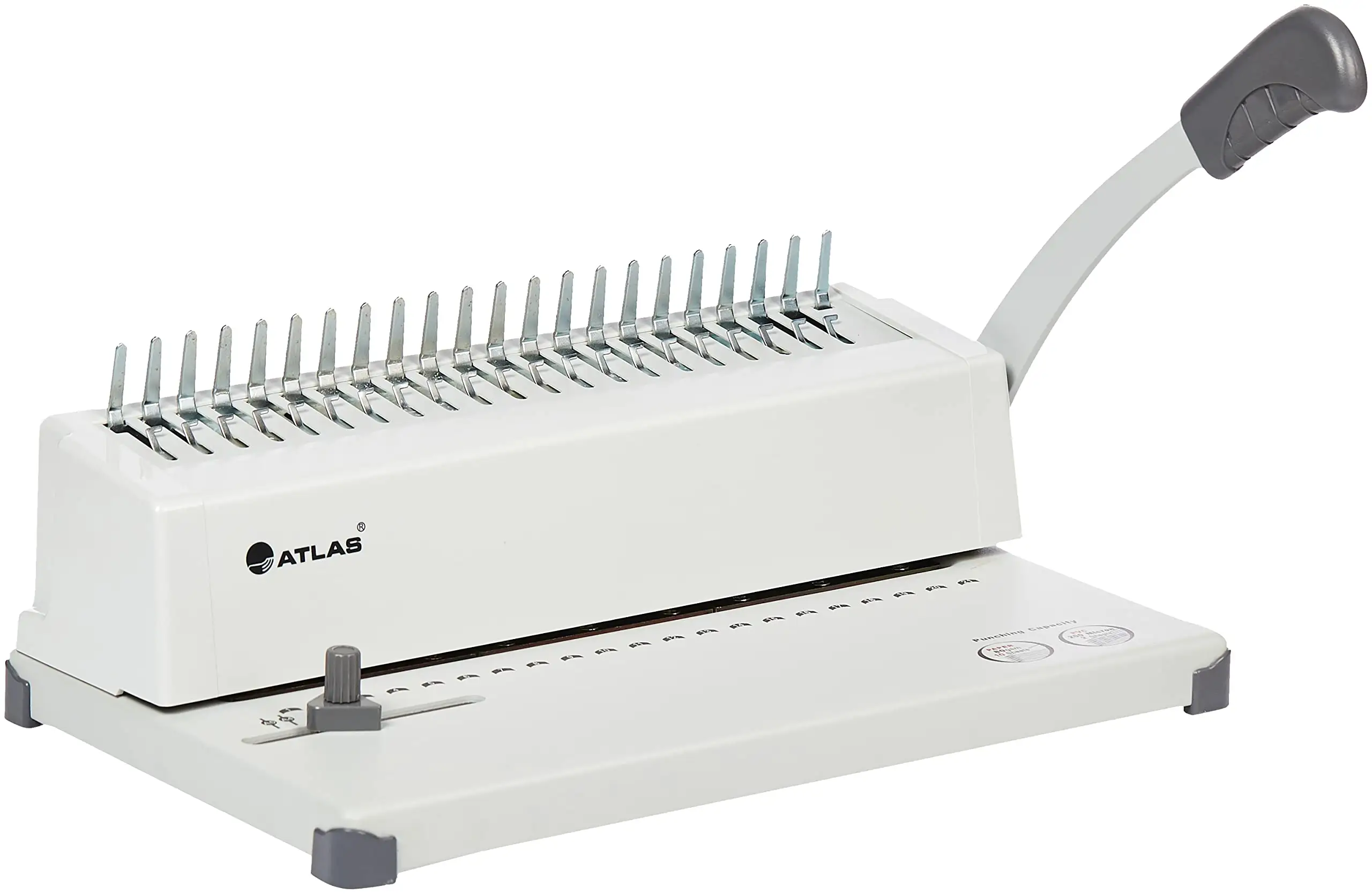
Punch quality is the dominant complaint, and it shows up as both messy output and slow workflow. Several users describe holes that don’t punch cleanly, forcing them to tear off leftover tabs—turning a “quick bind” into a tedious process. One Amazon reviewer complained: “the holes do not punch cleanly… I made a mess on the floor trying to pull the tabs off of each sheet and it took forever,” adding that you “can't put the comb in though unless the holes are punched cleanly.” For teachers, homeschool parents, or students binding repeated packets, that kind of friction defeats the time-saving promise.
Plastic covers and thicker media are another flashpoint. A recurring pattern emerged: even people who tolerate small punch batches hit a wall with clear cover sheets. An Amazon reviewer warned: “punching holes in a plastic cover sheet is impossible,” describing “‘hanging chads’” that make removal difficult without tearing. Fakespot similarly notes it “would not punch out 3 sheets of clear cover without hanging up.” For users aiming for a polished booklet with plastic front/back covers, the machine can become a bottleneck.
Quality control and “new vs used” condition also appear across review excerpts. One Amazon review stated: “was not new,” and another cautioned: “listed as ‘new’ but was obviously used when received… very cheap.” A different reviewer described a mechanically impaired unit: “broken zip ties… punching handle won’t go all the way down and punches only four holes.” These are high-impact experiences because they turn a low-cost purchase into a return/warranty hassle—especially for gift buyers who discover issues after the return window.
Divisive Features
The lever-driven manual punch is polarizing. For some, “a little muscle” is acceptable; for others, it feels risky and underbuilt. Fakespot’s pros say “it takes just a little muscle to crank the handle down,” while an Amazon reviewer countered: “every time you pull the lever… you’ll swear you’re going to snap the lever right off.” If you’re binding occasional reports, that tension may be tolerable; if you’re punching repeatedly, the physical effort and perceived fragility become a dealbreaker.
“Sturdy for the price” is also split. One Amazon reviewer said the machine is “sturdy” even while reporting an alignment issue, while another feedback thread is harsher: “cheap cheap cheap” and “do not buy this machine.” The divide seems tied to expectations: users comparing it to office-grade binders often find it flimsy, while first-time home binders may accept imperfections as the tradeoff for a lower entry price.
Trust & Reliability
Fakespot flags reliability concerns around the listing history, stating “anomalous review count history” and that “49.6% of the reviews are reliable,” alongside “high deception” language (Fakespot). That doesn’t prove a specific complaint is false, but it does raise the stakes for shoppers: the safest signal becomes repeated, concrete failure modes—like messy punches, inability to handle plastic covers, and broken components.
On longer-term durability, user stories lean cautious rather than confident. Fakespot’s collected insights include “broke just outside the warranty period” and “I will have to buy a new binder but won’t buy this one again.” Meanwhile, the broader Reddit conversation about cheap comb binders (not Amazon Basics specifically) warns that low-cost machines can be “really cheaply made… jam easily and do not align well,” and that they “take much longer to use than a more professional model.” For anyone planning sustained weekly output, the narrative repeatedly shifts toward saving for sturdier gear or buying used professional equipment.
Alternatives
The data includes a direct comparison point from the community: a Reddit commenter noted that manual comb binding machines they sell are “roughly $150,” with cheaper models binding fewer pages, warning that a very cheap listing “seems a bit too good to be true” (Reddit). That frames a realistic alternative path: buy a used professional unit, or step up to a higher-priced manual machine if you need consistency and faster throughput.
A separate Amazon review in the dataset discusses the Fellowes Quasar 500 electric comb binding system, emphasizing improvements like higher punch capacity and better waste tray design, while still noting tradeoffs like lack of adjustable punch depth. That reviewer wrote the new unit “says it has a max paper capacity of 20 pages, but I think 15… is a safer amount,” illustrating how even better machines often require conservative real-world usage. For buyers doing frequent distribution runs, an electric punch is repeatedly positioned as the “stop fighting the lever” upgrade.
Price & Value
Price signals vary sharply across sources, which matches the product’s “value with limitations” reputation. A third-party listing shows around “$71.24” (Prime Office) while another lists “$121.99” (BigaMart), and an auction record shows an “open box” sale at “$2.05” against an “MSRP $53.89” (BidFTA). That spread suggests the best value comes from catching mainstream pricing—or buying open-box/secondary-market—rather than paying inflated reseller rates.
For cost-conscious users like homeschool families and small clubs, the value story is often about avoiding repeated shop fees. One Amazon reviewer described prior binding costs: “I spent $40+… at the UPS store last year in just binding,” positioning the machine as a way to stop paying per booklet. But the community also stresses that savings depend on your volume and tolerance for slower punching; as one Reddit commenter advised, divide the machine’s cost by local shop cost per book to see if you’ll realistically “use the machine for 100 booklets.”
Buying tips from user feedback cluster around expectations management: plan to punch fewer sheets, expect a learning curve, and open/inspect immediately in case the unit arrives damaged or used. One reviewer warned: “please make sure you open the package upon receiving to ensure it works,” especially for gifts or delayed projects.
FAQ
Q: How many sheets can the Amazon Basics comb binding machine really punch at once?
A: Official specs say it “punches up to 12 sheets” (Amazon Specs), but multiple users describe punching far fewer for reliable results. An Amazon reviewer advised to “punch fewer pages at a time than you think you should,” and Fakespot summarizes that it “really only handles 2-3 pages at a time.”
Q: Does it work with plastic cover sheets?
A: Several reviewers say plastic covers are a weak point. An Amazon reviewer wrote, “punching holes in a plastic cover sheet is impossible,” describing “hanging chads” and tearing. Fakespot also notes it “would not punch out 3 sheets of clear cover without hanging up,” though paper-only projects are described as more workable.
Q: Is it good for homeschool or small clubs making booklets?
A: Many stories come from homeschool and small-organization use cases. One Amazon reviewer said, “for this homeschooling mom, it works!!” and another used it for “directories for a club.” The recurring caveat is time: messy punches and low practical punch capacity can slow production.
Q: Are there quality-control issues (used units, defects)?
A: Some reviews describe condition problems. One stated “was not new,” and another said it was “listed as ‘new’ but was obviously used.” A separate Amazon reviewer reported mechanical failure on arrival: “punching handle won’t go all the way down and punches only four holes,” recommending immediate inspection upon delivery.
Q: Is it worth buying a cheap comb binding machine instead of paying a print shop?
A: Reddit guidance suggests it depends on volume: if you’re binding “more than 5 books a week,” it “could definitely be a good investment,” but for occasional use it may not be. Users also warn cheap machines can “jam easily and do not align well,” so savings may come with slower workflow.
Final Verdict
Buy Amazon Basics Comb Binding Machine if you’re a light-use binder—retirees, homeschoolers, club admins—who can accept punching small batches and mostly paper projects. Avoid it if you need clean, fast punching for lots of documents, regularly use plastic covers, or expect “12 sheets” to feel effortless.
Pro tip from the community: “punch fewer pages at a time than you think you should,” and if your workload is frequent distribution, “you need an electrically driven punch machine” rather than a manual lever model.





