Amazon Basics Aluminum Laptop Stand Review: Conditional Buy
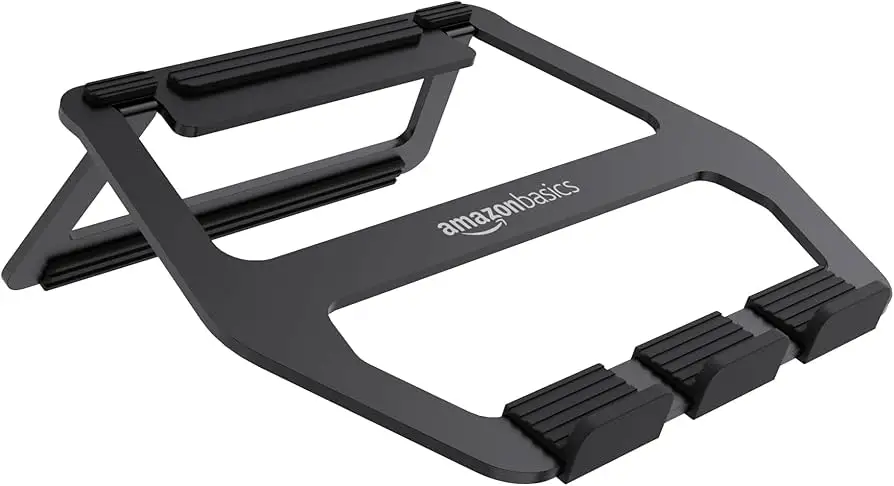
The surprise isn’t that the Amazon Basics Aluminum Portable Foldable Laptop Stand scores a solid 8.7/10 among users—it’s that it manages to blend portability, durability, and affordability in a product that many didn’t expect much from. From coffee shop freelancers to students hunched over dorm desks, this lightweight aluminum stand is being called “a real lifesaver” by some, while others warn about stability quirks with heavier laptops.
Quick Verdict: Conditional Buy
| Pros | Cons |
|---|---|
| Lightweight yet sturdy aluminum build | Wobbles with larger laptops |
| Folds flat for easy transport | Limited to laptops up to 13" (per spec) |
| Improves posture, reduces neck strain | Minimal height adjustability |
| Non-slip rubber pads protect devices | Charging in portrait mode awkward |
| Affordable compared to rivals | Setup learning curve |
| Good ventilation for cooling | Some reports of instability |
| Works in multiple environments | Not ideal for typing directly on stand |
Claims vs Reality
One core marketing claim is the 18-degree tilt and 2.95-inch lift for ergonomic viewing. Amazon’s description frames this as a posture-perfect solution, reducing neck and wrist strain. Many users, like a verified buyer on Amazon, backed this up: “It allows me to do my work comfortably while also letting my laptop cool down.” But digging deeper into user reports shows nuance. Quora contributors note that while it doesn’t wobble much with smaller laptops, heavier models, like a MacBook Pro 15", can feel “notably different” and even topple with minimal touch.
Another advertised strength is compatibility with laptops up to 13 inches. This spec appears in multiple listings, yet the reality is mixed. A Trustpilot user runs a 15" heavy laptop on it without issues, saying, “I've intentionally tried to make it tilt off balance but the base held in place.” This suggests that while officially rated smaller, some owners safely push it beyond limits, though success seems dependent on laptop weight distribution.
Finally, the manufacturer touts portability and flat-fold design for easy storage and transport. Here, consensus is clear—Reddit user umer22 called it “compact and lightweight… easy to transport and store” and praised the included carrying case. The fold-flat kickstand design is widely applauded by mobile workers and students who swap study spots frequently.
Cross-Platform Consensus
Universally Praised
Portability is the recurring hero. Whether the stand is tucked into a messenger bag for a trip to the library or stashed in a carry-on for a flight, owners value its grab-and-go ease. Reddit user techdoogle framed it as “whether… traveling, or working in a coffee shop, you can easily set up the stand and work comfortably.” Its sub-11 oz weight makes it a non-issue in terms of carrying fatigue.
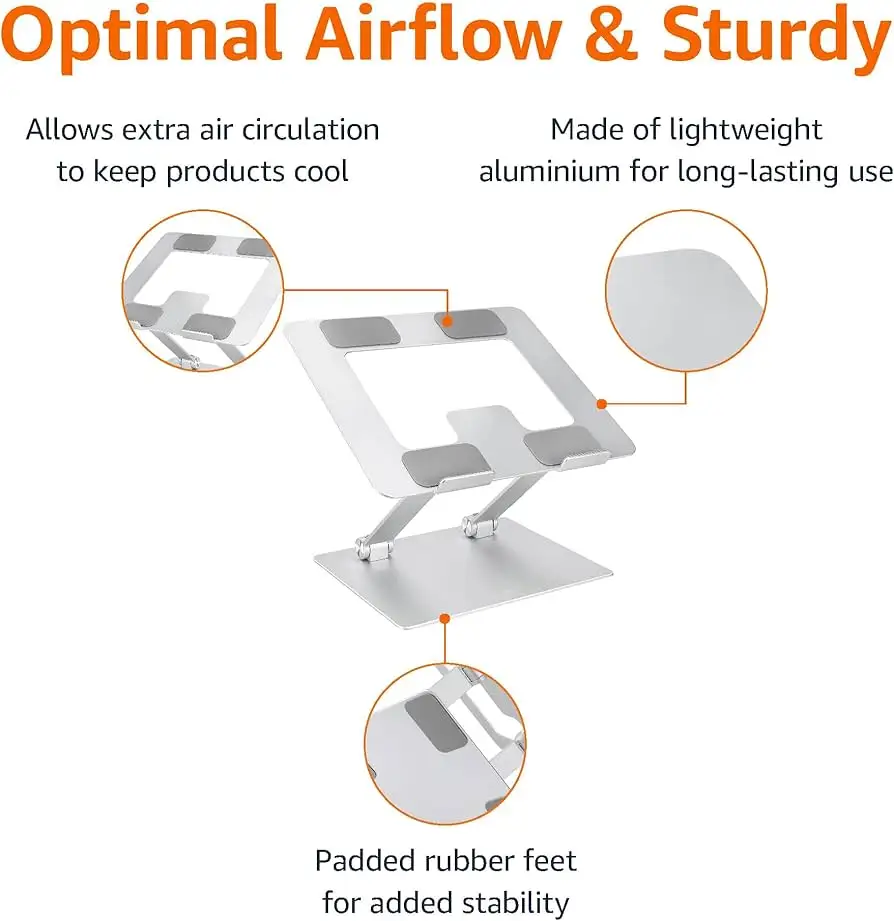
The build quality also earns widespread admiration. Described as “sturdy and doesn’t feel cheap” by multiple community members, the aluminum body conveys durability without bulk. Verified Trustpilot feedback mentions being “surprisingly sturdy and stable” despite its lightness, a combination that appeals to remote pros who need dependable gear.
Ventilation is another universal win. Owners across Amazon and Reddit note the design allows effective air circulation, helping prevent overheating. A FamilyRated review highlighted how it “lets my laptop cool down,” a small but significant benefit for gaming laptops or heavy work sessions.
Common Complaints
The biggest gripe strikes at stability when typing directly on the stand—especially with larger laptops. Quora threads capture the divide clearly. One user warns a MacBook Pro 15" “would topple over without even touching it,” while another reported only “a little wobble,” showing that experience varies greatly with hardware size and typing style. Many recommend pairing it with an external keyboard to avoid this issue.
Limited adjustability frustrates others. While two height settings exist, several Reddit and Trustpilot reports suggest they don’t provide enough customization for diverse desk setups. For users chasing a precise ergonomic sweet spot, alternatives with wider height ranges may be more fit.
There’s also a minor usability quirk: charging certain devices in portrait (vertical) mode is awkward. As one Reddit user noted, “there’s no space for most cable connectors,” forcing orientation changes mid-use.
Divisive Features
Screen size compatibility sparks debate. Officially capped at 13 inches, but with scattered success stories using 15-inch models, prospective buyers face a decision: risk using larger devices without guaranteed stability, or stick strictly to spec. Some find stability trade-offs acceptable; others regret overextending the stand’s design.
The learning curve for setup is minor but noted. Trustpilot commentary pointed out it “does take a bit to figure out how to set it up,” though this is quickly resolved after initial use, making it a short-term annoyance.
Trust & Reliability
Long-term durability reports are generally positive. Owners who've had the stand for months still describe it as “sturdy” and “looks nice… not intrusive at all.” Reddit's umer22 lauded Amazon Basics' “decent guarantee” and responsive customer service after a defective item, reinforcing trust.
Scam or quality concerns barely surface. Even discounted open-box units from marketplaces retain consistent performance feedback. The aluminum construction resists wear, and protective pads hold up under repeated laptop placement.
Alternatives
Among competitors mentioned, the Roost Laptop Stand is favored for greater adjustability but at a higher price. The Nulaxy Laptop Stand supports heavier laptops (up to 22 lbs) and offers a fixed, more stable build but sacrifices fold-flat portability. The Twelve South Curve wins style points and compatibility breadth but similarly lacks the extreme portability Amazon Basics delivers.
Here, users who prioritize ergonomic fine-tuning and heavier device support tend toward Besign LS03 or Lamicall Adjustable models, while those whose lives revolve around mobility stick firmly with the Amazon Basics for its travel-readiness.
Price & Value
Current pricing hovers around $19–$22 USD, with UK listings dipping below £11 during promotions. This undercuts more adjustable aluminum rivals significantly while offering strong construction. On resale markets, lightly used units hold decent value due to the brand’s recognition and broad laptop compatibility for small devices.
Community advice leans toward grabbing it during seasonal sales, making it a low-risk, high-value buy for tentative first-time laptop stand buyers.
FAQ
Q: Does it wobble when typing directly on the laptop?
A: Experiences vary. Smaller laptops generally remain steady, but heavier models like a 15" MacBook Pro may feel unstable. Many recommend using an external keyboard for best results.
Q: Can it hold laptops larger than 13 inches?
A: Officially rated up to 13", but some users successfully use 15" models depending on weight distribution. Stability declines with larger, heavier devices.
Q: How portable is it really?
A: At under 11 oz with a flat-fold design, it’s extremely portable. Fits easily in most laptop bags or backpacks, making it ideal for students and remote workers.
Q: Does it help with laptop cooling?
A: Yes. The elevated, open design improves airflow, which helps keep electronic components cooler during extended use.
Q: Is setup complicated?
A: There’s a brief learning curve for folding/unfolding, but most users master it quickly. Once learned, deployment is straightforward.
Final Verdict: Buy if you’re a mobile worker, student, or casual laptop user looking for a sturdy, ultra-portable stand under $25. Avoid if you need precise ergonomic adjustments or work primarily with heavy laptops larger than 13". Pro tip: Pair it with a wireless keyboard to maximize stability and ergonomic benefits.





