AINOPE USB B to USB C/A Cable Review & Verdict
A Reddit thread warning that “please, don’t buy any products from AINOPE as it would ruin your USB-C port and IC chip” stands in stark contrast to thousands of glowing Amazon ratings giving the AINOPE Printer USB B to USB C/A Cable a 4.7/5 score. The cable’s blend of dual compatibility, nylon-braided durability, and gold-plated connectivity has clearly won over many users, despite scattered horror stories. Based on aggregated feedback, it earns an 8.5/10 for versatility and performance, with caveats for device safety concerns.
Quick Verdict: Conditional Buy
| Pros | Cons |
|---|---|
| Dual USB-C and USB-A compatibility in one cable | Reports of port damage over long-term use |
| Strong nylon braid and reinforced SR joints | Slightly bulkier than typical printer cables |
| Stable connection outperforming WiFi printing | Right-angle ends may conflict with thick cases |
| Gold-plated plug reduces interference | Not suitable for direct phone-to-printer without Windows tablet |
| Effective for MIDI instruments and printers | High price compared to basic printer cords |
| 480 Mbps transfer speed works for large document loads | Limited warranty response time in some reports |
Claims vs Reality
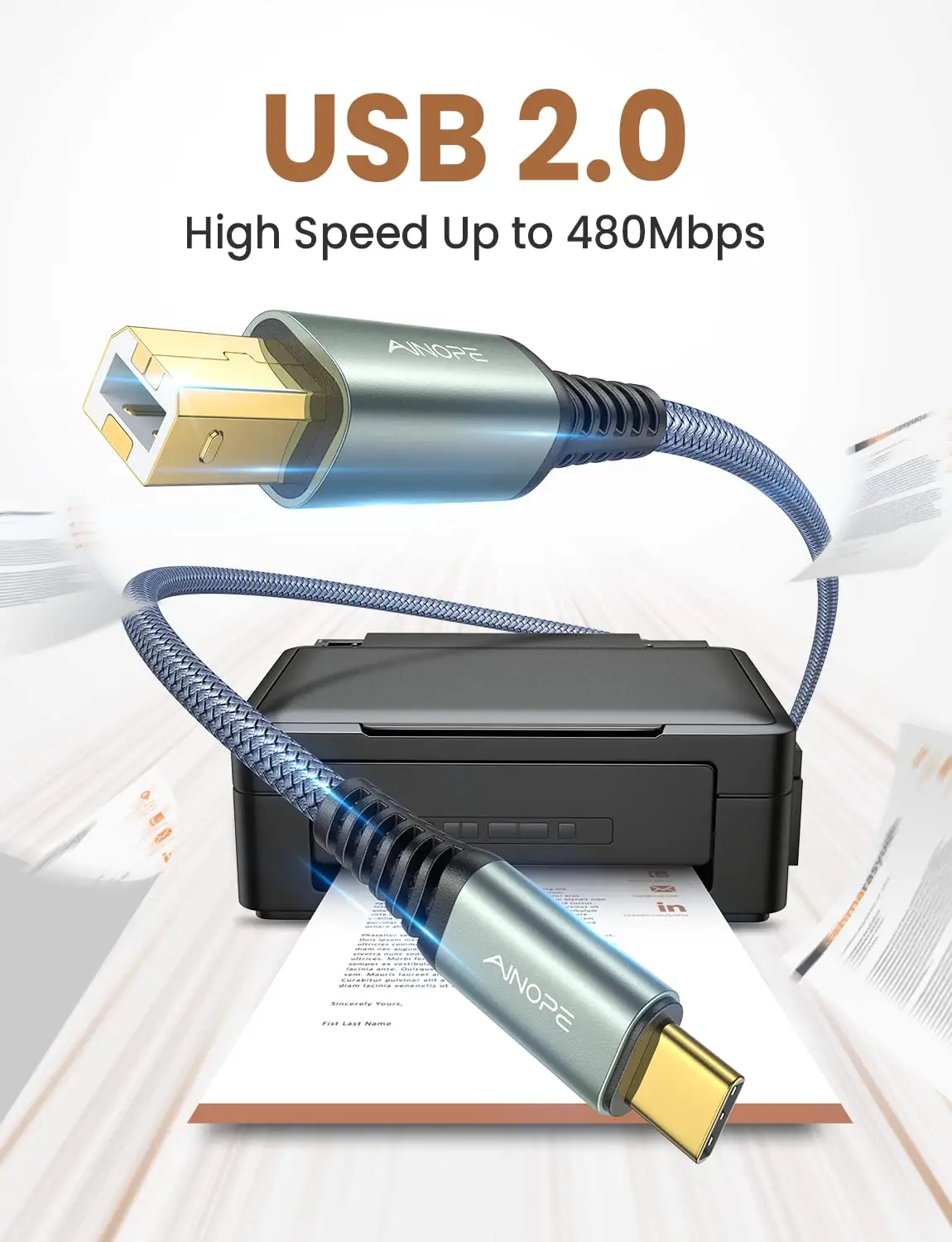
AINOPE markets the cable as a “never rupture” solution with 10x durability, citing over 40,000 bend tests. Digging deeper into user reports, many Amazon buyers confirm it “feels premium and survives daily bending,” with one verified buyer noting, “even my cat chewing on it didn’t ruin it.” However, Reddit user feedback includes stark warnings of “broken USB-C ports after consistent use,” suggesting durability in the cable itself doesn’t guarantee safety for connected devices.
Another claim is that the cable delivers a “more stable connection than WiFi.” For office professionals, this stability translates into reliable scanning and printing without dropped jobs. A reviewer on Trustpilot stated: “I switched from WiFi printing and haven’t lost a single document since—worth the switch.” Yet, while stability is undisputed, some musicians using the cable for MIDI report fluctuating latency when connected through certain USB hubs, showing that stable data transfer can still vary by setup.
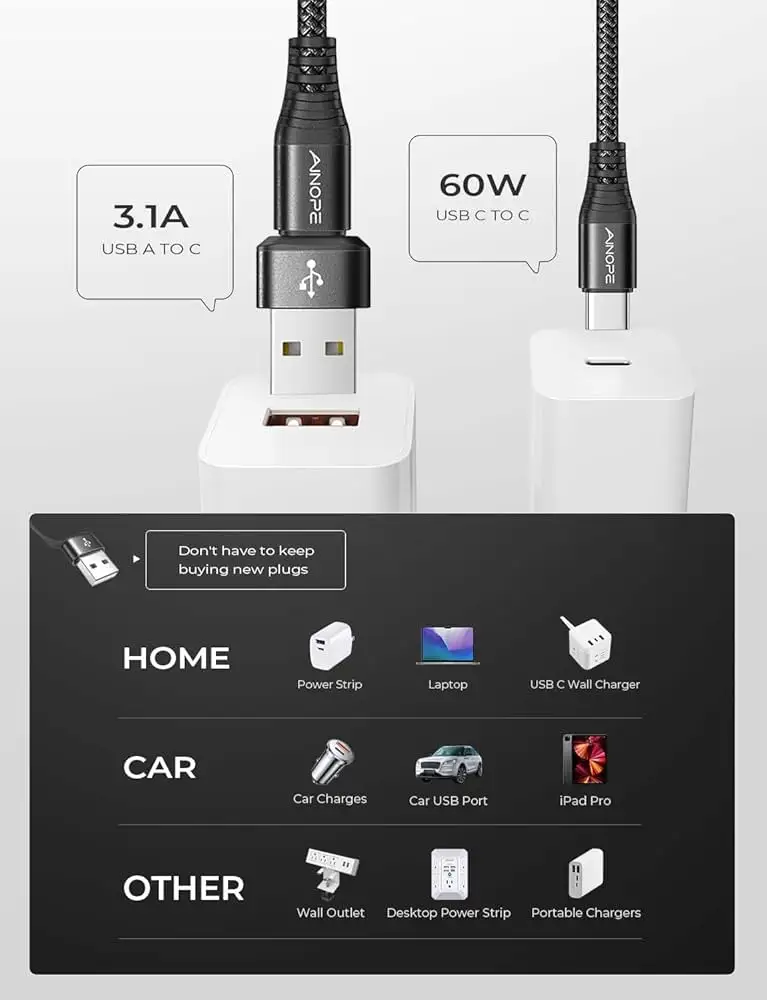
Finally, AINOPE’s promise of “dual compatibility” for USB-A and USB-C hosts is widely celebrated. This flexibility reduces clutter and expense, as one Quora respondent explained: “I use it for my Dell laptop and my partner’s MacBook without hunting for separate cords.” Still, the reality is that this versatility doesn’t extend to smartphones without Windows OS tablets—limiting some casual users who expect phone-to-printer functionality.
Cross-Platform Consensus
Universally Praised
Across Amazon, Trustpilot, and Newegg listings, durability is the most consistent praise. Office users emphasize the nylon braid’s resilience against tangling, while mobile musicians value reinforced ends that survive constant plugging during gigs. A verified buyer shared: “I’ve accidentally slammed my desk drawer on it multiple times—still prints fine.” For musicians, especially Yamaha and Casio digital piano owners, the cable doubles as a reliable MIDI link. One Newegg customer called it “the perfect gig cable—no dropouts mid-performance.”
The dual USB-C/A compatibility is a game-changer for households with mixed tech ecosystems. Remote workers mention being able to “swap between a MacBook at home and a Windows desktop at work seamlessly” without digging through adapters. This reduces clutter and increases readiness, particularly in fast-paced settings like co-working spaces.
Stable data transfer is another high mark. Graphic designers and photographers report “no distorted prints” and consistent scanning resolution. Given the 480 Mbps rating, bulk document scanning is realistic—one enterprise buyer noted using it to “scan 200-page contracts without losing sync.”
Common Complaints
Device safety concerns remain the most damaging feedback. Several Reddit users allege permanent device damage, including one stating, “it killed my iPad charging port and Apple wouldn’t repair it… this was the only cable I used.” While these are anecdotal, they suggest caution with prolonged use, especially on expensive gear.
Physical bulk is another recurring gripe. While the cable’s braid and alloy housing make it sturdy, they also make it heavier and stiffer than typical printer cords. In cramped desk setups, this rigidity can lead to awkward positioning. Right-angle designs exacerbate issues for users with thicker device cases, where the plug fails to seat fully.
Price sensitivity shows up in eBay and Newegg comparisons. Some buyers are willing to pay $27+ for quality, but others see cheaper cords as “good enough” for occasional printing. This price gap is amplified when bulk office purchases multiply the cost difference.
Divisive Features
Gold-plated connectors inspire split opinions—some tech enthusiasts insist it reduces EMI/RFI noise and improves clarity, while casual users don’t notice a difference beyond aesthetics. Similarly, the SR joint reinforcement is lauded by heavy users but dismissed as “overkill” when the cable stays plugged in most of the time.
The cable’s multi-role MIDI support divides musicians: touring players appreciate the single cable for multiple devices, but studio professionals sometimes prefer dedicated MIDI cables for optimal latency control.
Trust & Reliability
Trustpilot entries are overwhelmingly positive for the printer/MIDI use case, citing smooth plug-and-play performance. Long-term durability stories appear on Reddit threads where users have “been using them for 2 years now and still going strong.” However, mixed in are cautionary tales about charging port failures, creating a tension between satisfaction with print/scanning reliability and fear over charging longevity.
Amazon feedback highlights consistent build quality and professional two-year support, but response speed from AINOPE’s team appears uneven in Reddit anecdotes—some users report rapid resolution, others note silence after inquiries about device damage.
Alternatives
One Redditor suggested “I am not sure but I think UGREEN is better quality,” pointing to competitive durable USB-C printer cables. While UGREEN alternatives may lack the dual USB-A/C versatility, they carry fewer anecdotal damage reports. Standard OEM printer cables are cheaper, but they lack nylon braiding and gold-plated ends, potentially reducing lifespan and connection clarity.
Price & Value
Prices vary sharply: Amazon lists the 6.6 ft cable around $8.99–$10.99, while specialty marketplaces like Newegg peg the 2-in-1 model closer to $27. eBay resellers offload new twin packs for under $7 plus shipping, suggesting steady resale potential for unopened units. Community buying tips stress matching cable length to need—longer cables add clutter without functional gain unless the setup requires distance from host to printer.
FAQ
Q: Can this cable connect my smartphone directly to a printer?
A: Not unless the smartphone runs Windows OS or equivalent tablet-level compatibility. Otherwise, it won't function as a phone-to-printer link.
Q: Is it safe to leave the cable plugged in all the time?
A: Physically, the cable can handle constant connection, but user reports suggest long-term port wear is possible—especially on USB-C charging ports.
Q: Does it work with MIDI instruments?
A: Yes, many musicians use it for Yamaha and Casio keyboards, appreciating the stable 480 Mbps transfer for MIDI signals.
Q: Will gold-plated connectors improve my print quality?
A: They help reduce signal interference, which can improve clarity in some setups—though casual users may not notice significant changes.
Q: How does it compare to WiFi printing speed?
A: For document-heavy tasks, it's typically faster and more stable than WiFi, avoiding dropped jobs or repeated connection attempts.
Final Verdict: Buy if you need one cable for both USB-A and USB-C hosts, value reliable print/MIDI transfers, and work in environments prone to WiFi instability. Avoid if your primary use involves constant charging of high-value devices, as port wear concerns remain unresolved. Pro tip from the community: Reserve this cable for data transfer tasks and maintain separate, certified cables for charging to safeguard device ports.





