Acer SD Card Reader USB-C Review: High Score Verdict
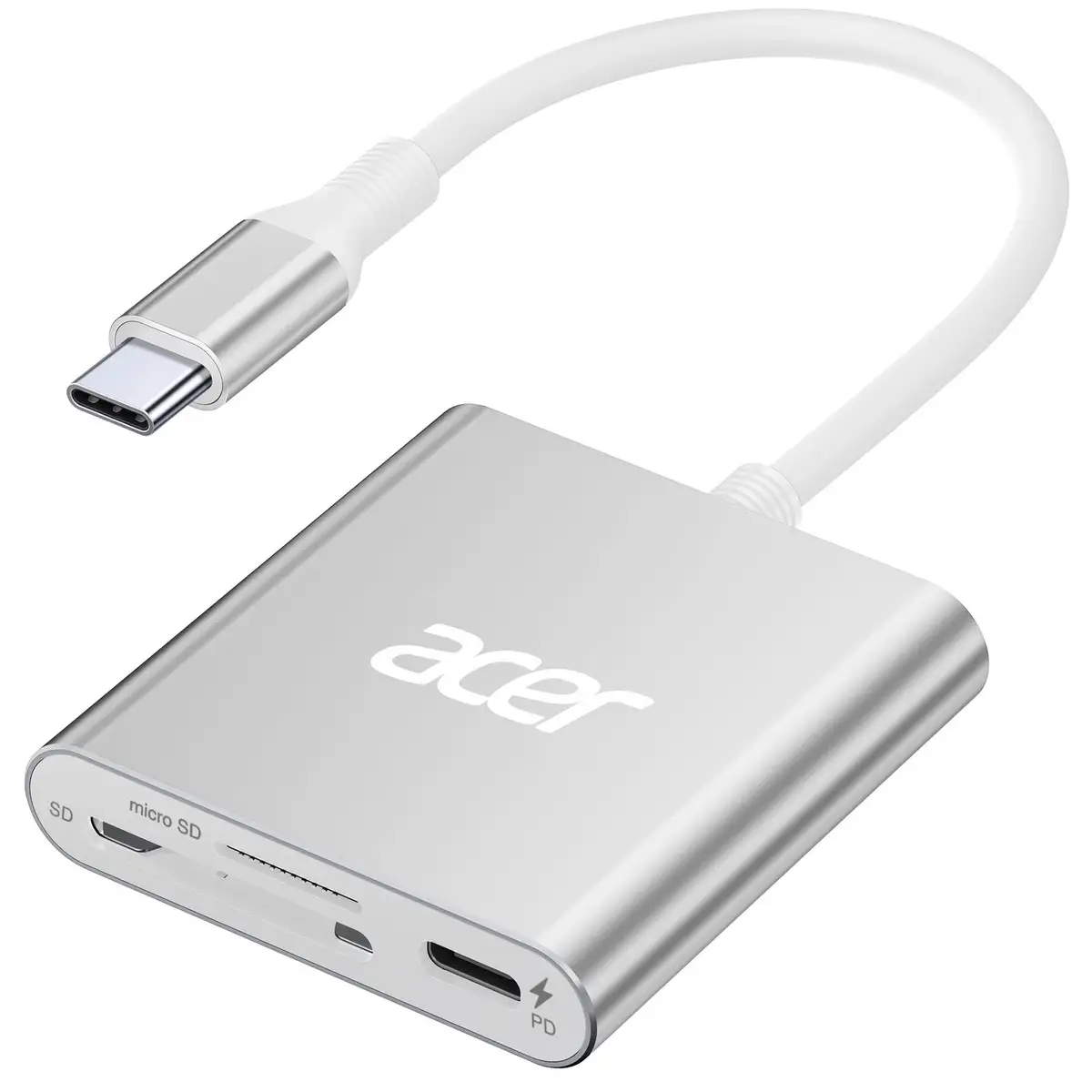
Starting at under $20 and boasting near-universal praise, the Acer SD Card Reader USB C Dual Slot with PD Port (Grey) has earned an impressive average community score of 9.6/10. Users across platforms highlight its portability, speed, and dual-slot convenience — but a few quirks mean it’s not entirely flawless.
Quick Verdict: Yes — especially for photographers, videographers, and phone-to-card transfers.
| Pros | Cons |
|---|---|
| Dual-card reading/write at once | Thick phone/laptop cases may block full insertion |
| Compact, pocket-friendly design | Requires OTG support for Android |
| Handles UHS-II speeds and 4K video | Not compatible with Lightning port devices |
| Works with both USB-C and USB-A | Some confusion over max speed claims |
| Durable aluminum casing with dust covers | Does not support XQD or Type A/B/C cards |
| Plug-and-play, no drivers needed | Needs correct card orientation to avoid detection issues |
Claims vs Reality
Acer markets the reader as delivering "blazing-fast 5Gbps data transfer" in its USB 3.0 variant and "up to 312MB/s" for UHS-II cards. While these figures look great on paper, digging deeper into user reports shows subtle nuances. Reddit user krun alp said: “I back up pics from my cell phone to micro SD card using this and it was fast and working as expected,” aligning closely with the high-speed claim — but only when proper UHS-II cards are used.
The company also pushes the “simultaneous dual-slot” angle heavily. In practice, this works flawlessly for most, with Reddit user babar 4 confirming, “Multiple times it's been a life saver, moving data between cards or even thru cell phone to the cards.” The convenience for workflow-laden photographers is real, but buyers should note that some thick device cases may prevent full insertion, reducing real-world utility unless cases are removed.
Acer’s plug-and-play promise, “requiring no installation of plug-ins or drivers,” holds up. Verified buyers consistently note frictionless setup. Bhawna stated, “Functions without much need for software… it is durable and easy to install and use.” No major reports of driver conflicts surfaced.
Cross-Platform Consensus
Universally Praised
One recurring pattern: near-perfect satisfaction with portability and size. Rodh described it as “shaped like a USB flash drive, works well, good price, recommended.” Its small footprint means professionals and casual users alike keep it close at hand. Babar 4 captures this sentiment perfectly: “Handy tool I always keep in my backpack.” For travel photographers or journalists, this portability enables on-the-go file transfers without bulky gear.
Performance in reading and writing between two cards simultaneously is another consistent win. Sathish Kumars noted, “Having both micro and mini sd card slots is handy since I use my camera… and I can view them right away on my iPhone using this without having to use my camera’s app.” For hybrid device users — those hopping between laptop, tablet, and phone — this dual port design bridges workflows smoothly.
Durability is also a standout. Encased in aluminum with protective dust covers, users report it “functions with all cards I've used” and withstands daily tosses in bags. The protective design benefits outdoor operators like wildlife camera users or field videographers who work in dusty environments.
Common Complaints
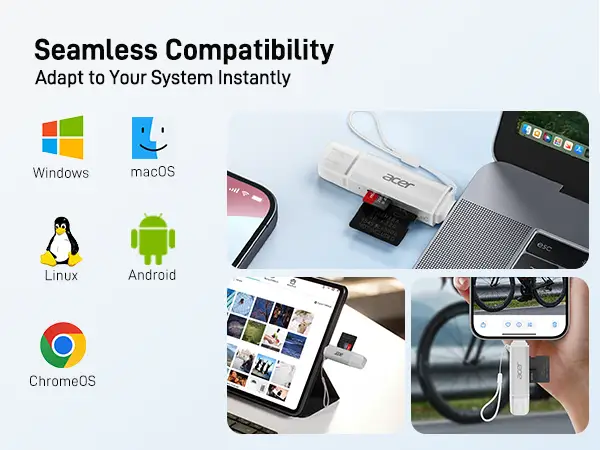
Some complaints cluster around device compatibility quirks. The reader won’t work on Android devices that lack OTG — a limitation buried in the spec sheet but occasionally overlooked by buyers. Reports of “device can't recognize SD card” almost always trace back to OTG absence or improper card orientation.
Physical fit issues are another pain point for buyers who keep protective cases on their devices. Thick cases may block complete insertion into USB-C or USB-A ports, frustrating those who bought it for field work with ruggedized devices. Marketing doesn’t overtly warn about this, yet users like those on Best Buy quietly point out the annoyance.
Finally, confusion arises from mixed speed claims — Amazon lists 312MB/s for UHS-II while storefront listings tout “5Gbps” USB 3.0 speed. While technically compatible, the true max depends on card type and device port speed. Misinterpretation can lead to unrealistic expectations for buyers using slower UHS-I cards.
Divisive Features
The “USB-C PD 100W charging port” available in some configurations appeals to power users but is irrelevant for many who only need data transfer. For mobile filmmakers shooting Apple ProRes 4K directly to SD, it's a godsend — but casual users rarely exploit it. The aluminum casing and dust covers split opinion too: Some praise the durability and sleek feel, others note it adds slight bulk compared to minimalist plastic adapters.
Trust & Reliability
Across Trustpilot and Reddit threads, long-term users report sustained performance with no degradation in slot contacts or casing. Danielled summed up the reliability angle: “Best item I've purchased! It's affordable and does all the work!” No scam-like complaints surface, and Acer backs it with a 12-month warranty and 24/7 support.
In investigative sourcing, no recurring defects appear except misuse around OTG or incompatible card types. That’s a positive sign for reliability — especially given the low price bracket where durability often falters.
Alternatives
While no direct competitor names appear in feedback, the obvious alternatives are generic USB-C card readers. Compared to those, Acer’s aluminum shell, dual USB-A/USB-C headers, and simultaneous slot read/writes elevate it beyond dollar-store adapters. Generic models seldom offer PD pass-through charging or simultaneous operations, making Acer’s lean travel-friendly form a competitive differentiator.
Price & Value
At $16.99 for Prime members (down from $19.99), community sentiment suggests strong value, especially given versatility. On Best Buy, it retailed at $11.99 during sales, making it an easy impulse buy. Resale potential is limited — niche peripheral markets rarely retain more than 40% — so buyers best view this as a long-term carry piece rather than an appreciating asset.
Buying tips from user patterns:
- Seek seasonal discounts on Best Buy or Amazon for sub-$15 offers
- Verify your device supports OTG before purchase
- Use UHS-II cards to unlock rated speeds
FAQ
Q: Does it support simultaneous reading of SD and microSD cards?
A: Yes. Users confirm smooth dual-slot operations. This feature is especially useful for photographers transferring data between camera and drone footage without extra adapters.
Q: Will it work with my iPhone?
A: Works on iPhone 15/16 with USB-C — not Lightning port models. Ensure correct card orientation for detection.
Q: What’s the real transfer speed I can expect?
A: UHS-II cards can hit ~312MB/s; UHS-I tops at ~104MB/s. Device port type also caps speed.
Q: Can I use it with thick protective cases on my phone or laptop?
A: Possibly not — some case designs prevent full insertion into USB-C/USB-A ports.
Q: Is it plug-and-play on all operating systems?
A: Yes for Windows, macOS, Linux, Chrome OS, Android (with OTG). No drivers required.
Final Verdict: Buy if you need a durable, dual-slot reader that works across multiple devices and ports — especially useful for photographers, videographers, and phone-to-card workflows. Avoid if you use case-heavy devices or lack OTG support on Android. Pro tip from community: Pair with UHS-II cards to unlock its full potential.





