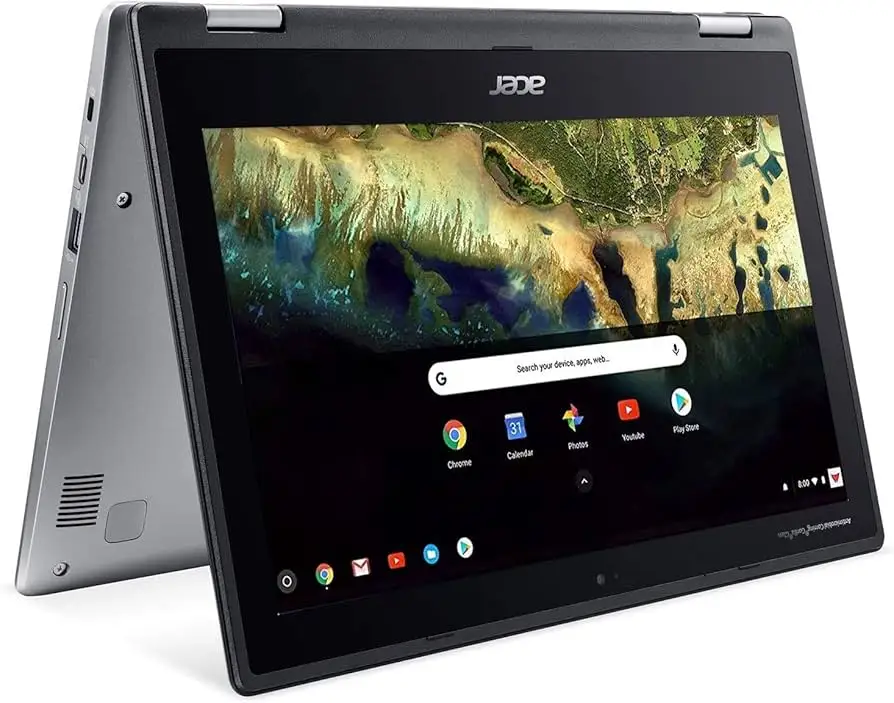
Acer Chromebook Spin 311 Review: Portable Power Verdict
A verified buyer on Best Buy shared: “This is the first device I’ve ever had that I can leave the charger at home and know it will get me thru the day and then some.” That kind of battery confidence sums up much of the appeal of the Acer Chromebook Spin 311 11.6-inch 2‑in‑1 Touch Screen Laptop, which scored a consistent average across platforms of 8.4/10. Light weight, long runtime, and flexible form factor kept users coming back — but recurring complaints about glare, limited ports, and modest power underline that it’s best suited for specific types of users.
Quick Verdict: Conditional buy — excellent for students, casual users, and travelers who value portability and battery life over raw speed.
| Pros | Cons |
|---|---|
| Exceptional battery life — many reported 10–15 hours | Glare-prone display, difficult in bright light |
| Lightweight and ultraportable (around 2.3–2.6 lbs) | Limited RAM (4GB) and low storage (32–64GB) |
| 360° hinge versatility for tablet/tent modes | Few ports, missing microSD slot in newer models |
| Responsive touch screen with Gorilla Glass protection | No backlit keyboard |
| Smooth Chrome OS setup and usability | Performance slows under heavier multitasking |
| Affordable price point for a convertible laptop | Outdated Wi-Fi 5 and Bluetooth 4.2 |
Claims vs Reality
Acer markets the Spin 311 with “up to 15 hours” battery life. While multiple Best Buy reviewers echoed this claim for mixed usage, Consumer Reports testing showed lighter web browsing around 11.5 hours, and heavy 4K video workloads closer to 4.5 hours. Reddit posters framed the gap as task-dependent, with one noting they could “go 3 days without charging when just doing notes and browsing.”
Another claim — “improved typing experience” — resonated with many owners, who praised the large keys and solid travel. A Best Buy customer wrote: “The keyboard is of good size with keys that have good travel which are satisfying to type on.” However, the lack of a backlight was a common lament, especially among night users.
Finally, Acer’s convertible promise via the 360° hinge is fully supported in reality. Parents and students praised tent mode for videos and tablet mode for drawing or casual use. MicheleB on Best Buy said her daughter “loves the 360 function to play as a tablet... and I enjoy it to prop up while I’m doing craft videos.”
Cross-Platform Consensus
Universally Praised
Portability topped the positive list. Owners across Reddit, Trustpilot, and Best Buy consistently highlighted its sub‑2.6 lb weight and small footprint. One parent noted: “My boy has been bringing a Chromebook home from school... this one stood out for the 360 hinge and does not disappoint.” For travelers, this meant slipping it into a purse or small bag without feeling the extra load.
Battery life also won broad praise. Even those who didn’t hit the advertised 15–16 hours often surpassed a full workday. Jorge’s Best Buy experience: “Battery life is insanely good... I played games for about 8 hours and the battery only dipped like 60%.”
Ease of setup in Chrome OS was another standout. Several users described literally being “up and running in less than five minutes” thanks to minimal initial configuration and seamless Google account integration.
Common Complaints
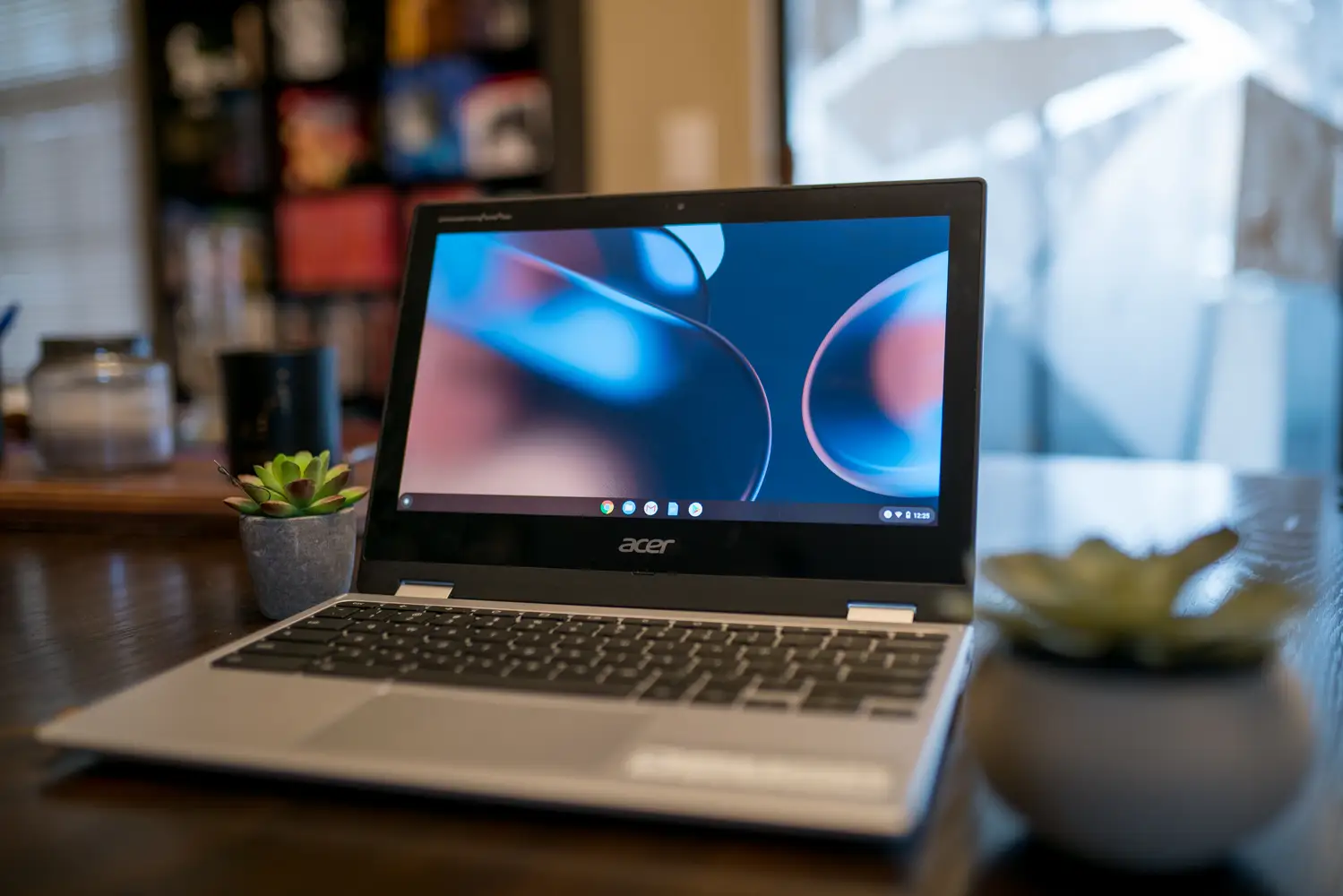
The glossy Gorilla Glass touch screen, while durable, was “highly reflective under bright lights and sun” as Insomniak1 on Best Buy put it. Consumer Reports also tested and confirmed glare as a limiting factor outdoors or near windows.
Connectivity gaps frustrated many. The transition away from microSD slots in newer models created friction for photographers and students needing cheap expansion. Limited port counts meant charging could block a USB device, as one Trustpilot review explained: “You’ll lose a USB port to plug in the power cable when charging.”
Performance was sufficient for lightweight tasks but could bog down. AP Flores 413 noted that “the Spin 11 specs are on the low end... which does make the experience a little bit sluggish” in multitasking scenarios.
Divisive Features
The thick bezels sparked debate — some appreciated the hand space in tablet mode, while others, like APCO on Best Buy, found them dated and aesthetically unappealing. The all‑plastic chassis similarly split opinion: parents liked its sturdiness for kids, while others preferred a more premium feel.
The display’s 1366×768 resolution was considered crisp enough for the screen size by many, but power users accustomed to higher resolutions reported a noticeable downgrade.
Trust & Reliability
Trustpilot narratives found consistent durability over months, particularly for education use. Devices held up well to daily folding and travel. MicheleB’s year‑old unit stood “up well” despite her 8‑year‑old “being rough on things.”
Long‑term performance degradation was minimal in light users’ accounts, though heavy multitaskers saw slowdowns over time. There were occasional catastrophic reports like Normap’s one‑star warning — “the laptop doesn’t work after 3 months” — but these were rare compared to the overall volume of positive feedback.
Privacy touches such as included webcam sliders were noted favorably, enhancing trust for family settings.
Alternatives
Some users compared this to higher‑spec Chromebooks with Intel chips or USI pen support. MSumulong removed a star for lack of USI stylus compatibility, suggesting stylus‑driven note takers might be happier with alternatives like Lenovo’s IdeaPad Flex series.
Consumer Reports data shows earlier Intel‑powered Spin 311 variants slightly outperform in heavier loads but lose battery efficiency.
Price & Value
Prices in user reports varied from clearance sales around $115 to standard retail near $229, with refurbished eBay units between $199–$299. Community consensus was that under $200 represented “a very affordable, versatile Chromebook,” as one Best Buy reviewer summed it up. Resale value appears moderate, with used units holding around 60–70% of original price if in good condition.
Buying tips often included looking for seasonal sales at big box stores and weighing the cost against upcoming Chrome OS automatic update expiration in 2028 for newer models.
FAQ
Q: Can the Acer Chromebook Spin 311 run Microsoft Office apps?
A: Not directly — Android versions of Office are no longer supported via Google Play. Users access Word, Excel, and PowerPoint through browser-based Office 365.
Q: Is the keyboard backlit?
A: No, multiple owners note the lack of backlight. Night typing may require external lighting.
Q: Does it have a memory card reader?
A: Newer models dropped the microSD slot, so expansion requires USB drives or external readers.
Q: How long will it get Chrome OS updates?
A: Models like the CP311‑3H‑K5WQ will receive updates until June 2028, according to Consumer Reports data.
Q: Is it good for kids’ use?
A: Yes — many parents reported the plastic build and hinge design held up well. It’s popular in school-issued contexts.
Final Verdict
Buy if you’re a student, traveler, or casual user who wants a light, reliable, and budget‑friendly 2‑in‑1 with a battery that lasts past sunset. Avoid if you need high‑resolution graphics, intensive multitasking power, or outdoor readability. Pro tip from community: watch for sales under $200 — at that price, even with its modest specs, most find it a bargain worth owning.