8BitDo Ultimate 2 Controller Review: Strong But Limited
For some users, the 8BitDo Ultimate 2 Wireless Controller for Windows & Android is “better than my Xbox Elite 2” and earns an easy 9.1/10 from long-term owners — yet for others, it’s a downgrade in compatibility with quirks in comfort and build. The conflicting feedback paints a vivid picture: this is not a universally perfect gamepad, but one that hits hard for the right kind of player.
Quick Verdict: Conditional buy — stellar precision for Windows/Android gamers, but limited platform support and some small ergonomic missteps hurt its universal appeal.
| Pros | Cons |
|---|---|
| Ultra-precise TMR Hall Effect joysticks — no stick drift | No native support for Apple, Raspberry Pi, SteamOS |
| 1000Hz polling rate for both wired and wireless | Back buttons/macros work only under XInput mode |
| Comfortable ergonomic shape with tactile upgrades | Slightly cheap-feeling plastics and light weight |
| Included magnetic charging dock with dongle storage | RGB fire ring drains battery and has clumsy toggle |
| Stable 2.4GHz “8Speed” wireless with instant wake | D-pad directionality divisive — some call it “squishy” |
| Low latency, seamless connection switching | No headphone jack, limited input type controls |
| Responsive triggers with adjustable modes | L4/R4 extra bumpers awkwardly placed |
Claims vs Reality
A major sales claim is the integration of TMR joysticks with “higher precision and durability than Hall Effect.” Marketing suggests they enable micro-adjustments for competitive FPS play. Trustpilot narratives back this up: one reviewer said, “Battery life and durability are incredible… zero drift and fine aim is possible without overcorrection.” But Reddit user u/[name withheld] completely disagreed, noting, “Hall sticks not as precise as cheaper competition… feels rough when circling them.” This indicates variance, possibly by unit quality or user expectation.
Another claim is “ultra compatibility” — official listings cite support for PC, Android, and even Apple devices. However, the Ultimate 2 in practice is limited compared to its predecessor. The FNAC review highlighted a regression: “Exit the support for Apple and SteamOS — you’ll need a different model for Switch.” Many returning customers felt blindsided by this narrower scope.
The magnetic charging dock is marketed as convenient and futuristic. Here the consensus leans positive. A verified Best Buy buyer noted, “Love it — only one USB port used and it feels solid in the hands.” Aesthetics aside, several found the dock doubled as safe dongle storage, an understated but useful perk.
Cross-Platform Consensus
Universally Praised
Across Best Buy, Trustpilot, and Fakespot data, the controller’s wireless stability stands out. Users running both PC and Android setups love how quickly it wakes and connects. Reddit user u/[name withheld] summed it up: “Connects quickly off the dock… responsive, no issues with stick drift after pretty heavy use.” For couch gamers, the dock-plus-2.4GHz combo enables living room play without fuss. Owners with multiple devices switch seamlessly — a Quora review mentioned switching from PC to phone “whenever” thanks to dual Bluetooth and RF modes.
The triggers and tactile upgrades are a win for precision players. FNAC’s lab tests cited mechanical-like click in L1/R1 and optional short-throw locks for L2/R2, making gunplay and rapid-fire inputs faster. Casual players appreciate the comfort too — one buyer called it “most comfortable controller and Hall Effect sticks”, noting no fatigue in multi-hour sessions.
Battery life is consistently celebrated, with multiple six-month owners reporting the “battery lasts forever” when RGB lighting is off. For travel or long recording sessions, this removes the need for backup controllers.
Common Complaints
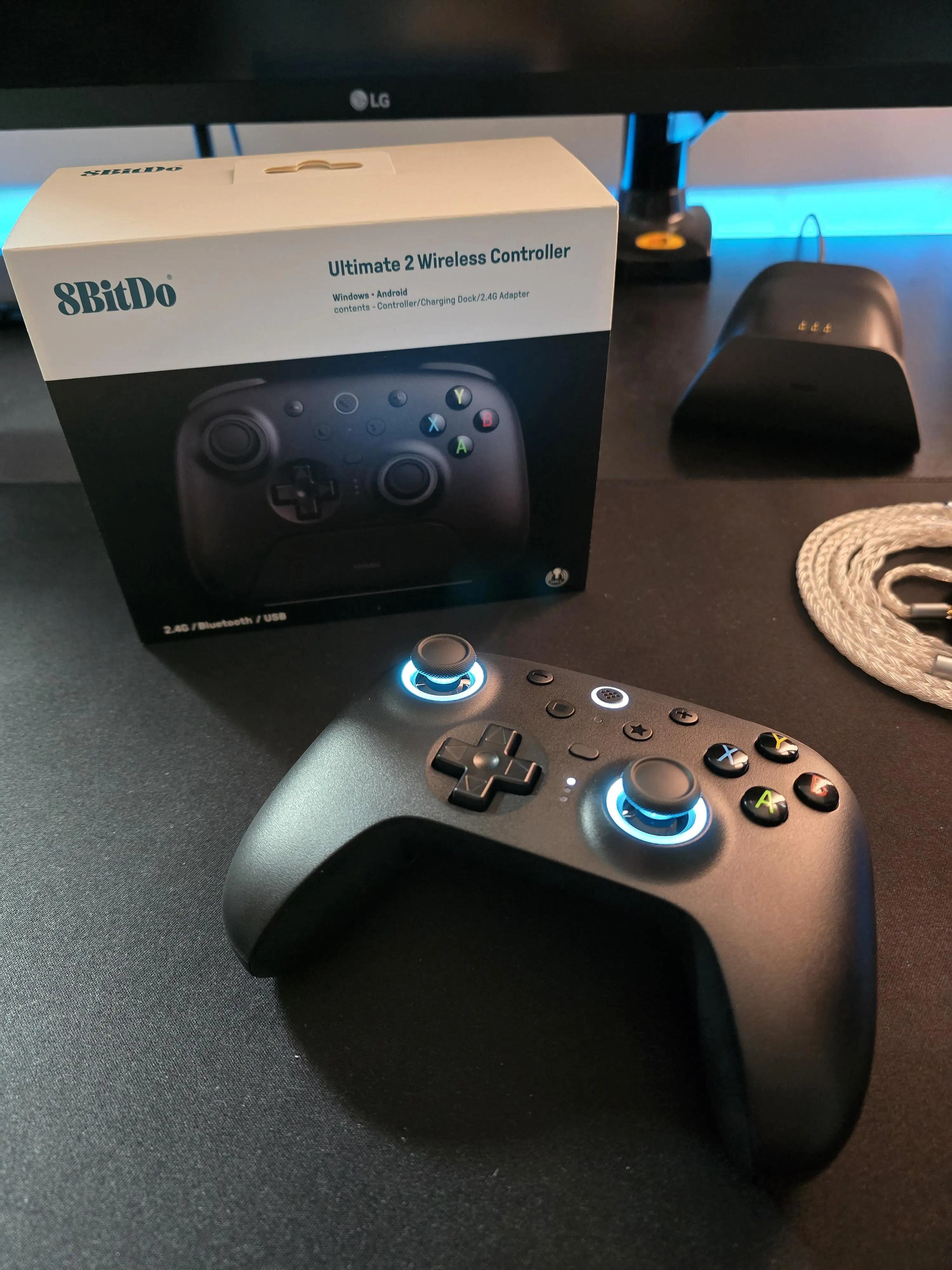
The most consistent gripe is build quality perception. Several users describe it as “light” or “hollow,” with plastics feeling less premium than Microsoft equivalents, and occasional creaking from the shell after weeks. Fakespot flagged odd weighting issues, which might bother players used to dense, heavy controllers. Back buttons and macro functions are also limited — they only work when connected via XInput, so if you pair over DInput or certain Bluetooth modes, they become inert decorations. This restriction drew frustration from users expecting universality.
For retro gamers, the D-pad design splits opinion. While FNAC loved its Nintendo-style click for fighting games, Best Buy customers called it “squishy” and better suited for NES-style play. In competitive scenarios, this inconsistency could matter.
Platform support reduction is probably the biggest deal-breaker for non-PC/Android owners. Users moving from the first Ultimate model were baffled to lose Apple, Raspberry Pi, and Steam Deck functionality without clear communication.
Divisive Features
The RGB “fire ring” is seen by some as a fun tech flourish, but others call it outright drainage. FNAC’s reviewer blasted it for “draining battery unnecessarily” and placement of its toggle button leading to accidental changes mid-game. Similarly, the L4/R4 bumpers add complexity without ergonomic payoff. If you’re a control-heavy MMO player, extra bumpers could be mapped for actions, but shooter fans found their location disruptive.
Trust & Reliability
Durability is largely praised in long-term snapshots — a Quora contributor using three 8BitDo controllers over 1.5 years reported “still no stick drift, great battery life, no latency.” However, Reddit threads document unit-specific faults, such as stuck shoulder buttons (LB/RB feeling “weird”), early creaking, and inconsistent macro performance.
On the scam front, Fakespot’s analysis shows “over 90% high quality reviews” and minimal deception, meaning genuine purchase experiences dominate. Still, a few buyers note cosmetic scuffs “new out of the box” — these seem to be logistical or warehouse issues rather than product fraud.
Alternatives
Gamesir and EasySMX surface often in Reddit debates as cheaper, more mechanical-button alternatives. One user claimed, “Gamesir and EasySMX are superior in every possible way and cheaper as well as getting mechanical face buttons.” Microsoft’s Xbox Elite controllers remain benchmarks for premium feel but cost exponentially more. Interestingly, some owners swapped from Xbox pads specifically because of persistent stick drift, finding Ultimate 2’s magnetic sensors a more lasting choice.
Price & Value
Price points range widely — FNAC lists €74 for certain editions, while US Amazon/Best Buy prices hover at $49.99 with occasional 10% coupons, and eBay resale dips as low as $42 used. Auction oddities show brand-new units selling for under $20, suggesting surplus or clearance waves. Community consensus: buy during sales, where the magnetic dock and TMR joystick tech deliver elite-level responsiveness under $50.
FAQ
Q: Does the Ultimate 2 work with Apple devices?
A: Not natively. Owners note that unlike older Ultimate controllers, the Ultimate 2 limits official support to Windows and Android. Workarounds may exist via generic Bluetooth, but features like macros and back buttons won’t function.
Q: Can you disable the RGB lighting?
A: Yes, but toggling is awkward. FNAC reviewers report placement of the control button leads to accidental changes, often cycling through modes before reaching “off.”
Q: How long does the battery last?
A: With RGB off, many users get 15–19 hours on 2.4GHz and up to 32 with Bluetooth. Dock charging reduces downtime to near zero.
Q: Do the extra L4/R4 bumpers help gameplay?
A: Mixed reactions. Competitive macro users like them, but placement is unnatural for most, often causing accidental presses alongside standard bumpers.
Q: Is there any stick drift?
A: Owners across multiple platforms praise zero drift due to magnetic sensors. A few Reddit reports cite roughness in circular movements, but no chronic drift.
Final Verdict: Buy if you’re a Windows or Android gamer seeking ultra-low latency, drift-free sticks, and you value docked instant wake. Avoid if platform flexibility is key or if you expect premium heft to your controller. Pro tip from community: disable RGB and keep it docked when idle — you’ll rarely worry about charging mid-match.





