8BitDo Micro (Green) Review: Tiny Winner, Fragile Caveats
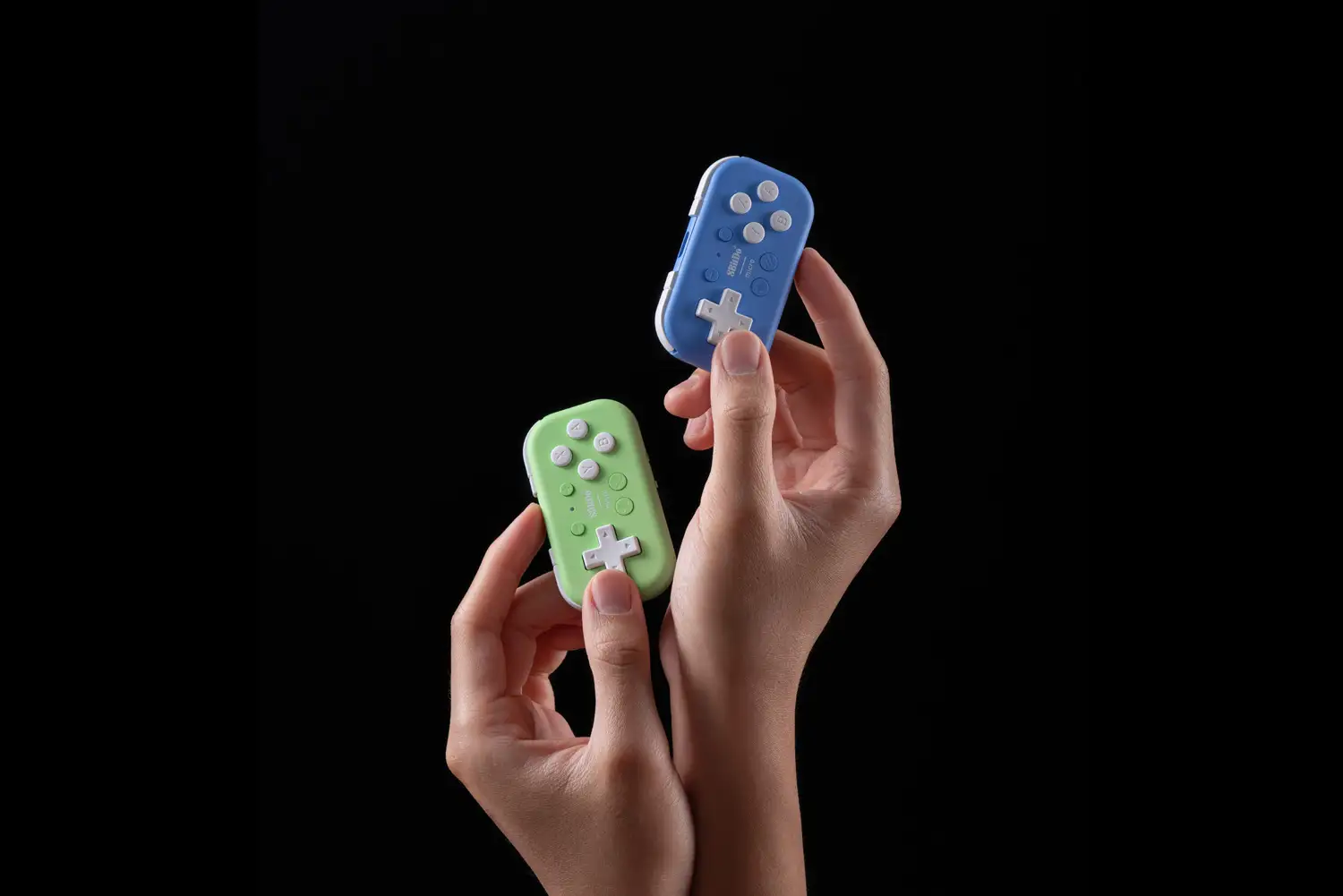
A 24.8-gram controller that people call “adorable” is also being described as fragile enough to “rapidly disassemble” after a short fall—welcome to the debate around the 8BitDo Micro Bluetooth Gamepad Mini Controller (Green). Verdict: a clever tiny controller/macro pad with real portability wins, but durability and connection quirks keep it from being a universal recommendation. Score: 7.8/10.
Quick Verdict
Yes—conditionally. It’s a strong buy for travel retro gaming and one-handed shortcut workflows, but a risk for clumsy bags, kid-handling, or anyone needing rock-solid Bluetooth on every device.
| What stands out | What users like | What users dislike |
|---|---|---|
| Portability | “it’s adorable!” | “it’s almost too small” |
| Comfort (for some) | “surprisingly nice in the hand” | “they want you to get arthritis” (Reddit) |
| Keyboard/macro use | “used as a ‘macropad’… unexpected, added value” | “no instructions… very annoying… unacceptable” (app UX) |
| Latency | “virtually no latency” (USB-C) | “a good amount of input latency” (Bluetooth on Android) |
| Build quality | “buttons… high-quality” | “breaks very easily” / “incredibly fragile” |
Claims vs Reality
8BitDo markets the 8BitDo Micro Bluetooth Gamepad Mini Controller (Green) as “ultra compact… 24.8 g,” “made for 2D games,” and broadly compatible across Switch/Android/Raspberry Pi, with “keyboard mode” and button mapping via the mobile app. Digging deeper into user reports, the headline claim—tiny, versatile, pocketable—largely checks out, but the day-to-day experience hinges on what platform you’re on and how gently you treat it.
Claim #1: “Ultra-portable… take it with you everywhere.”
Portability isn’t just marketing fluff here; it’s the core reason people buy it. A verified buyer on Amazon wrote: “despite the product pictures, I was still surprised how small it was… it’s adorable!” That same reviewer framed it as a travel essential: “now part of my essential travel kit.” But the reality of “everywhere” includes drops, pockets, and bags—exactly where some owners say it’s vulnerable. Another verified buyer on Amazon warned: “be careful, it’s delicate!” after a “two-foot-high end table” fall caused it to “rapidly disassemble… into a bunch of little pieces.”
Claim #2: “Made for 2D games” + comfort.
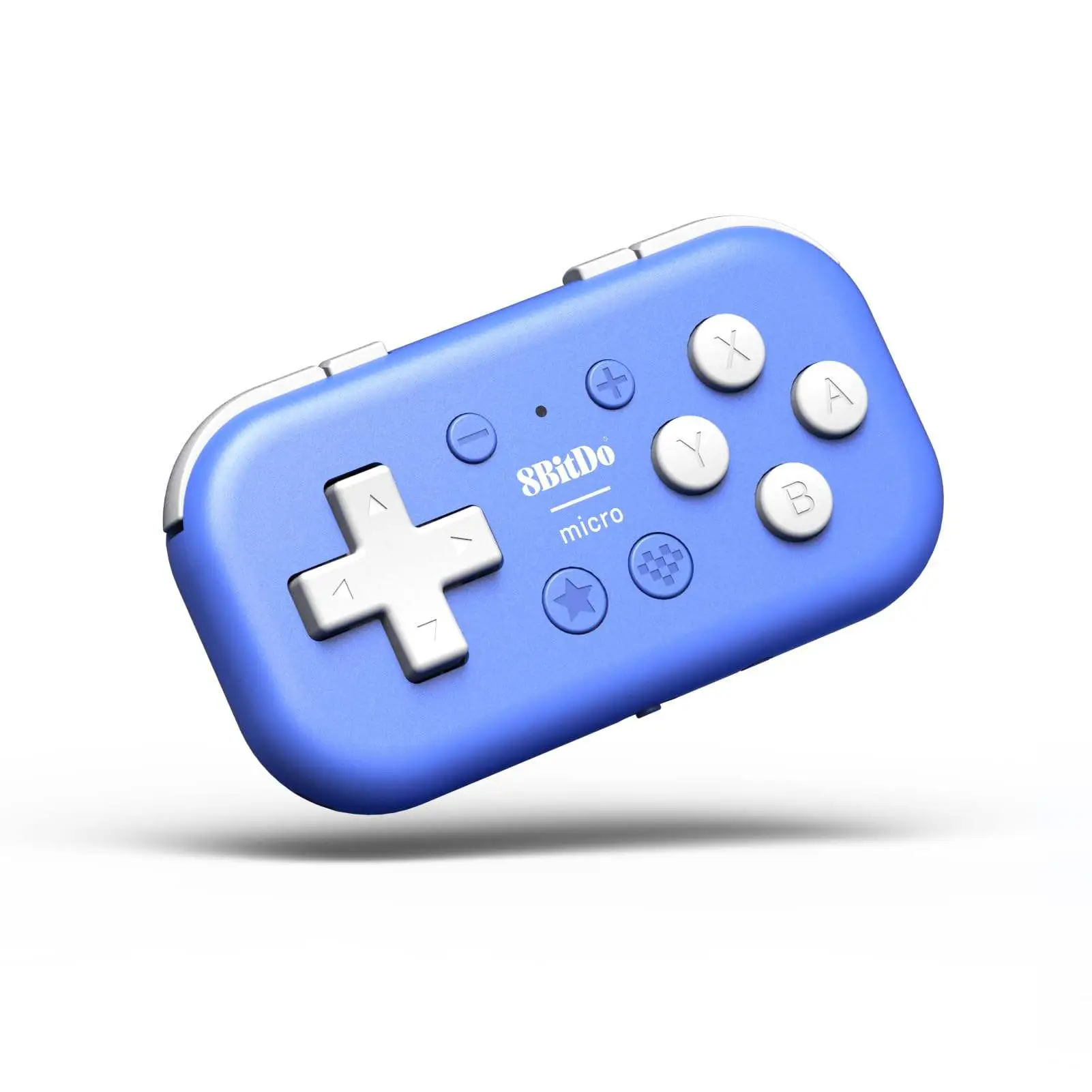
A recurring pattern emerged: the D-pad and face buttons get praise, while shoulders/triggers are the ergonomic tax of the tiny form factor. An Amazon reviewer liked that the D-pad “feels about the same size as the d-pad on my old Game Boy Pocket.” On Reddit, one commenter summed the feel as “surprisingly good feel and functional,” but immediately added: “The shoulder buttons are a struggle to use.” That gap—great 2D controls, awkward shoulders—shows up repeatedly, especially for action games and any layout demanding frequent L2/R2.
Claim #3: “Multi-tasking controller… keyboard mode… map each control.”
This is where the Micro becomes more than a novelty. Multiple owners treat it less like a “mini controller” and more like a one-handed productivity tool. A verified buyer on Amazon said it’s “absolutely perfect for using key commands on a drawing tablet,” emphasizing tactile button shapes: “differently shaped enough that they’re easy to find by touch.” Yet setup quality varies: one Amazon reviewer, using it to control a Hover X1 drone, described the 8BitDo app as providing “no instructions,” “very basic,” and “frankly unacceptable,” especially because backgrounding the app “restarts… every time and loses everything… forcing you to re-connect.”
Cross-Platform Consensus
Universally Praised
The most consistent praise is that the 8BitDo Micro Bluetooth Gamepad Mini Controller (Green) is genuinely small without automatically being unplayable. For travelers and “always-in-the-bag” gamers, owners keep returning to the idea that it’s the controller you actually carry. A verified buyer on Amazon called it “best travel controller for retro games,” explaining they bought it specifically for “multiple flights” and phone emulation. Another Amazon reviewer described it as living in a backpack for iOS/iPadOS: “it’s great as a portable option… on-hand for unexpected gaming sessions.”
There’s also a strong cross-platform theme of it doubling as a shortcut pad—especially for artists. This isn’t one off. A verified buyer on Amazon wrote: “absolutely perfect for using key commands on a drawing tablet… about 1/3 the price of the purpose-made tablet keypads!” Another Amazon reviewer echoed the same Procreate workflow: “set up hotkeys for Procreate… within 30 minutes,” and described the impact as staying “more in the zone of just drawing.” On Reddit, the original poster framed their “main usage” as “a keyboard shortcut pad for illustration,” calling that “the perfect use-case.”
Finally, when the physical design works for someone’s hands, people seem surprised by how usable it feels. One Amazon reviewer said: “tiny in the hand… still comfortable to play most games for long periods of time.” Another Amazon buyer, despite calling it small, highlighted the layout: “all the buttons are very usable, even with adult-sized hands… layout is well-designed.”
After the stories, the pattern looks like this:
- Travel retro gaming is a core win: “essential travel kit” (Amazon verified buyer).
- One-handed shortcuts are a major secondary market: “perfect for… key commands” (Amazon verified buyer).
- D-pad feel stands out for 2D: “feels… like… Game Boy Pocket” (Amazon verified buyer).
Common Complaints
Durability is the complaint that reads most like a warning label. Not everyone reports breakage, but the stories are vivid enough to influence buying decisions—especially for kids or toss-in-a-bag use. A verified buyer on Amazon described a small fall causing it to “rapidly disassemble.” Another Amazon reviewer said it’s “incredibly fragile… poorly made on the inside,” describing a drop “out of a bag” that was “enough to break it once.” For commuters and parents, that’s not theoretical: it directly conflicts with the “pocket” lifestyle the product encourages.
Bluetooth behavior is the second major fault line, especially on Android. One Amazon reviewer said Bluetooth pairing was easy, but gameplay had “a good amount of input latency” in RetroArch: “impossible to do wall-jumps in Super Metroid.” The same user found the wired workaround decisive: “When… connected by USB-C, there was virtually no latency.” Another Amazon reviewer called Bluetooth “very haphazard,” sometimes taking “15–30 seconds” or failing until a power cycle. For people who want “pick up and play” handheld emulation, these reports suggest the experience can swing from effortless to fiddly depending on device and mode.
Buttons—particularly shoulders/triggers—are the third recurring complaint. Even reviewers who like the unit often admit shoulder use is compromised. An Amazon buyer wrote the shoulder buttons are “noisier” with a “distinct ‘click.’” Another Amazon reviewer said the “trigger/bumper buttons are very clicky… and are not always responsive.” On Reddit, a user condensed it to: “The shoulder buttons are a struggle to use… close” to other cramped handheld controls. For action titles that depend on L2/R2 cadence, this becomes a deal-breaker, not a nitpick.
Common pain points, in users’ words:
- Fragility: “breaks very easily” / “incredibly fragile” (Amazon verified buyers).
- Android Bluetooth latency: “impossible… wall-jumps” (Amazon verified buyer).
- Setup friction: “very annoying… unacceptable” (Amazon verified buyer, app UX).
Divisive Features
The size itself is the most divisive “feature.” Some buyers treat it as a miracle of usability; others see it as an ergonomic compromise bordering on uncomfortable. A verified buyer on Amazon said it’s “surprisingly nice in the hand,” but another admitted it’s “almost too small.” Reddit commentary captures the split more bluntly: one person joked, “it’s like they want you to get arthritis,” while another reported it “feels way better than the zero” because “square edges make it sit in your hand far more comfortably.”
Platform compatibility is similarly split—especially for iPhone/iPad use. One Amazon buyer said iOS works well but needs setup: the controller appears as “Pro Controller,” and they had to remap face buttons in iOS settings. Another said, “update the firmware… to 1.03… no latency over Bluetooth and connects every time.” Yet a 1-star Amazon reviewer described a nightmare scenario: after charging, it “lost all right d-pad input,” then “the pairing button stopped working” and the controller “bricked itself.”
Trust & Reliability
Digging deeper into trust signals, third-party review analysis adds a cautionary note. Fakespot’s page flags potential reliability concerns—stating “there may be deception involved” and that “65.0% of the reviews are reliable.” That doesn’t prove the product is bad, but it does suggest shoppers should weigh detailed, specific narratives more heavily than vague praise.
Long-term reliability stories in the provided community data are limited, but durability anecdotes from Amazon are severe enough to read like “handle with care” advisories. A verified buyer’s “rapidly disassemble” drop story and another’s “incredibly fragile” internal break after a bag fall point to a recurring pattern: the Micro’s featherweight portability may come with a structural penalty. Reddit comments lean more toward ergonomics than long-term breakage, but the lack of “six months later” follow-ups in the dataset means durability is being judged mostly through early-failure and drop anecdotes rather than extended ownership diaries.
Alternatives
Only a few direct alternatives are mentioned in the user data, and they mostly come from people already living in the 8BitDo ecosystem. The most frequent comparison is to the 8BitDo Zero 2. A verified buyer on Amazon framed the Micro as an upgrade: “replacement for… zero 2,” praising “added buttons” and that it’s “easier to turn off and on.” On Reddit, the comparison turned ergonomic: “it feels way better than the zero… square edges make it sit in your hand… more comfortably,” but added: “For big hands there is no way this is going to work for you.”
Another alternative appears in a negative iOS experience: a 1-star Amazon reviewer suggested the “8BitDo Lite controller… probably the most compact and usable controller for iPhones and iPads that doesn't have real sticks… going to get broken in a bag or pocket.” That’s telling: even while criticizing the Micro, they still want “compact,” just with different tradeoffs.
Price & Value
Price discussions cluster around the Micro being a low-cost specialty tool rather than a main controller. One Amazon reviewer called it “very reasonable” at “$22,” especially given the extra buttons and portability. For artists, value is framed against dedicated shortcut devices: “about 1/3 the price of the purpose-made tablet keypads,” said a verified buyer using it for drawing tablet key commands.
Resale and market pricing signals show it hovering in the mid-$20s new. An eBay listing shows $24.99 + $3.99 shipping for a new unit. UK retail is listed at £17.99 (8bitmods). The community buying tip buried in the stories is less about finding a discount and more about avoiding frustration: multiple users recommend firmware updates early. One Amazon reviewer advised: “update the firmware out of the box to 1.03… seems to fix everything.”
FAQ
Q: Is the 8BitDo Micro good for retro gaming on a phone?
A: Yes, especially for 2D emulation, but results vary by device and connection. A verified buyer on Amazon called it the “best travel controller for retro games,” though they also reported “a good amount of input latency” over Bluetooth on Android and said USB-C had “virtually no latency.”
Q: Does it work well as a Procreate or drawing tablet shortcut pad?
A: Many users say yes. A verified buyer on Amazon wrote it’s “absolutely perfect for using key commands on a drawing tablet,” and another said setting up Procreate hotkeys was easy and helped them stay “more in the zone of just drawing.” Setup relies on keyboard mode and mapping via the mobile app.
Q: Are there durability issues?
A: Some buyers report fragility. One verified buyer on Amazon said a short fall made it “rapidly disassemble… into a bunch of little pieces,” while another described it as “incredibly fragile” after a bag fall. Others praise the button feel and build, so outcomes may depend on handling and luck.
Q: What are the biggest comfort/ergonomic issues?
A: Shoulder buttons and size are the biggest complaints. A Reddit user said “The shoulder buttons are a struggle to use,” and an Amazon reviewer noted the controller is “almost too small” to comfortably press everything. Others disagree, calling it “surprisingly nice in the hand” for adult-sized hands.
Q: Does iPhone/iPad gaming work smoothly?
A: Often yes, but it may require setup or firmware updates. One Amazon reviewer said iOS pairing was easy but required an iOS controller profile swap (A/B and X/Y). Another reported: “update the firmware… to 1.03… no latency over Bluetooth and connects every time.” A 1-star reviewer reported a bricked unit after charging.
Final Verdict
Buy the 8BitDo Micro Bluetooth Gamepad Mini Controller (Green) if you’re a travel retro gamer, an iPad/iPhone player who’s okay doing initial setup, or an artist who wants a one-handed shortcut pad—“absolutely perfect for using key commands,” as a verified Amazon buyer put it. Avoid it if you need durability in a kid-heavy household or a bag that gets knocked around, because some owners say it “breaks very easily” and can “rapidly disassemble” from a modest drop. Pro tip from the community: “update the firmware out of the box… seems to fix everything,” and consider USB-C for latency-sensitive Android emulation.